Players prioritising frame rate
If fast arena play comes before extra image detail, compare Full HD high-refresh monitors with the frame rates your existing gaming device can deliver.


Choose a monitor around the resolution and refresh rate your gaming device can deliver through the connection you will use. A compact Full HD high-refresh screen suits a setup focused on frame rate, while QHD offers more detail if your system can sustain the performance you want. Limited plug sockets call for a separate power plan: check the monitor’s mains requirements and the combined load on any extension lead.
If fast arena play comes before extra image detail, compare Full HD high-refresh monitors with the frame rates your existing gaming device can deliver.
If you also use your screen for other games or desktop tasks, QHD may appeal, provided your PC and display connection support the resolution and refresh rate you intend to use.
If outlets are scarce, allow for the monitor’s power connection as well as the rest of your equipment. Electrical Safety First advises against overloading or daisy-chaining extension devices.
Start with the display mode your device can use, then check how the monitor and the rest of the setup will be powered.
Consider it when: high frame rates and a smaller screen matter more to you than QHD detail. ASUS UK lists its 23.8-inch VG249QL3A at 1920 × 1080 and 180Hz.
Trade-off: Full HD has fewer pixels than QHD, so you give up image detail and desktop space.
Consider it when: you want QHD detail and your gaming PC can deliver suitable frame rates. ASUS UK lists its 27-inch VG27AQL3A at 2560 × 1440 and 180Hz.
Trade-off: QHD asks the graphics system to render more pixels than Full HD; check game performance before relying on the screen’s highest refresh mode.
| Concern | Buying checks | Who this matters to |
|---|---|---|
| Fast motion | Check the refresh rate at your chosen resolution and input, plus variable refresh rate compatibility with your device. Treat response-time figures as mode-specific claims. | I want arena matches to feel responsive, so achievable frame rate matters more to me than extra pixels. Around 29% of consumers put fast competitive motion first. |
| Power and sockets | Confirm the monitor’s power equipment and UK plug arrangement. Check the marked rating of any extension lead against the combined connected load. | With few wall outlets, I need room to power the whole setup without overloading an extension. Safe socket planning comes first for around 29% of consumers. |
| Size and resolution | Compare Full HD and QHD against your desk space and the performance your graphics device can deliver in your games. | I want more detail and desktop space, but not at the expense of the arena performance I need. Around 24% of consumers prioritise this resolution balance. |
| Connection compatibility | Match your device’s output, cable and monitor input to the exact resolution and refresh mode you plan to use. | If my device has limited display outputs, the advertised mode only helps if my connection can carry it. Connection compatibility is the primary need for around 18% of consumers. |
The available mode can depend on the input, graphics device and cable. LG UK says the 200Hz overclock mode on its 27GS75QN-B requires a DisplayPort 1.4-capable graphics card and cable.
Check the exact resolution-and-refresh combination for the port you will use before ordering.
Overloading an extension device creates an overheating and fire risk; adding outlets does not raise its permitted load.
Follow Electrical Safety First’s guidance: check the lead’s marked rating against all connected equipment and do not daisy-chain extension devices.
Power arrangements differ by model. LG UK lists an external AC adapter for its 24GS60F-B, alongside its display connections.
Check the exact retail variant’s power supply and included UK mains equipment when planning your outlets.
QHD provides more pixels than Full HD, but your gaming device still has to produce the frame rates you want at that resolution.
Compare the performance your device can deliver in your arena games before deciding how much to prioritise QHD detail.
ASUS UK lists both a compact Full HD option, the 23.8-inch VG249QL3A, and a 27-inch QHD option, the VG27AQL3A, at 180Hz.
LG UK’s 27GS75QN-B is a QHD high-refresh reference point, with a listed 180Hz mode and a 200Hz overclock option.
Dell UK’s G2725D illustrates why port-specific modes matter on a 27-inch QHD monitor.
These monitors span Full HD and QHD options in several screen sizes. Compare each one with your device’s display output, your desk space and the mains equipment needed for a limited-socket setup.
 Image unavailable
Consider this compact Full HD option if you are prioritising high-refresh arena play over QHD detail.
The listed variant has a 180Hz VA panel, 1500R curve, adaptive sync, two HDMI inputs and DisplayPort. Check which refresh mode your device can use through its chosen input, and confirm the UK mains plug arrangement for your setup.
 Image unavailable
Consider the larger QHD screen if you have the desk space and your gaming device can drive the mode you want.
The listed variant has a 2560 × 1440 VA panel, two HDMI inputs and two DisplayPort 1.4 inputs. Confirm the refresh limit for your chosen connection, any variable refresh rate requirement and the UK mains plug arrangement.
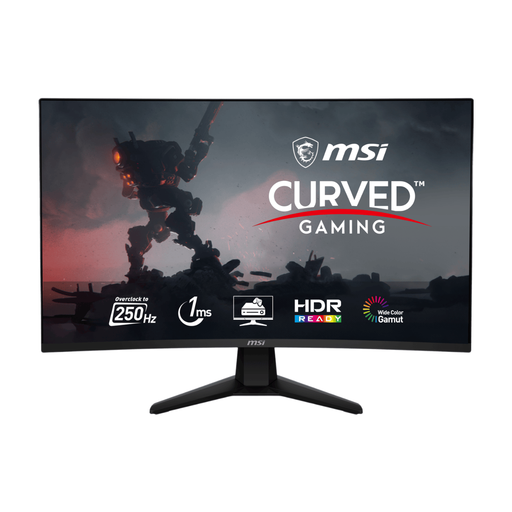 Image unavailable
This is a larger-screen Full HD option for players whose device can make use of its stated high-refresh modes.
The title lists adaptive sync and 250Hz as an overclocked mode. Check the input and cable requirements for the mode you want, as well as the power equipment and connected load for your socket plan.
 Image unavailable
Consider this QHD option if your device can deliver the performance you want at 2560 × 1440.
The listed refresh rate is 220Hz. Confirm the mode available on your chosen input and cable, then check the UK plug arrangement and power requirements before planning the connected load.
 Image unavailable
This QHD option is worth comparing if your gaming device can support the display mode you intend to use.
The title lists 2560 × 1440, 240Hz and adaptive-sync compatibility. Check the input-specific refresh mode, compatible graphics hardware and mains equipment before ordering.
Do not count on the video connection to power the monitor. Power arrangements are model-specific: LG UK lists an external AC adapter for its 24GS60F-B. Check the exact monitor’s power equipment and UK retail variant before allocating sockets.
It can provide outlets if the connected equipment stays within the lead’s marked maximum rating. Electrical Safety First advises against overloading extension devices or plugging one into another; check the combined load of everything you plan to connect.
No; check the mode for the specific input and device combination. Dell UK lists up to QHD 180Hz through DisplayPort 1.4 on the G2725D, while LG UK requires a DisplayPort 1.4-capable graphics card and cable for the 27GS75QN-B’s 200Hz overclock mode.
Check the seller’s stated warranty and returns terms for the exact monitor, including who handles faults and whether a dead-pixel policy applies. Also confirm which display and mains cables come with the retail variant.