Who these choices suit

Bright-room competitive players

If daylight or lamps fall near your screen while you practise tracking and movement, consider reflections and monitor placement alongside refresh rate. An anti-glare description alone cannot tell you how the display will look at your desk.

High-frame-rate PC players

If your PC can sustain high frame rates during competitive drills, a compact, high-refresh display may fit your priorities. Check the monitor input, graphics output and intended refresh mode together.

Players who also want QHD detail

If the same monitor will serve competitive practice, desktop work and other games, a QHD high-refresh OLED is another route. Assess reflections and the manufacturer’s panel-care guidance before choosing it.

What to prioritise

Compact Full HD Fast IPS

Consider it when: You want a compact screen for movement drills and your PC can make use of a very high refresh mode.

Trade-off: Full HD offers less image detail than QHD; Dell lists different HDMI and DisplayPort refresh modes for the Alienware AW2524HF.

Full HD TN with a shielding hood

Consider it when: You want the compact layout, hood and DyAc+ motion-clarity mode of the ZOWIE XL2566K.

Trade-off: It is a Full HD TN model, and ZOWIE says DyAc+ cannot be used alongside variable refresh rate.

QHD 480Hz OLED

Consider it when: You want QHD detail as well as a very high advertised refresh rate, as offered by the ASUS PG27AQDP and LG 27GX790A-B.

Trade-off: Their stated surface treatments do not establish how reflections will look in your room; panel-care guidance also matters.

ConcernWhat to checkWho this matters to
Reflections and visibility Consider the screen surface and whether windows or lamps face the display; assess the exact model in comparable lighting if visibility is decisive. I need to follow moving targets without distracting reflections at my desk. Around 36% of consumers would put bright-room visibility first.
High-refresh movement Check refresh modes by input and whether your PC and usual game can sustain the intended frame rate. Fast drills matter more to me than extra image detail, but I need my setup to deliver the chosen mode. Roughly 29% of consumers would prioritise stable high-refresh movement.
QHD detail and speed Confirm the native resolution, intended refresh mode and applicable OLED-care guidance. I want sharper QHD detail for other uses without giving up a high-refresh option for practice. Around 21% of consumers would make that combination their primary need.
A moderate refresh target Compare the actual refresh mode, resolution and screen surface rather than assuming a higher headline figure is necessary. I want high refresh, but I do not expect to use the highest available modes. About 14% of consumers would put a moderate-refresh option first.

Buying pitfalls

  • Assuming every input supports the advertised refresh rate

    Dell lists different HDMI and DisplayPort refresh modes for the Alienware AW2524HF, so the connection you use affects the mode available.

    Check the exact monitor input, graphics-card output and suitable cable before choosing a refresh target.

  • Expecting an anti-glare label to settle the bright-room question

    The ASUS PG27AQDP and LG 27GX790A-B have manufacturer-stated screen treatments, but reflections still depend on where your windows, lamps and screen sit.

    Avoid direct reflections where possible and assess the exact model in comparable lighting if this is decisive for you.

  • Planning to use DyAc+ and variable refresh rate together

    ZOWIE says DyAc+ and variable refresh rate are incompatible on the XL2566K.

    Decide which mode matters more for your usual game and frame-rate stability before setting up the monitor.

  • Overlooking energy information

    GOV.UK’s energy-information guidance says in-scope electronic displays need an energy label at the point of sale, including online.

    Use the label and product information sheet when comparing displays for long daily sessions.

Relevant brands and models

ZOWIE by BenQ

The XL2566K is a 24.5-inch Full HD TN esports monitor specified by ZOWIE at 360Hz, with DyAc+, an S Switch and a shielding hood.

  • The hood offers a physical option for limiting some side light in a suitable desk setup.
  • ZOWIE says DyAc+ cannot operate alongside variable refresh rate; this is not a QHD model.

Alienware

Dell describes the 24.5-inch Full HD AW2524HF as a Fast IPS monitor with an anti-glare surface and a refresh specification of up to 500Hz.

  • Its compact format and stated surface treatment are relevant to the practice setup in this article.
  • Dell’s listed refresh modes vary by connection; verify the mode available through your intended input.

ASUS ROG

ASUS specifies the PG27AQDP as a QHD 480Hz OLED monitor with a 26.5-inch viewable area and an anti-glare surface.

  • It combines a QHD specification and high advertised refresh rate for players seeking both detail and speed.
  • Its surface specification does not establish visibility in your lighting; review ASUS’s OLED-care guidance.

LG UltraGear

LG specifies the 27GX790A-B as a 27-inch QHD 480Hz OLED with anti-glare and low-reflection treatment.

  • Its stated screen treatment is a relevant attribute to assess for a bright desk position.
  • Check reflections with your intended room layout rather than treating the surface description as a guarantee.

Joybuy product choices

These models offer different ways to approach movement practice, from Full HD high refresh to QHD OLED and a 4K dual-mode display. For each one, check the screen against your room lighting and confirm the mode your PC can deliver.

MSI MAG 274QP QD-OLED X24 gaming monitor

MSI MAG 274QP QD-OLED X24, 27-inch WQHD, 240Hz

Consider this model if QHD detail and a 240Hz refresh option suit your practice. The listed variant is a 27-inch QD-OLED monitor with 2560 × 1440 resolution and Adaptive-Sync; check reflections at your desk and the refresh mode available from your PC.

View on Joybuy

Samsung Odyssey G6 S27DG612 gaming monitor

Samsung Odyssey G6 S27DG612, 27-inch QHD OLED, 240Hz

This is another 27-inch QHD option for consumers who want image detail alongside high refresh. Its listed OLED panel and 240Hz specification do not settle bright-room visibility; assess reflections and check Samsung’s care and warranty terms.

View on Joybuy

LG UltraGear 34GX900A-B gaming monitor

LG UltraGear 34GX900A-B, 34-inch WQHD OLED, 240Hz

Consider its 34-inch format if you want a wider practice display rather than a compact esports screen. The listed OLED model has WQHD resolution and a 240Hz refresh specification; check desk space, reflections and the applicable OLED-care guidance.

View on Joybuy
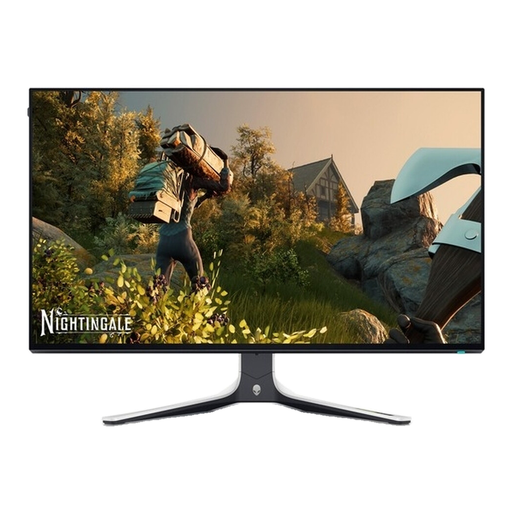
Alienware AW2724HF gaming monitor

Alienware AW2724HF, 27-inch Full HD Fast IPS, 360Hz

This Full HD Fast IPS model is relevant if you favour a high refresh specification over QHD detail. Check its 360Hz mode with your intended PC connection and assess the screen surface for your bright-room setup.

View on Joybuy

LG UltraGear 27G810A-B gaming monitor

LG UltraGear 27G810A-B, 27-inch 4K IPS Dual Mode

Consider this dual-mode monitor if you want to choose between a 4K setting and a higher-refresh practice setting. The listing gives a maximum of 360Hz, but check which resolution and connection deliver the mode you intend to use, as well as the screen’s fit for your room lighting.

View on Joybuy

Frequently asked questions

Must my PC reach the monitor’s maximum refresh rate in every game?

No, but check the frame rates your usual games can sustain before making that maximum mode a deciding factor. Dell lists different refresh modes by input for the AW2524HF, so check the graphics output and connection as well as the monitor.

Is a QHD OLED automatically the right choice for a bright room?

No. ASUS and LG list anti-glare or low-reflection treatments on their QHD 480Hz OLED models, but those specifications cannot establish the result beside your windows or lamps. Choose this route for its combination of QHD detail and high refresh only after considering reflections and panel-care terms.

Can I use VRR and DyAc+ together on the ZOWIE XL2566K?

No. ZOWIE says DyAc+ is incompatible with variable refresh rate on the XL2566K. Decide which mode better fits your game and frame-rate stability before configuring the display.

What energy information should I check online?

Check the display’s energy label and product information sheet when comparing models for regular use. GOV.UK’s energy-information guidance says in-scope electronic displays must show an energy label at the point of sale, including on a website.

Is UKCA the only acceptable marking for a monitor sold in Great Britain?

No. GOV.UK’s August 2026 guidance says Great Britain continues to recognise CE marking for many products alongside or in place of UKCA, subject to the applicable product requirements. That Great Britain guidance should not be assumed to describe the route applicable in Northern Ireland.