
24/7 Customer Support

Free returns

Same-day & Next-day Delivery

Quality Guaranteed

Unlock Your Welcome Offers: FREE Delivery | Up to 80% OFF | Free 30-day JoyPlus trial
Download the APP
Choosing between gaming monitors is not simply a matter of selecting the highest refresh rate or the lowest response-time figure. UK buyers also need to consider resolution, graphics-card capability, desk space, connectivity, panel longevity and the type of games they play.
A specification sheet can look impressive while hiding practical compromises. The right display should match your hardware and habits rather than marketing language.
A 0.03ms gaming monitor may use a grey-to-grey figure measured under particular conditions, while another model may quote MPRT. These measurements are not directly interchangeable. A low number does not automatically mean every scene will appear clearer.
Also check the panel technology, refresh rate and adaptive-sync support together. A fast OLED display may provide very quick pixel transitions, while a VA panel may offer stronger native contrast but different motion characteristics.
A 240Hz gaming monitor only displays up to 240 frames per second when the connected PC or console can output those frames at the selected resolution. Reaching 240Hz at 4K requires considerably more graphics performance than reaching 240Hz at Full HD.
For many PC gamers, QHD or 1440p is a practical middle ground. Console users should verify the supported resolution and refresh rate: PlayStation 5 and Xbox consoles commonly target up to 120Hz in compatible games rather than 240Hz.
An HDR gaming monitor can accept HDR content, but the visible result depends on brightness, contrast, local dimming and the panel type. DisplayHDR 400 and DisplayHDR True Black 400 are different certification categories, so compare the full specification rather than relying on “HDR-ready” wording alone.
OLED panels offer individually lit pixels and deep black levels, but users should still follow the manufacturer’s OLED-care guidance. Static desktop elements displayed for long periods can increase burn-in risk over time.
Measure your desk before ordering. A 34-inch ultrawide screen needs more horizontal space, while a 39-inch 800R curved display requires sufficient viewing distance for comfortable use.
A high refresh rate monitor can make cursor movement, camera panning and fast gameplay appear smoother. For competitive FPS players, 240Hz or higher can be relevant when the PC consistently produces high frame rates. For mixed gaming, productivity and entertainment, 144Hz–180Hz may already provide a noticeable improvement over 60Hz.
Check how the refresh rate is achieved. Some monitors use overclocking, such as 250Hz (OC), and the maximum may depend on DisplayPort or HDMI. The MSI MAG 274CXF, for example, reaches 280Hz through DisplayPort and up to 240Hz through HDMI, according to its listed specifications.
Adaptive-Sync, FreeSync and G-SYNC Compatible features synchronise the display’s refresh behaviour with compatible graphics output to help reduce tearing and stuttering. Confirm that the function works through the port you intend to use.
For high-resolution, high-refresh gaming, look for suitable connections:
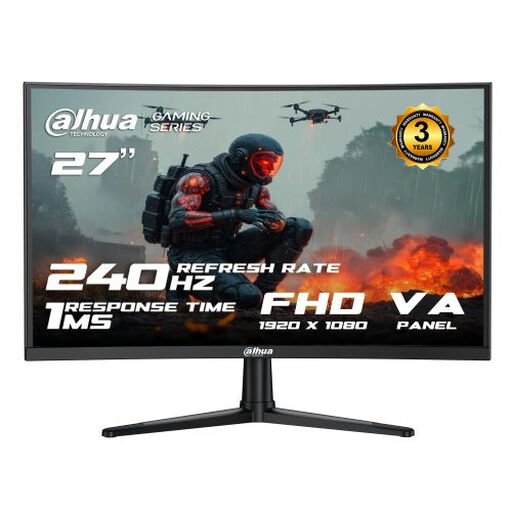
Why This Fits Their Persona: A straightforward choice for UK players building a first high-refresh setup, particularly where a Full HD screen is easier for the graphics card to drive.
Its specification clearly states 240Hz through HDMI and DisplayPort rather than leaving the connection requirement unclear.
27-inch 1920×1080 VA panel, 240Hz refresh rate, 1ms MPRT and Adaptive Sync.
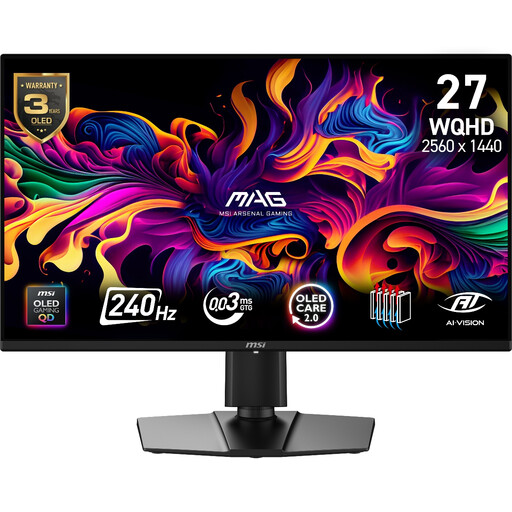
Why This Fits Their Persona: Suits PC gamers and creators who want QHD sharpness, OLED contrast and fast competitive performance in a conventional 16:9 format.
The listing identifies the QD-OLED panel, 2560×1440 resolution, Adaptive-Sync range and HDMI 2.1 inputs, making the key compatibility details easier to check.
240Hz refresh rate, 0.03ms GtG response time, 99% DCI-P3 coverage and a three-year warranty including panel burn-in coverage as listed.
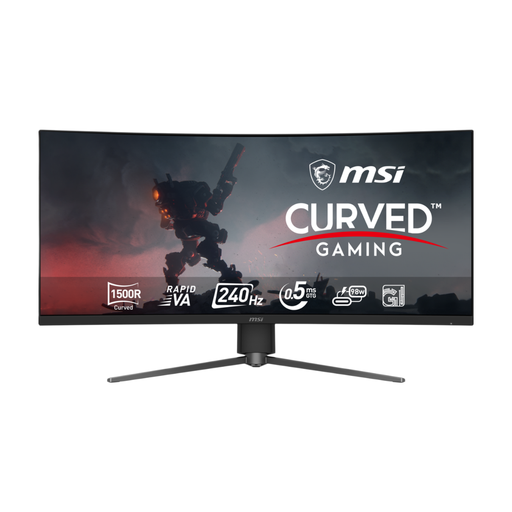
Why This Fits Their Persona: Designed for racing gamers, streamers and multitaskers who have a small footprint for a 21:9 curved screen.
The product details specify 3440×1440 at 240Hz through DisplayPort, HDMI 2.1 and USB-C, helping buyers match the screen to their hardware and cable choice.
34-inch UWQHD Rapid VA panel, 240Hz refresh rate, 0.5ms listed response time and 98W USB-C power delivery.
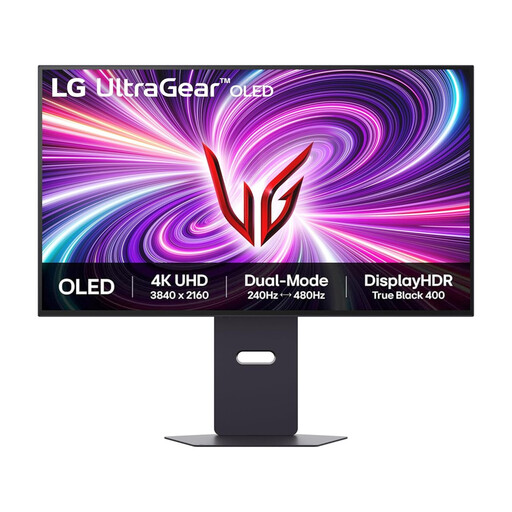
Why This Fits Their Persona: A strong specification match for users combining high-resolution games, video work, streaming and everyday desktop tasks.
Its dual-mode specification makes the trade-off clear: 4K at 240Hz or Full HD at up to 480Hz rather than implying both modes operate at maximum resolution simultaneously.
31.5-inch OLED panel, 3840×2160 resolution, 0.03ms GtG response time, HDMI 2.1 and G-SYNC Compatible plus FreeSync Premium Pro support.
We have compiled a complete, real-time list of products that fully satisfy these strict selection criteria and UK safety regulations.
It can be worthwhile for competitive PC gaming when your system regularly produces high frame rates. For slower-paced games, console gaming or general work, a lower refresh rate may offer better value. Resolution, panel quality and connectivity should be assessed alongside refresh rate.
They can be, but OLED owners should use the supplied panel-care features and avoid displaying static logos, taskbars or windows for extended periods. Check the manufacturer’s maintenance guidance and warranty terms, particularly any burn-in coverage.
Power consumption varies by panel, brightness, size, HDR mode and refresh rate. Larger ultrawide and high-brightness OLED displays may use more power than smaller Full HD models. The product specification usually provides typical and maximum consumption figures, which are more useful than comparing screen size alone.