What to check when buying
Check the room and screen surface before deciding how much resolution or refresh rate you need. A brighter specification alone cannot remove a reflection from a window.
| Concern | What to check | Who this matters to |
|---|
| Daylight visibility |
Look for a stated matte or anti-glare finish and compare typical brightness, not just HDR peak brightness. Check where windows reflect in the screen. |
When daylight obscures map labels and build menus, I need to control reflections before extra speed matters; around 46% of consumers put visibility first. |
| Map and interface detail |
Compare screen size and resolution together, then check whether your PC and connection can deliver the intended 4K or QHD mode. |
If I keep a map and several information panels visible, I value room for detail but still need acceptable game performance; around 36% of consumers prioritise interface space. |
| Smoothness and PC demand |
Check refresh modes and adaptive-sync support against your GPU, alongside the frame rates you expect at your chosen resolution. |
For faster games alongside colony builders, I would balance smoothness against the work my PC must do; roughly 18% of consumers make that balance their main concern. |
Brands to consider
These examples describe particular monitor models, not every display made by each brand.
BenQ MOBIUZ
BenQ specifies the 31.5-inch 4K EX321UX with a matte IPS screen, 700-nit typical brightness and a 1,152-zone Mini-LED backlight.
- Its stated finish, resolution and typical brightness make the EX321UX worth comparing for a large bright-room gaming setup.
- Do not extend those specifications to other MOBIUZ models: BenQ lists a glare finish and 300-nit typical brightness for the EX321UZ OLED.
ASUS ROG
ASUS specifies the ROG Strix XG32UQ with a 32-inch 4K Fast IPS screen, an anti-glare surface and up to 160Hz refresh.
- Its stated 450cd/m² typical brightness and anti-glare finish give shoppers two relevant specifications to check for this room.
- Check whether your PC and connection can deliver the 4K refresh mode you intend to use; the specification alone does not establish in-game frame rates.
LG UltraGear
LG specifies the 31.5-inch 32GS75QN-B with a QHD IPS screen, 400cd/m² typical brightness and 180Hz refresh.
- Its QHD resolution is an option for players who want a large physical screen without choosing the 4K resolution of the cited BenQ and ASUS models.
- QHD provides fewer pixels for dense maps and panels than 4K at a similar screen size. Check the room setup rather than assuming the LG model will handle every reflection.
Joybuy product choices
These displays offer different ways to balance map detail, screen size and gaming refresh rates. For a bright room, confirm typical brightness and surface finish on the model you choose, as well as whether its resolution suits your PC.
 No image available
AOC Q32V4 31.5-inch 2K IPS monitor
Consider this larger-screen option if you favour workspace for colony maps over 4K pixel count. The product title lists an IPS panel, Adaptive Sync and built-in speakers; check its typical brightness and screen finish against your room lighting.
View on Joybuy
 No image available
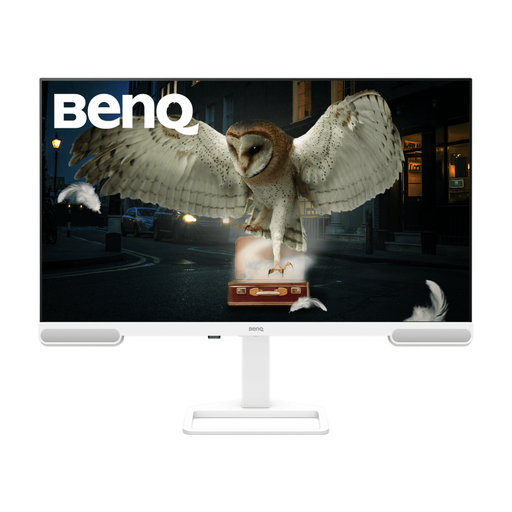
BenQ EW3290U 4K monitor
Its stated 3840 × 2160 resolution may appeal if detailed maps and several interface panels matter more to you than high refresh rates. Check your PC's 4K output, the screen finish and the exact diagonal size before ordering; the supplied product information gives differing sizes.
View on Joybuy
 No image available
Dahua 32-inch 4K 165Hz curved OLED monitor
This combines a large 4K format for game interfaces with a stated 165Hz refresh rate for other games. The title also specifies a 0.03ms GTG response time; for bright-room use, check typical brightness and surface finish rather than relying on its HDR400 label.
View on Joybuy
 No image available
LG UltraGear G8 27G850A 27-inch 4K monitor
The 27-inch 4K format suits players who prefer a smaller screen while retaining resolution for detailed interfaces. Its title lists a Nano IPS panel and 240Hz/480Hz dual-mode operation; check which mode your PC can use, plus the screen finish and typical brightness for your room.
View on Joybuy
 No image available
CRUA 32-inch 1500R curved QHD 165Hz monitor
This large QHD option may suit players balancing interface space with smoother play in other games. Its title specifies 2560 × 1440 resolution, 165Hz, Adaptive Sync and VESA 100 × 100mm mounting; confirm typical brightness and surface treatment for your lighting.
View on Joybuy
Frequently asked questions
Is a high HDR peak enough for gaming in a bright room?
No: check typical brightness, screen finish and reflections as well as the HDR figure. BenQ lists the same 1,000-nit HDR peak for its matte EX321UX and glare-finish EX321UZ, but states typical brightness of 700 and 300 nits respectively. The Video Electronics Standards Association describes DisplayHDR as covering several aspects of HDR quality, not as a rating for room reflections.
Should I change the room setup before replacing my monitor?
Yes, if you can reduce reflections by changing the screen angle or controlling light from a window. The Health and Safety Executive's display-screen guidance recommends arranging the desk and screen to avoid glare or bright reflections; its workstation advice offers a practical check for a gaming desk too.
What if an online monitor purchase arrives faulty or not as described?
In the UK, a faulty or misdescribed monitor can give rise to a remedy under consumer law, separate from a seller's change-of-mind policy. GOV.UK says retailers must offer a refund for goods that are faulty, not as described or do not do what they are supposed to; contact the retailer about the problem and its return instructions.
What should I do with an old monitor?
Check your local authority's electrical-recycling options or whether the retailer offers a suitable take-back route. GOV.UK describes the UK's waste electrical and electronic equipment rules as encouraging recovery, reuse and recycling, rather than prescribing one disposal route for every household.


