For competitive movement practice, an FHD esports monitor suits you if a compact, high-refresh setup matters more than desktop resolution; a QHD high-refresh display makes more sense if the same screen must also accommodate home-office work. A dual-resolution IPS monitor offers another route when you want to switch between a detailed work mode and a faster FHD practice mode, as Dell specifies for its AW2725QF. Whichever route you consider, check the refresh mode available through your PC connection and whether the screen can sit comfortably on your desk.
Who is each approach for?
Movement-practice-first player
If repeated competitive movement drills are your main use, a high-refresh FHD display may suit you even if it leaves less desktop resolution for work. ZOWIE by BenQ specifies a 400Hz Fast TN XL2566X+, while HP lists a 24.5-inch FHD 360Hz OMEN 25.
Home-office player who practises after work
If one screen must handle documents and competitive practice, consider QHD resolution alongside the available refresh mode and stand adjustment. LG UK lists a 27-inch QHD 480Hz OLED model, while Dell UK specifies a QHD 360Hz QD-OLED model with height and pivot adjustment.
One-monitor mode-switcher
If you want detailed desktop work and a separate high-refresh practice setting on one screen, check the resolution attached to each mode. Dell UK specifies 4K at 180Hz and FHD at 360Hz for its AW2725QF.
What matters when choosing?
FHD esports display
Consider it when: Movement drills matter more to you than QHD or 4K desktop resolution; ZOWIE by BenQ and HP list high-refresh FHD models for this route.
Trade-off: FHD provides less desktop resolution for document-heavy work.
QHD high-refresh OLED
Consider it when: You want QHD workspace and a high-refresh gaming mode on the same display, as specified for models from LG UK and Dell UK.
Trade-off: Check the intended input mode and the seller’s OLED warranty and panel-care terms before deciding.
Dual-resolution IPS
Consider it when: You would use a detailed work setting and switch to FHD for faster practice; Dell UK specifies these separate modes for the AW2725QF.
Trade-off: Its specified 360Hz setting is FHD, not 4K.
| Concern |
Buying checks |
Who this matters to |
| Movement practice |
Check the native resolution, supported refresh mode and the connection required to use it. |
If I mainly repeat movement drills, I want my PC and monitor to run the practice mode I intend to use. Around 36% of consumers put movement practice first. |
| Work and play in QHD |
Check for 2560 × 1440 resolution and confirm the intended refresh mode and GPU compatibility. |
When documents share my screen with games, I want QHD desktop space without giving up a high-refresh practice option. For around 29% of consumers, that balance is the main concern. |
| Switching display modes |
Check which resolution goes with each refresh rate and whether your PC supports the intended mode. |
I would rather change settings on one monitor than keep separate work and practice displays. That flexibility comes first for around 21% of consumers. |
| Desk positioning |
Measure desk space and check stand adjustment or VESA-mount compatibility. |
Before choosing a panel, I need the screen to fit my desk and reach a comfortable position. Around 14% of consumers make workstation fit their primary concern. |
Buying pitfalls to avoid
-
Assuming the headline refresh rate works through every port
Dell UK specifies QHD 360Hz over DisplayPort but QHD 144Hz over HDMI for the AW2725DF. HP lists DisplayPort with DSC enabled as the condition for the OMEN 25’s FHD 360Hz mode.
Compare the exact monitor mode with your graphics-card output and intended cable before ordering.
-
Choosing by refresh rate alone
The resolution attached to a fast mode affects what you can use for desktop work. Dell UK’s AW2725QF, for example, pairs 4K with 180Hz and FHD with 360Hz rather than offering both maximum figures at once.
Choose the resolution and practice mode you need together, then compare monitors that support that combination.
-
Leaving screen position until after purchase
The Health and Safety Executive advises placing a display directly in front of you, roughly an arm’s length away, with its top around eye level. A monitor’s stated refresh rate does not tell you whether its stand will achieve that on your desk.
Measure your desk and check the stand’s adjustment range or VESA-mount compatibility.
If the supplied stand cannot provide the position you need, a suitable monitor arm or riser may be necessary.
Relevant brands to consider
ZOWIE
Its esports-focused line is relevant when competitive FPS-style practice takes priority over a higher-resolution work display.
- ZOWIE by BenQ specifies a 400Hz Fast TN panel and DyAc 2 for the XL2566X+.
- The XL2566X+ is FHD; ZOWIE’s motion-clarity positioning should not be treated as an independent comparison with other panels.
LG UltraGear
The 27GX790A-B is a QHD OLED option for a desk shared between home-office work and competitive practice.
- LG UK specifies a 27-inch QHD OLED panel, a 480Hz refresh rate and DisplayPort 2.1 for this model.
- Confirm the required PC connection and current OLED warranty and care terms for the model you are considering.
Alienware
Dell’s specified models cover both a high-refresh QHD QD-OLED route and a dual-resolution IPS route.
- Dell UK lists the AW2725DF at QHD 360Hz over DisplayPort and the AW2725QF with 4K 180Hz and FHD 360Hz modes.
- For the AW2725DF, Dell lists QHD 144Hz over HDMI rather than the QHD 360Hz available over DisplayPort.
HP OMEN
The OMEN 25 is a 24.5-inch FHD IPS alternative for buyers considering a compact high-refresh display.
- HP specifies a 360Hz mode and height, tilt, swivel and pivot adjustment for the OMEN 25.
- HP states that its FHD 360Hz mode requires DisplayPort with DSC enabled.
Joybuy monitors for these needs
These monitors cover dual-mode work and practice, QHD gaming with room for desktop tasks, an ultrawide workspace and high-refresh FHD practice. Compare the stated mode and desk fit of each model against your own setup.
 No image available
LG UltraGear G8 27G850A 27-inch 4K dual-mode monitor
Consider this model if you want one 4K screen with a separate high-refresh practice mode.
The product title lists a Nano IPS panel, 240Hz and 480Hz dual-mode figures, DisplayPort 2.1 and HDMI 2.1. Confirm which resolution and connection apply to the mode you intend to use, and check the exact model suffix on the product page.
View on Joybuy
 No image available
LG UltraGear 27G810A-B 27-inch 4K IPS dual-mode monitor
This is a dual-mode option to consider when detailed desktop work and faster practice share one screen.
The product title specifies a 27-inch 4K IPS display and a maximum listed refresh rate of 360Hz. Check the resolution, port and PC output required for the mode you plan to use.
View on Joybuy
 No image available
Samsung Odyssey G6 S27DG612 27-inch QHD OLED monitor
Consider this model if QHD desktop space matters alongside a high-refresh practice setting.
The product title lists 240Hz and a 0.03ms response-time rating. Check the refresh mode available through your intended input, along with the seller’s current OLED care and warranty terms.
View on Joybuy
 No image available
Philips Evnia 6000 34M2C6500 34-inch ultrawide monitor
This model is worth considering if a wide work desktop is important and its size fits your practice desk.
The product title lists 3440 × 1440 resolution, 175Hz over DisplayPort and 100Hz over HDMI, plus height, swivel and tilt adjustment. Check the available desk width and the connection you intend to use.
View on Joybuy
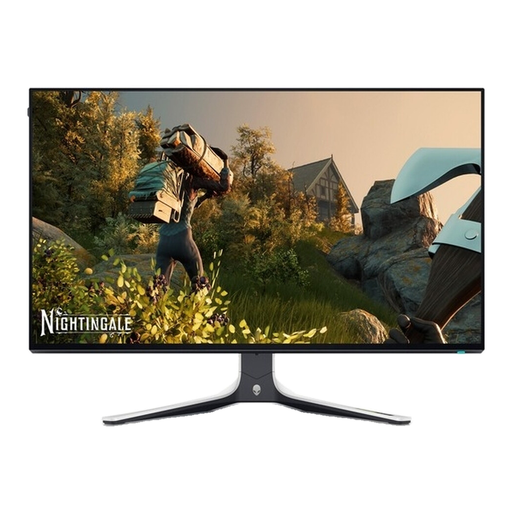 No image available
Alienware AW2724HF 27-inch FHD 360Hz IPS monitor
Consider this FHD model if a high listed refresh rate matters more to you than QHD desktop resolution.
The product title specifies a 27-inch Fast IPS display and 360Hz. Confirm the exact SKU’s refresh mode and input requirements, and check whether its stand can position the screen appropriately on your desk.
View on Joybuy
Frequently asked questions
How can I use a monitor’s maximum listed refresh rate?
Check the resolution, monitor input, cable and PC output as a combination. Dell UK specifies QHD 360Hz over DisplayPort but QHD 144Hz over HDMI for the AW2725DF; HP says the OMEN 25 needs DisplayPort with DSC enabled for FHD 360Hz.
Should I choose a 24.5-inch FHD esports monitor or a 27-inch QHD monitor?
Choose the FHD route if competitive practice takes priority and you can accept less desktop resolution; consider QHD if the same display must give you more room for home-office tasks. HP lists a 24.5-inch FHD 360Hz OMEN 25, while LG UK and Dell UK specify 27-inch-class QHD high-refresh alternatives.
How should the monitor fit a home-office workstation?
Aim for a position that works with your desk before choosing a stand or mount. The Health and Safety Executive advises placing the screen directly in front of you, about an arm’s length away, with its top around eye level; check adjustment or VESA-mount compatibility if the supplied stand will not allow that position.
What should I do with an old monitor?
Check the electrical-waste collection options available where you live rather than treating an old monitor as ordinary household rubbish. UK Government guidance on Waste Electrical and Electronic Equipment distinguishes private individuals importing products from businesses with producer obligations.


