Small-desk clue readers
If documents, subtitles, maps and inventory screens need to remain readable beside your keyboard, consider both panel size and stand depth. AOC lists the Q24G4RE as a compact 23.8-inch QHD option.


Choose a compact QHD monitor if desk space is tight but reading clues and interface text matters; AOC’s 23.8-inch Q24G4RE shows that this size-and-resolution combination is available. A flat 27-inch QHD screen gives you more physical display area if the desk can accommodate it, while a curved 27-inch gaming model makes more sense when faster games also influence your choice. Measure the stand as well as the screen, and check that your device supports the resolution and refresh rate you intend to use.
If documents, subtitles, maps and inventory screens need to remain readable beside your keyboard, consider both panel size and stand depth. AOC lists the Q24G4RE as a compact 23.8-inch QHD option.
If you play faster games alongside detective titles, refresh rate and variable refresh support may matter more. Check the modes supported by the exact monitor, connection and PC rather than choosing on a headline refresh rate alone.
If the same screen serves for games, reading and desktop work, check its stand adjustments, reflections and the exact model’s stated comfort features. Those details can affect how you position the display at a shallow desk.
Choose it when: Desk space is tight and you want QHD for reading clues; AOC lists its Q24G4RE at 23.8 inches, 2560 × 1440 and 180Hz.
Trade-off: The smaller panel gives maps and side-by-side windows less physical space, and your device must support the output mode you want.
Choose it when: Your desk fits a larger panel and stand, and you value screen area for evidence boards or desktop work; Dell lists the S2725DS at 2560 × 1440 and 100Hz.
Trade-off: Measure its footprint before giving up desk space for the larger display.
Choose it when: You also play faster genres and prefer a curved view; LG lists the 27GS60QC-B with a 1000R curve and 180Hz refresh rate.
Trade-off: The curve does not make its 27-inch panel a compact-desk option. Measure the complete setup rather than the diagonal alone.
| Concern | What to check | Who this matters to |
|---|---|---|
| Desk fit | Measure usable width and depth with the keyboard in place; check the monitor’s full stand dimensions or a compatible mounting arrangement. | If I have little room between the screen and desk edge, I need the display and input devices to fit comfortably. Around 44% of consumers put desk fit first. |
| Readable detail | Compare native resolution with panel size, and confirm your device’s supported output. View text at your usual distance where possible. | When clues appear in documents, maps or small interface text, I want to read them without choosing a screen too large for my desk. Readable detail comes first for around 33% of consumers. |
| Motion across genres | Check refresh-rate modes by input and variable refresh compatibility with your device; read response-time claims in their stated conditions. | If I switch from detective games to faster titles, I want motion features my setup can actually use. Around 23% of consumers prioritise that mixed-genre need. |
A 180Hz label does not resolve a cramped desk or a resolution that falls short of your clue-reading needs. The usable refresh rate also depends on the selected input and source device.
Set your desk and resolution requirements first, then check the exact monitor’s input modes against your PC or console.
Official LG, Dell and BenQ specifications include both Full HD and QHD examples at 27 inches. The diagonal alone cannot tell you the native resolution.
Compare size and resolution together, then decide whether compact QHD or a larger physical workspace better suits your desk.
Mounting depends on the exact monitor’s VESA pattern, weight and screw requirements, as well as the mount’s limits.
Match the monitor manual to the arm or wall mount before removing the supplied stand.
A compatible arm or wall mount may be an additional purchase.
A replaced monitor needs an appropriate electrical-waste route. GOV.UK describes retailer take-back responsibilities, with the available service depending on how the retailer operates its scheme.
Ask about take-back before purchase if you need collection, or check an appropriate local electrical-waste route.
AOC offers two relevant 23.8-inch examples: the QHD Q24G4RE and the Full HD 24G4X, both listed at 180Hz.
Dell’s S2725DS is a flat 27-inch QHD option listed at 100Hz, with speakers and height, tilt, swivel and pivot adjustment.
LG lists the 27GS60QC-B as a 27-inch curved QHD gaming monitor with a 1000R curve and 180Hz refresh rate.
The ASUS VZ24EHF is a 23.8-inch Full HD example listed at 100Hz with VESA wall-mounting support.
BenQ lists the 27-inch GW2790 at Full HD and 100Hz, while the GW2790QT is a distinct 27-inch QHD USB-C model.
These Joybuy options include compact 22-inch Full HD screens and a larger 27-inch QHD gaming screen. Compare their physical fit and reading detail against the compact QHD and 27-inch routes above rather than treating them as interchangeable.
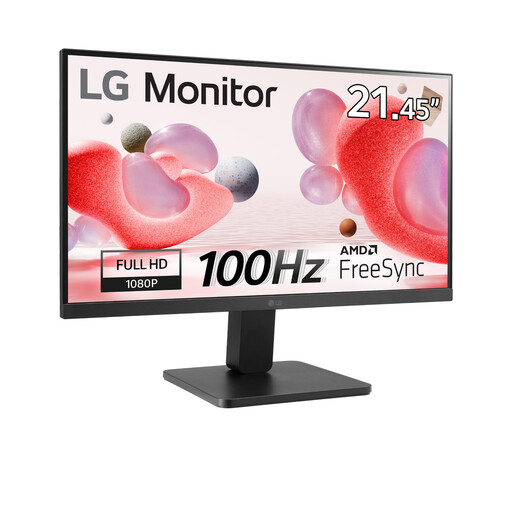 No image available
Consider this 22-inch option when fitting the screen onto the desk takes priority over QHD detail.
The title specifies a Full HD VA display, 100Hz refresh rate and HDMI. Check the stand footprint and the refresh mode supported through your chosen connection.
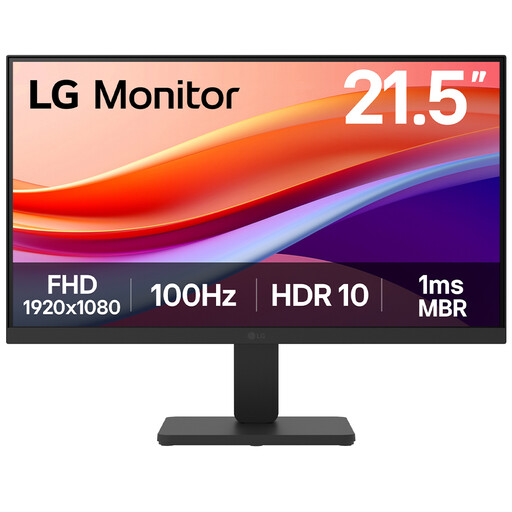 No image available
This compact Full HD model is another option when desk fit matters more than the QHD detail route.
Its title specifies a VA panel, 100Hz and HDMI. If variable refresh matters to you, check the exact model’s support, along with its stand dimensions and input-specific modes.
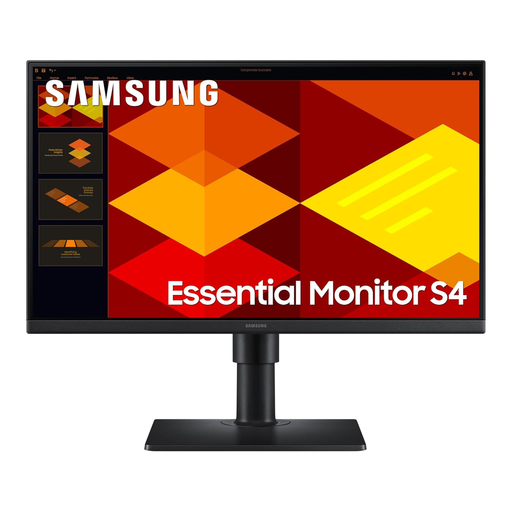 No image available
Consider this compact Full HD screen for a desk also used for general desktop work, while accepting that it is not a QHD option.
Check the stand footprint and the exact model’s gaming connection features if variable refresh is important to you.
 No image available
Consider this larger-screen route if your desk has room for a 27-inch panel and you also play faster games.
The title specifies 2560 × 1440 and 220Hz. Measure the stand footprint and check which resolution and refresh-rate combinations your device can use through the selected input.
Yes, if you want QHD without moving to a 27-inch panel. AOC lists the Q24G4RE at 23.8 inches, 2560 × 1440 and 180Hz; check its complete stand dimensions and your device’s QHD output before buying.
A higher supported refresh rate can make movement smoother when the game and device provide suitable frame rates, but it does not replace desk-fit or resolution checks. Dell’s 27-inch QHD S2725DS is listed at 100Hz; AOC’s compact Q24G4RE is listed at 180Hz, so compare the whole setup rather than that figure alone.
No; check the exact model, supported input modes and any specific certification claimed. The Video Electronics Standards Association describes separate test criteria for Adaptive-Sync certification and a separate DisplayHDR programme, so a general feature label does not establish a particular certified tier.
Arrange an appropriate electrical-waste route rather than putting it in general household waste. GOV.UK describes retailer take-back responsibilities; ask your retailer how its service works if you need the old monitor collected rather than taken to a store.