What matters when choosing?
Start with what both players need to see and where the monitor will sit. Then check evening use and audio before deciding whether your devices can make use of the advertised connections and refresh rate.
| Concern |
What to check |
Who this matters to |
| Readable shared view |
Compare the pixel resolution and screen size, then check the stated panel viewing angles and available desk space. |
When a second player sits beside me, I need cards and menus we can both read without changing seats. Around 45% of consumers put shared readability first. |
| Comfortable evening use |
Check the brightness controls and plan where sound will come from; do not assume the monitor has speakers. |
For later sessions, I want to adjust the screen to suit the room and keep game audio considerate of the person sharing it. Bedroom comfort and quiet use come first for around 33% of consumers. |
| Connection compatibility |
Match each device’s video output to the monitor’s ports, and check whether the desired refresh mode needs particular hardware or a cable. |
If I switch between a PC, console or laptop, I want ports and display modes my devices can use, rather than a maximum refresh rate on its own. Connection compatibility is the primary concern for around 22% of consumers. |
Joybuy monitors for shared play
These choices range from a compact Full HD monitor to larger screens for sharing a digital board. Compare each model’s actual dimensions, panel and connections with your desk and devices; not every option is primarily a gaming monitor.
 No image available
AOC Q32V4 31.5-inch IPS monitor with speakers
Consider the larger screen if two players want to follow a board together, but measure the desk and viewing position first.
The product name lists an IPS panel, adaptive sync and built-in speakers. Its “2K Ultra HD” wording is not a precise pixel count, so check the stated resolution before relying on it for dense text.
View on Joybuy
 No image available
Samsung Odyssey G6 S27DG612 27-inch QHD OLED monitor
The 27-inch QHD format is worth considering when maps and menus need room on a shared screen. Check how its OLED display looks from both seating positions and in the bedroom’s lighting.
The product name lists 240Hz, but turn-based play need not determine the choice by refresh rate. Confirm the connections and audio arrangement needed by your setup.
View on Joybuy
 No image available
ASUS ProArt PA278CFRV QHD IPS 100Hz monitor
The QHD IPS specification makes this a model to assess for reading a detailed board together, even though it is not presented chiefly as a gaming monitor.
Check the ports and stand adjustment on the exact variant. Confirm speaker and USB-C specifications before planning either as part of the setup.
View on Joybuy
 No image available
HKC G27H2DPro 27-inch QHD Fast IPS gaming monitor
The 27-inch, 2560 × 1440 screen is a route to consider when two people need to see a detailed game interface. Check its fit and screen appearance in the room’s lighting.
The product name lists 220Hz, which should not take priority over readability for turn-based play. Confirm the stand adjustment and audio arrangement your desk requires.
View on Joybuy
 No image available
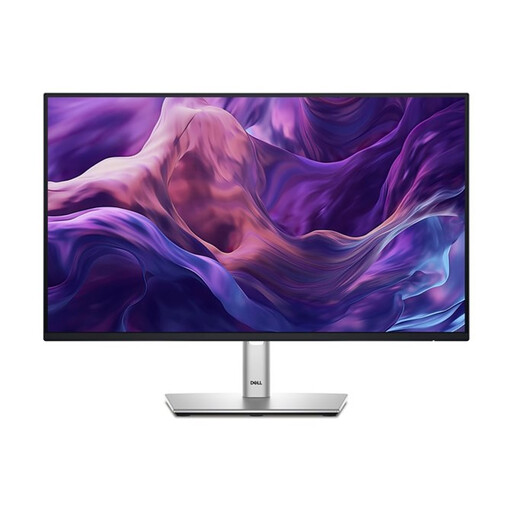
Dell P2425H 24-inch Full HD IPS 100Hz monitor
The smaller Full HD format is worth considering for a tighter desk, provided the board, cards and menus remain readable from both seats. Full HD has fewer pixels than QHD.
The product name lists HDMI, DisplayPort, USB-C and VGA. Match the intended connection to your device and confirm how game audio will be played.
View on Joybuy
Frequently asked questions
Do I need a 180Hz or 200Hz monitor for digital board games?
No: start with legibility, shared viewing and compatibility rather than those refresh-rate figures. A higher rate may matter if you also play faster games, but LG says the 27GS75QN-B’s 200Hz mode is overclocked and requires a DisplayPort 1.4-capable graphics card and cable.
What should I check before connecting several devices?
Match each device’s video output to the exact monitor’s inputs, then check any required cable and switching functions. BenQ lists HDMI 2.1, DisplayPort 1.4, USB-C and KVM for the EX271Q; confirm that your devices support the video and data functions you intend to use.
How should I plan audio in a shared bedroom?
Decide where sound will come from before choosing a monitor, because speakers are model-specific. Dell lists no built-in speaker for the G2724D; depending on your devices and the people sharing the room, headphones or separate speakers may be a more workable arrangement.
Should a UK online monitor listing show an energy label?
Yes, when the product falls within UK energy-labelling scope. Guidance from the Department for Energy Security and Net Zero and the Office for Product Safety and Standards says the energy label must be displayed at the point of sale, including on a website; check the applicable listing when comparing monitors.


