Choose a gaming monitor around the modes your console or PC can actually output: console players should check the intended resolution, 120 Hz support, VRR and HDMI path, while PC players should match refresh rate and adaptive sync to their graphics card and connection. For fast-paced play, a headline Hz figure or quoted response time is not enough; compare independently measured input lag and motion behaviour at the refresh rates you expect to use.
Who is this for?
Console players aiming for 120 Hz
If you use a PS5 or Xbox Series X|S, check whether the monitor’s chosen HDMI input accepts the resolution and refresh mode you want. PlayStation provides a 1440p output test for PS5; Xbox Support sets out separate requirements for 4K at 120 Hz on Series X.
Competitive PC players
If tracking movement and reacting quickly matter most, look beyond the advertised maximum refresh rate. RTINGS.com tests input lag and pixel response separately because both affect the experience of fast-moving games.
PC players with changing frame rates
If your frame rate varies between games or scenes, check whether the monitor’s variable refresh rate (VRR) works with your graphics card and chosen input. AMD describes FreeSync as synchronising a compatible display’s refresh rate with a compatible graphics card’s frame rate.
What matters when choosing?
Start with the mode your console or PC and its connection can deliver, then assess motion performance at that mode. Screen size and resolution matter too, but a higher-resolution display is not automatically the right trade-off if your PC cannot sustain the frame rates you want.
| Concern |
What to check |
Who this matters to |
| Console and input compatibility |
Check the resolution, refresh rate and VRR modes supported by the intended HDMI input, cable and console. Xbox Support specifies an Xbox Series X, an Ultra High Speed HDMI cable and an HDMI 2.1-capable display for 4K at 120 Hz. |
If I want 120 Hz from my console, I need to know that the whole connection path can carry my chosen mode. Around 31% of consumers put that compatibility question first. |
| Motion clarity and input lag |
Compare independent input-lag, response and overshoot results at the refresh rates you will use. RTINGS.com tests these behaviours separately from a monitor’s advertised Hz figure. |
When fast-moving objects become hard to track or controls feel delayed, measured motion performance takes priority; around 31% of consumers make it their main concern. |
| VRR and graphics-card matching |
Confirm that the monitor’s VRR implementation works with your graphics card and selected input, then check testing for its operating range and artefacts. |
If my PC frame rate changes during play, I want the display to adapt without assuming an adaptive-sync label works in every setup. For around 23% of consumers, that match is the primary need. |
| Screen format and resolution |
Choose a size and resolution that suit your desk and viewing distance, then check whether your source can deliver the desired resolution and refresh combination. |
I need to read game information comfortably and track action across the screen, while accepting what my PC can drive at that resolution. Around 15% of consumers place format and detail first. |
Buying pitfalls
-
Choosing by maximum refresh rate alone
A high Hz rating does not establish clear motion: slow pixel transitions or overshoot can still make moving objects difficult to follow. RTINGS.com examines response behaviour and input lag as separate measures.
Compare independent results at the refresh rates you plan to use, including 120 Hz or 60 Hz if those modes matter to your setup.
-
Assuming any HDMI port can deliver 4K at 120 Hz
Xbox Support specifies an Xbox Series X, an Ultra High Speed HDMI cable and an HDMI 2.1-capable display for that mode. A device between the console and monitor can also affect video features.
Check the chosen port’s supported modes and inspect what the console detects after connecting it.
Connecting the console directly to the monitor may require a different cable arrangement for existing audio equipment.
-
Treating adaptive-sync labels as universal compatibility
VRR depends on the graphics card, monitor implementation and connection; a label alone does not describe how a particular combination behaves across its refresh range.
Match the stated VRR support to your graphics card and input, and look for independent results covering flicker and other artefacts.
-
Adding a soundbar or receiver before checking video output
Xbox Support warns that equipment placed between a console and display can affect video features and quality.
Confirm the desired resolution, refresh rate, HDR and VRR with a direct connection first. Then check the audio device’s documented pass-through capabilities.
Gaming-monitor brands to consider
LG UltraGear
The range includes a compact QHD OLED option for PC players considering high refresh rates.
- LG UK lists the 27GS95QE-B with a 2560 × 1440 OLED panel, 240 Hz refresh rate and HDMI 2.1.
- Those are manufacturer specifications for that model, not independent motion results or a guarantee of a particular console mode. Check the input and mode you intend to use.
Alienware
Dell’s gaming-display line includes QHD high-refresh models for PC players comparing panel types and adaptive-sync features.
- Dell UK lists the AW2726DM as a 26.5-inch QHD, 240 Hz QD-OLED monitor.
- Dell’s quoted response time is a manufacturer specification. Check independent motion results and compatibility for the exact model and input.
ASUS ROG
The range includes high-refresh Fast IPS and dual-mode OLED displays for PC setups with differing resolution and connection needs.
- ASUS lists a 27-inch dual-mode OLED with 4K at 240 Hz and FHD at 480 Hz among its UK ROG models.
- The useful mode depends on the exact model, input and PC capability; the listed modes do not establish independently measured motion performance.
Joybuy monitors for PC gaming
These monitors offer high-refresh PC gaming formats, from FHD to QHD and 4K. Check each model’s input modes and motion testing against your own setup; their presence here does not establish support for a particular console mode.
 No image available
LG UltraGear G8 27G850A 27-inch dual-mode monitor
Consider this for a PC setup where you want a choice between the listed high-refresh modes. The product name specifies a 27-inch 4K UHD Nano IPS display, dual-mode 240 Hz and 480 Hz operation, AMD FreeSync Premium Pro, DisplayPort 2.1 and HDMI 2.1.
Confirm which resolution and input support the mode you want, and compare independent motion results at that mode.
View on Joybuy
 No image available
Samsung Odyssey G6 S27DG612 27-inch QHD OLED monitor
Consider this if a 27-inch QHD screen and a stated 240 Hz refresh rate suit your PC setup. The product name identifies an OLED panel and quotes a 0.03 ms response time; that quoted figure does not replace independent motion measurements.
Check the refresh mode available through your intended input and review input-lag and response results at that mode.
View on Joybuy
 No image available
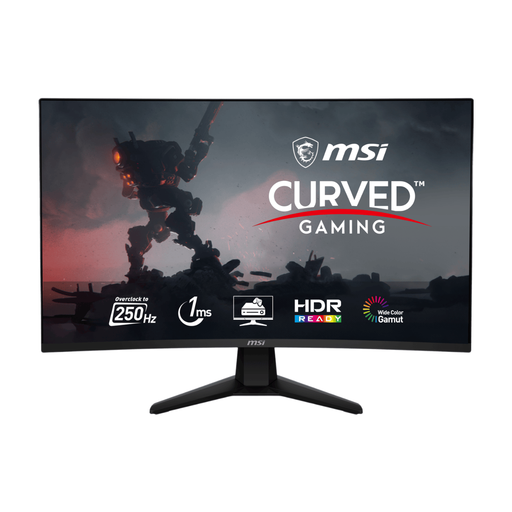
MSI MAG 32C6X 32-inch FHD curved monitor
Consider this if you want a larger curved FHD screen for high-refresh PC play. The product name states 250 Hz in overclocked mode and Adaptive Sync.
Check the connection and settings required for the overclocked mode, as well as independent motion and sync behaviour at the refresh rates you will use.
View on Joybuy
 No image available
HKC G27H2DPro 27-inch QHD Fast IPS monitor
Consider this if you want a 27-inch QHD format with a stated high refresh rate for PC gaming. The product name specifies 2560 × 1440 resolution, a Fast IPS panel and 220 Hz.
Check which input delivers your intended refresh mode and compare independent input-lag and response results before relying on the headline rate.
View on Joybuy
 No image available
CRUA 32-inch 1500R curved QHD monitor
Consider this if a larger curved QHD display fits your desk and gaming setup. The product name specifies 2560 × 1440 resolution, 165 Hz, Adaptive Sync, HDMI and DisplayPort, plus a 100 × 100 mm VESA mounting pattern.
Check the input needed for your intended resolution and refresh rate; product guidance points to DisplayPort for the stated maximum 165 Hz at QHD.
View on Joybuy
Questions about gaming monitors
Can a PS5 use a 1440p monitor at 120 Hz with VRR?
It can when the connected display and game support the relevant modes. PlayStation provides a PS5 test for 1440p output at 60 Hz or 120 Hz and for VRR; check the console’s detected video information with the monitor connected.
What does an Xbox Series X need for 4K at 120 Hz?
Xbox Support specifies an Xbox Series X, an Ultra High Speed HDMI cable and an HDMI 2.1-capable display for 4K gaming at 120 Hz. If that combination is unavailable, check whether your setup supports 120 Hz at a lower resolution instead.
Does a quoted 1 ms or 0.03 ms response time tell me how clear motion will look?
No: a quoted response time is a manufacturer figure, not a complete measure of motion clarity. RTINGS.com tests pixel response, overshoot and input lag separately; compare results at the refresh rates you intend to use.
Will VRR work with any PC graphics card?
No: the graphics card, monitor implementation and chosen connection must be compatible. AMD describes FreeSync as synchronising compatible graphics cards and displays; for any monitor, check its stated support against your GPU and look at independent VRR behaviour across the range you expect to use.


