Who is this for?

Football-game players with limited desk space

You need room for both the screen and its stand. Manufacturer dimensions for the LG 24GS60F-B and ASUS VG27AQ3A illustrate why checking the assembled footprint is more useful than judging fit by diagonal screen size alone.

PC players prioritising match motion

A QHD IPS monitor with a high refresh rate and adaptive-sync support may suit your setup, provided your graphics card, port and cable can deliver the mode you intend to use. ASUS and LG list these features for the cited 27-inch models.

PS5 players checking display modes

You need to confirm the resolution, 120 Hz output and variable refresh rate available through the connected monitor’s HDMI input. PlayStation provides video-output information and a 1440p test in the PS5 settings.

What matters when buying?

Compact Full HD

Consider it when: fitting the screen and stand on the desk matters more than QHD detail.

Trade-off: Full HD has fewer pixels than QHD. LG UK’s 23.8-inch 24GS60F-B illustrates this format, but LG marks that model discontinued.

27-inch QHD IPS

Consider it when: you play on PC, want QHD detail and have space for a 27-inch monitor and its stand.

Trade-off: stand dimensions and adjustment vary. ASUS lists a 214 mm stand depth and no height adjustment for the VG27AQ3A.

27-inch 4K with HDMI 2.1

Consider it when: 4K detail and a documented HDMI 2.1 input matter to your console or PC setup.

Trade-off: check desk depth as well as the desired output mode. BenQ UK lists a 252.3 mm stand depth for its EX2710U; the connected PS5 settings show which modes are available.

ConcernWhat to checkWho this matters to
Desk fit Measure usable width and depth against the monitor’s dimensions with its stand; check adjustment and mounting options. If the stand crowds my small desk, a sharper picture will not solve the placement problem. Around 33% of consumers would put desk fit first.
Smooth motion Check native versus overclocked refresh rates, the required input and adaptive-sync support. During quick changes of play, I want the PC and monitor to use the refresh mode I chose. Motion is the primary concern for around 27% of consumers.
Signal compatibility Check the exact input’s supported modes; on PS5, inspect the current video output and run the 1440p test if relevant. If I connect a PS5, I need to know which resolution, 120 Hz and VRR modes the screen actually accepts. Around 20% of consumers would prioritise that compatibility.
Image detail and HDR Compare resolutions and the exact HDR specification; confirm that the game and connected setup support the mode you want. For stadium views and replays, I may favour more image detail over the smallest screen format. That would be the leading need for around 20% of consumers.

Buying pitfalls

  • Choosing by screen size without measuring the stand

    Listed stand depths differ even among 27-inch examples, and ASUS specifies no height adjustment for the VG27AQ3A’s supplied stand.

    Compare assembled dimensions and adjustment with your usable desk space. If considering an arm, check the monitor’s VESA pattern and your desk’s mounting clearance.

    An arm, riser or different desk arrangement may be needed if the supplied stand crowds your setup.

  • Assuming the headline refresh rate works on every connection

    LG UK specifies that the 27GS75QN-B’s 200 Hz overclock requires a DisplayPort 1.4-capable graphics card and cable. A PS5 connected over HDMI must be assessed separately.

    Check the intended PC port and cable, or inspect the PS5’s current video output and use its 1440p test where applicable.

  • Comparing response-time and HDR labels in isolation

    A manufacturer’s GtG or MPRT response-time figure can refer to a particular mode. An HDR label alone does not establish how two monitors will look in the same game.

    Read the exact model’s rating and required settings; if motion handling or HDR is decisive, compare independent tests conducted on a comparable basis.

  • Planning around an older example model

    LG UK marks the 24GS60F-B discontinued, while Dell UK lists the G2724D as unavailable. Their specifications can still help define the format you want.

    Before choosing another model, check its exact variant, dimensions, inputs and current availability rather than assuming the specifications carry across.

Relevant brands to consider

LG UltraGear

LG UK’s cited models illustrate both a compact Full HD IPS format and a 27-inch QHD IPS format.

  • LG lists 180 Hz and a 1 ms GtG rating for the cited models, alongside adaptive-sync compatibility.
  • LG marks the 24GS60F-B discontinued. The 27GS75QN-B’s 200 Hz overclock needs DisplayPort 1.4-capable PC hardware and cable.

ASUS TUF Gaming

The ASUS UK specification for the VG27AQ3A illustrates a 27-inch QHD Fast IPS PC route.

  • ASUS lists 180 Hz, Adaptive-Sync and 100 × 100 mm VESA mounting for this model.
  • Its supplied stand has no height adjustment; consider the space needed for a compatible arm or riser if height is important.

BenQ MOBIUZ

BenQ UK lists a 27-inch QHD EX2710Q and a 27-inch 4K EX2710U, giving two resolution routes to compare.

  • The EX2710U specification lists 144 Hz and two HDMI 2.1 ports.
  • BenQ lists stand depths of 252.5 mm for the EX2710Q and 252.3 mm for the EX2710U; measure the desk before choosing either.

Dell Gaming

Dell UK’s G2724D illustrates a 27-inch QHD Fast IPS monitor with a height-adjustable stand.

  • A height-adjustable stand gives another placement option when setting up the screen.
  • Dell UK lists the cited G2724D as unavailable; check any alternative model on its own specifications.

Joybuy monitor choices

These choices include compact Full HD monitors and a 27-inch QHD option. Compare each screen’s footprint and input modes with your desk and gaming platform; the product titles alone do not establish its PS5 output modes.

KOORUI MG24A12FV2 24-inch curved gaming monitor

KOORUI MG24A12FV2 24-inch curved gaming monitor

Consider its 24-inch format for a small desk, but measure the complete stand footprint before ordering.

The product name specifies Full HD, a VA panel, 180 Hz, 1500R curvature, adaptive sync, two HDMI inputs, DisplayPort and tilt adjustment. Confirm the refresh mode available on the input you will use.

View on Joybuy

MSI MAG 274QF 27-inch gaming monitor

MSI MAG 274QF 27-inch QHD gaming monitor

Consider this 27-inch option if QHD detail matters to your PC setup and the assembled monitor fits your desk.

The product name specifies a Rapid IPS panel, 180 Hz and adaptive sync. Check the intended input’s refresh modes and any PS5 modes you need.

View on Joybuy

Gawfolk 24.5-inch curved Full HD monitor

Gawfolk 24.5-inch curved Full HD monitor

Its near-24-inch screen format may suit a constrained setup; check the assembled stand footprint rather than relying on panel size.

The product name specifies 100 Hz, 3000R curvature, AMD FreeSync, HDMI, built-in speakers and 75 × 75 mm VESA mounting. Confirm the input mode needed for your gaming platform.

View on Joybuy
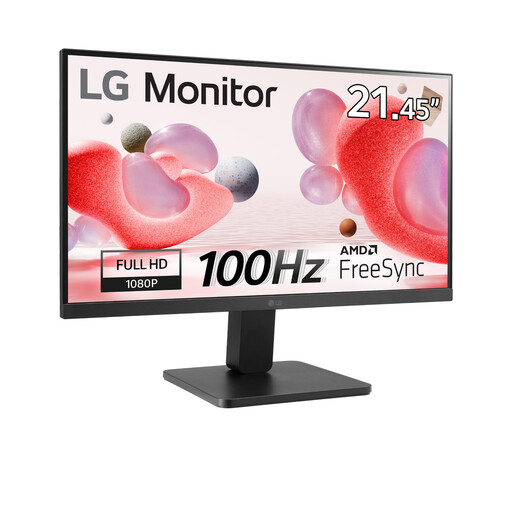
LG 22-inch Full HD VA monitor with 100 Hz refresh rate

LG 22-inch Full HD VA monitor, 100 Hz

A 22-inch screen is an option when you want a smaller display; check the stand dimensions before deciding whether it fits.

The product name specifies a VA panel and HDMI. Confirm the refresh mode and console output available through the connection you plan to use.

View on Joybuy
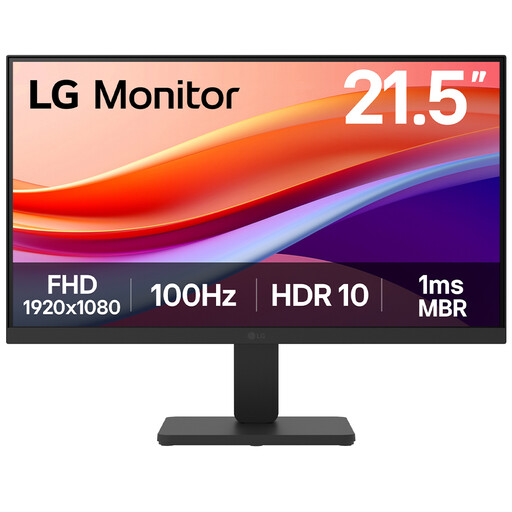
LG 22U401A-B 22-inch Full HD VA monitor

LG 22U401A-B 22-inch Full HD VA monitor

Consider this smaller screen format if desk placement matters more to you than a 27-inch QHD display.

The product name specifies 100 Hz and HDMI. Check the assembled dimensions and confirm adaptive-sync and input-specific modes if those features matter to your setup.

View on Joybuy

Common questions

Is a 24-inch or 27-inch monitor easier to fit on a small desk?

A compact 24-inch format is worth considering, but the stand determines how much desk depth a particular model uses. LG UK lists a 180.5 mm stand depth for its 23.8-inch 24GS60F-B; ASUS lists 214 mm for the 27-inch VG27AQ3A. Measure the exact model with its stand, leaving room for your preferred screen position.

Can a PS5 use a 1440p monitor at 120 Hz with VRR?

It can use those modes when the connected display and the content support them. PlayStation provides a PS5 test for 1440p SDR and HDR output at 60 Hz and 120 Hz, including VRR checks. Run the test with the exact monitor connected and inspect the current video-output information.

Do football games on PS5 require an HDMI 2.1 monitor?

Not every Full HD or QHD setup requires an HDMI 2.1 input. PlayStation identifies HDMI 2.1 and 4K 120 Hz support for compatible displays, but you should check the resolution, refresh rate and VRR modes of the exact monitor’s HDMI input rather than choosing by connector label alone.

Will a monitor advertised at 200 Hz show PS5 games at 200 Hz?

No: a monitor’s advertised PC refresh mode does not establish its PS5 output mode. LG UK states that the 27GS75QN-B’s 200 Hz overclock needs a DisplayPort 1.4-capable graphics card and cable; check PS5 output separately with the monitor connected.