
24/7 Customer Support

Free returns

Same-day & Next-day Delivery

Quality Guaranteed

Unlock Your Welcome Offers: FREE Delivery | Up to 80% OFF | Free 30-day JoyPlus trial
Download the APP
Choosing between gaming monitors is rarely as simple as picking the highest refresh rate. A display may advertise 240Hz, 1ms response time or OLED contrast, yet still be unsuitable for your graphics card, console, desk or everyday work.
For UK buyers, the practical choice depends on how you play, which connections you need and whether the advertised specification applies to every input. This guide explains the key checks before you buy, followed by our top recommendations for different gaming setups.
A 240Hz gaming monitor only shows its full potential when your PC can consistently produce a comparable frame rate at the selected resolution. A mid-range graphics card may be better matched with a 180Hz gaming monitor, while a powerful system designed for competitive titles can make better use of 240Hz or more.
Console output is also limited. Current consoles commonly support up to 120Hz in compatible games and resolutions, so paying extra for a 500Hz monitor may offer little practical value if you mainly play on PlayStation or Xbox.
“1ms gaming monitor” descriptions can refer to different measurements, including MPRT and GtG. These are not directly interchangeable. MPRT may be linked to a backlight-strobing mode, while GtG measures pixel transitions under particular conditions.
Check the stated measurement and whether the feature depends on a specific mode. Also remember that response time does not, by itself, guarantee low input delay or clear motion.
A large 32-inch Full HD screen can appear less sharp at a normal desk distance than a 27-inch QHD display. Conversely, a 4K gaming monitor requires substantially more graphics processing than a QHD model.
Connection bandwidth matters too. For example, a monitor may support its full refresh rate through DisplayPort but use a lower rate over HDMI. If you want a PC and console gaming monitor, check the resolution and refresh rate supported by each HDMI and DisplayPort input rather than relying on the headline specification.
A curved gaming monitor can make an ultrawide screen feel more consistent across your field of view. Check the curvature, desk depth and viewing distance before buying. A very tight curve may not suit a shared office or mixed-use setup.
Refresh rate indicates how many times the monitor can update its image each second. 180Hz, 240Hz and higher settings can make cursor movement and compatible games appear smoother, but the benefit depends on your frame rate.
Adaptive-sync technologies such as AMD FreeSync, FreeSync Premium or a G-SYNC compatible monitor help co-ordinate the display with a compatible graphics card. Confirm the supported range and enable the feature on both the monitor and the PC where required.
Treat HDR labels as a specification rather than a guarantee of identical picture quality across models. Check brightness, HDR certification, colour coverage and the type of content you use.
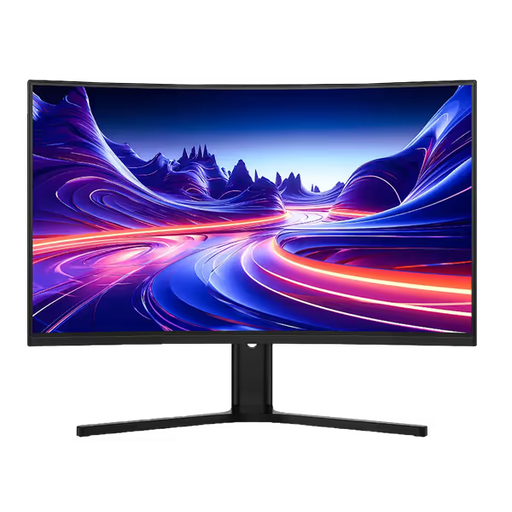
Why This Fits Their Persona: A practical option for PC gamers wanting a larger QHD display for AAA games, streaming and everyday home-office use.
Its specification states QHD at 180Hz through DisplayPort, while HDMI 2.0 supports QHD up to 144Hz, making the connection limits clear.
31.5-inch QHD VA panel, 1,500R curve, two HDMI inputs and two DisplayPort 1.4 inputs.
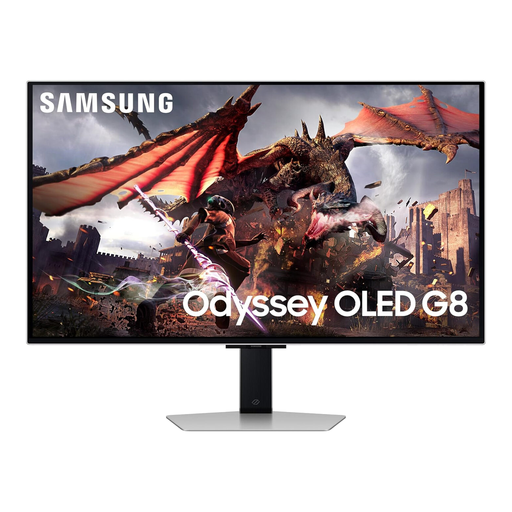
Why This Fits Their Persona: Designed for buyers who want 4K QD-OLED visuals, high-speed gaming and smart entertainment features in one display.
The listing identifies QD-OLED, 4K resolution, 240Hz, HDMI 2.1 and OLED Glare Free technology instead of relying on a single speed claim.
32-inch 4K QD-OLED panel, 240Hz refresh rate, 0.03ms stated response time and HDMI 2.1 connectivity.
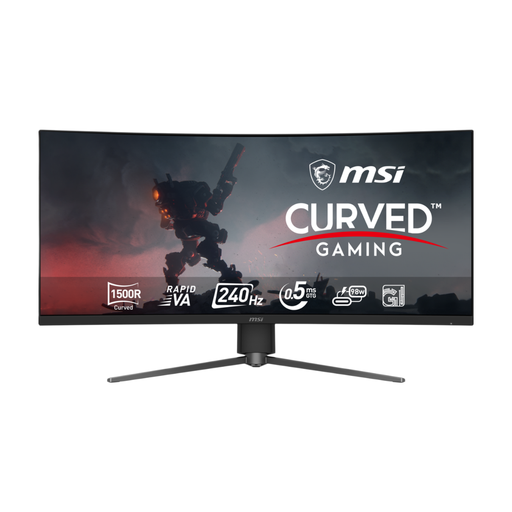
Why This Fits Their Persona: A strong format match for simulation and racing enthusiasts, streamers and home-office users who need a wide workspace.
Its 34-inch 21:9 format provides more horizontal space without requiring two separate panels, while the inputs specify UWQHD 240Hz support.
3440 × 1440 resolution, Rapid VA panel, 240Hz refresh rate, USB-C with 98W power delivery and USB hub.
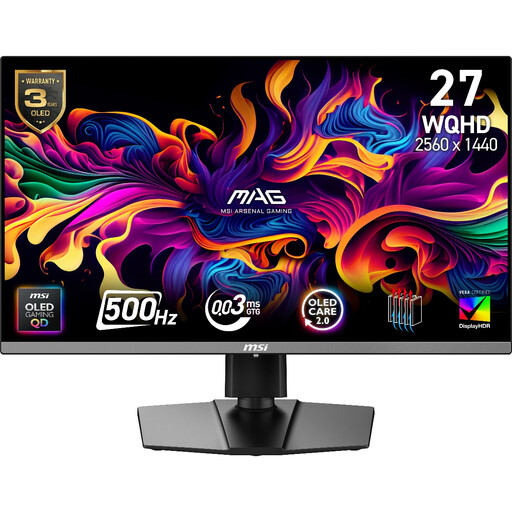
Why This Fits Their Persona: Suited to competitive PC players with hardware capable of producing very high frame rates at 1440p.
The specification pairs 500Hz with WQHD resolution and lists the supported HDMI 2.1, DisplayPort and USB-C modes for closer hardware matching.
QD-OLED panel, 2560 × 1440 resolution, 500Hz refresh rate, adaptive sync and a stated 0.03ms GtG response time.
We have compiled a complete, real-time list of products that fully satisfy these strict selection criteria and UK safety regulations.
It can be worthwhile for competitive PC gaming when your system regularly produces high frame rates. For console gaming capped at 120Hz, a 120Hz or 144Hz display may be sufficient unless you also plan to use the monitor with a high-performance PC.
They can display text and productivity applications clearly, but static elements such as taskbars and application panels should not remain unchanged for prolonged periods. Use the monitor’s pixel-care functions, screen-saving settings and manufacturer guidance to manage OLED burn-in risk.
Running cost depends on screen size, brightness, refresh rate, HDR use and daily hours. Check the monitor’s typical wattage and standby consumption on its specification sheet. Larger ultrawide and HDR-capable displays may consume more than smaller Full HD models, while lowering brightness can reduce electricity use.