
24/7 Customer Support

Free returns

Same-day & Next-day Delivery

Quality Guaranteed

Unlock Your Welcome Offers: FREE Delivery | Up to 80% OFF | Free 30-day JoyPlus trial
Download the APP
Buying gaming monitors can quickly become confusing. Refresh rates, panel types, HDR labels and sync technologies all compete for attention, while important compatibility details may be hidden in the specification sheet.
A high number on the box does not automatically mean a better fit for your setup. Before choosing, watch for these common pitfalls.
A 240Hz gaming monitor can display up to 240 frames per second, but your PC, graphics card and game settings must produce enough frames to benefit. If a system normally delivers 80–120fps, a 165Hz model may provide a more practical balance.
Console users should also check platform limits and connection requirements. A monitor may support a high refresh rate through DisplayPort but offer a different maximum through HDMI.
Response time can be listed as GtG, MPRT or a manufacturer’s minimum figure. These measurements are not directly interchangeable. A quoted 1ms MPRT figure does not necessarily represent the same performance as 1ms GtG.
Look at the complete specification, including the panel type, refresh rate and connection used. For a monitor for PC gaming, DisplayPort bandwidth can be particularly important at high resolutions and refresh rates.
Full HD remains suitable for smaller displays, but a 32-inch Full HD screen has a lower pixel density than a 24-inch model. A QHD gaming monitor at 2560 × 1440 offers more desktop space and sharper text, while a 4K gaming monitor at 3840 × 2160 provides greater detail but demands more graphics power.
Also consider desk depth. A large curved or ultrawide screen may require more space than expected, especially when using its supplied stand.
A curved gaming monitor can make a wide screen feel more natural, but curvature is a personal preference. Check the curve radius and viewing distance rather than assuming a stronger curve will suit every desk.
Refresh rate indicates how often the display updates each second. A 100Hz or 165Hz screen can look smoother than a 60Hz display when the source device supplies suitable frame rates. Competitive players may prefer a high refresh rate monitor, such as a 240Hz model, while general users may prioritise resolution and colour.
Adaptive Sync, including FreeSync monitor and G-SYNC monitor compatibility, helps coordinate the monitor’s refresh rate with the graphics device. Check whether the feature works through HDMI, DisplayPort or USB-C, and confirm that your graphics card or console supports the required standard.
For a home office, look for height adjustment, tilt, swivel, VESA compatibility and USB-C power delivery if you connect a laptop. For console gaming, verify HDMI version, supported resolution and refresh rate. Built-in speakers can reduce cable clutter, although separate speakers or a headset may provide more control.
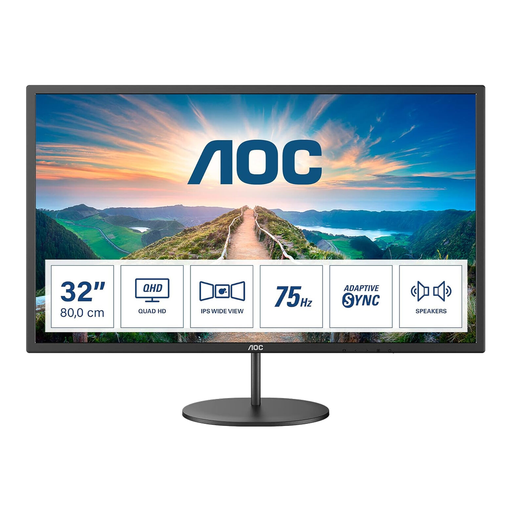
Why This Fits Their Persona: This is a practical choice for UK users wanting a larger QHD screen for gaming, streaming, study and everyday office work without moving to OLED or ultrawide formats.
Its specification clearly states QHD resolution, 75Hz refresh rate and AdaptiveSync, avoiding a vague performance description. HDMI and DisplayPort are included.
31.5-inch IPS panel, 2560 × 1440 resolution, integrated 2 × 2W speakers and VESA 100 × 100mm compatibility.
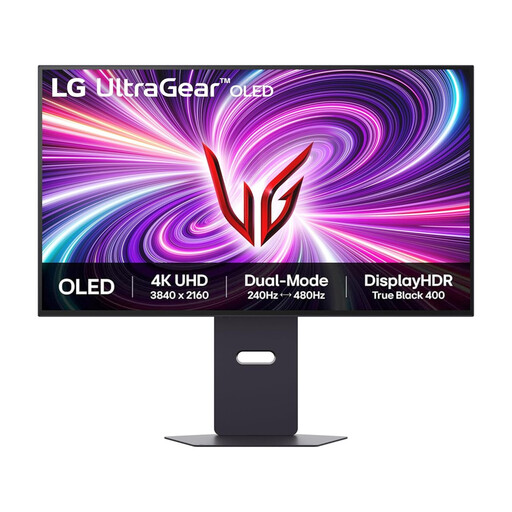
Why This Fits Their Persona: Suited to PC gamers and creators who want 4K detail, OLED contrast and flexible refresh-rate modes in one 32-inch display.
The listed modes distinguish 4K at up to 240Hz from Full HD at up to 480Hz, helping buyers match settings to the game and graphics hardware.
OLED panel, 3840 × 2160 resolution, HDMI 2.1, DisplayPort 1.4 and compatibility with NVIDIA G-SYNC and AMD FreeSync Premium Pro.
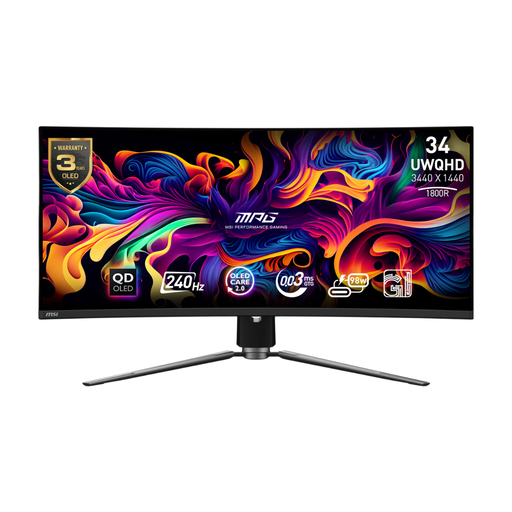
Why This Fits Their Persona: A strong match for users who combine immersive gaming with video editing, multitasking and a laptop-based home office.
The 3440 × 1440 resolution, 240Hz refresh rate and listed DisplayPort, HDMI 2.1 and USB-C connections make the intended use easier to assess.
QD-OLED panel, 240Hz refresh rate, USB-C with 98W power delivery, KVM support and adjustable stand.
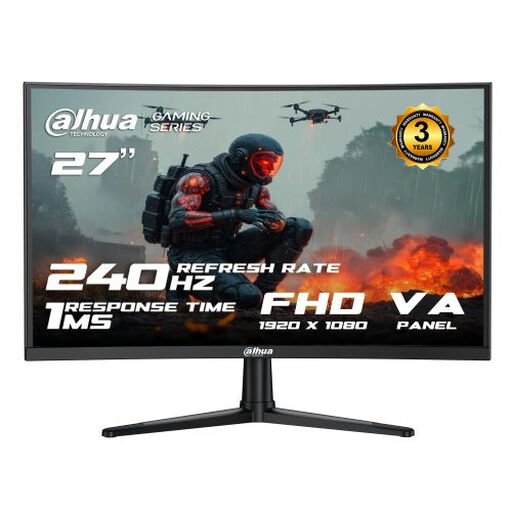
Why This Fits Their Persona: Designed around fast-paced PC gaming and streaming, particularly for players who prioritise refresh rate over 4K resolution.
The product specifies 240Hz through both HDMI 2.0 and DisplayPort, along with a stated 1ms MPRT figure and Adaptive Sync.
27-inch VA panel, 1920 × 1080 resolution, 240Hz refresh rate and VESA 100 × 100mm mounting.
We have compiled a complete, real-time list of products that fully satisfy these strict selection criteria and UK safety regulations.
It can be, particularly at 34 inches or wider, where the curve may help keep the edges within your viewing area. However, flat screens may be easier for precise layout work and multi-monitor alignment. Check desk depth, stand adjustment and viewing distance before buying.
First confirm the console’s supported output and the monitor’s HDMI capabilities. A 120Hz display can be useful for compatible console games, while a 165Hz or 240Hz screen may be more relevant to PC gaming. Resolution and HDMI bandwidth should be checked alongside the refresh-rate figure.
Power consumption varies by brightness, screen content and model. OLED displays can use different amounts of power depending on how much of the screen is bright, while larger ultrawide monitors generally require more power than smaller displays. Compare the manufacturer’s typical and maximum consumption figures when estimating running costs.