
24/7 Customer Support

Free returns

Same-day & Next-day Delivery

Quality Guaranteed

Unlock Your Welcome Offers: FREE Delivery | Up to 80% OFF | Free 30-day JoyPlus trial
Download the APP
Buying a gaming monitor involves more than choosing the highest refresh rate or the largest screen. A display that looks impressive on a product page may still be unsuitable for your graphics card, console, desk or working habits.
This guide explains the specifications that matter, highlights common buying traps and matches selected gaming monitors to different UK user profiles.
A 240Hz gaming monitor only shows its full benefit when your PC can consistently produce high frame rates at the selected resolution. A mid-range graphics card may struggle to reach 240 frames per second at 4K or ultrawide resolutions.
For console gaming, check the console’s output limits. PlayStation 5 and Xbox Series X|S commonly target up to 120Hz in compatible games, so paying for 240Hz may not add practical value unless the monitor will also be used with a gaming PC.
Also check which input supports the advertised refresh rate. For example, the Philips Evnia 34M2C6500 is listed at 175Hz through DisplayPort but 100Hz through HDMI.
A claimed 0.03ms or 1ms figure does not describe the entire display experience. Manufacturers may quote different measurement methods, such as GtG or MPRT. MPRT figures can depend on backlight-strobing settings, while GtG results can vary between transitions.
Look at response time alongside refresh rate, adaptive sync support and reviews of real-world motion performance. A high refresh rate monitor with sensible overdrive settings is generally more useful than a low response-time number viewed in isolation.
A curved gaming monitor can improve immersion, but a 34-inch or 49-inch display needs sufficient desk depth and viewing distance. A 49-inch 32:9 monitor is particularly wide and may require two people to move safely.
Check the monitor’s dimensions with its stand, VESA compatibility, cable routing and the load rating of your desk or monitor arm. A large panel can also make window management difficult if the operating system or games do not handle ultrawide resolutions well.
VA panels commonly offer strong native contrast, while IPS panels are widely selected for viewing consistency and colour-focused work. An OLED gaming monitor or QD-OLED gaming monitor can produce very deep blacks and high contrast, but static interface elements may increase image-retention or burn-in concerns over time. Use the panel-care functions supplied by the manufacturer and avoid leaving static images displayed unnecessarily.
A 165Hz gaming monitor can provide a noticeable motion advantage over 60Hz when your PC produces suitable frame rates. Higher rates such as 175Hz, 180Hz, 240Hz or 250Hz are more relevant to competitive players with hardware capable of sustaining them.
AMD FreeSync, FreeSync Premium and G-SYNC compatible monitor certification help synchronise the display’s refresh rate with compatible GPU output. This can reduce tearing and stuttering, but compatibility depends on the graphics card, cable, input and settings.
HDR labels vary considerably. Check the specific certification, such as DisplayHDR 400 or DisplayHDR True Black 400, rather than assuming every “HDR gaming monitor” delivers the same result.
For PC gaming, DisplayPort is often important for maximum resolution and refresh rate. For console gaming, HDMI 2.1 gaming monitor support can be useful for 4K at higher refresh rates, but confirm the monitor’s exact HDMI bandwidth. A USB-C monitor may also carry video, data and power, although power delivery ratings differ between models.
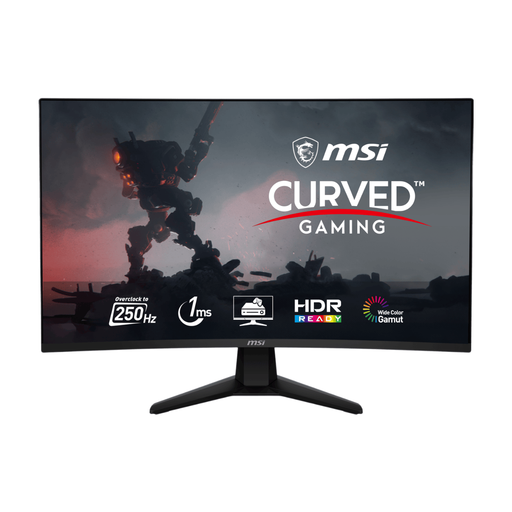
Why This Fits Their Persona: A sensible option for UK players who want a large curved screen and fast performance without moving to QHD or OLED pricing.
Its specifications clearly identify 250Hz as an overclocked mode, helping buyers check whether their system and connection can support it.
32-inch 1920 × 1080 VA panel, 1500R curve, Adaptive Sync, DisplayPort 1.4a and HDMI 2.0b.
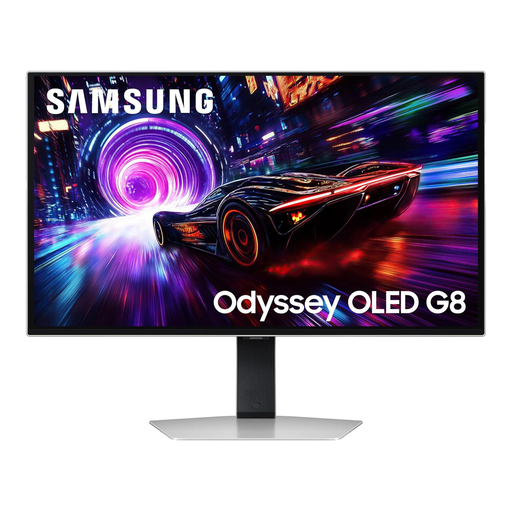
Why This Fits Their Persona: Designed for users prioritising 4K detail, OLED contrast and high-speed PC or console gaming in a conventional 16:9 format.
It specifies 4K resolution, HDMI 2.1 and OLED protection features, while buyers should still enable pixel-care settings and manage static content.
3840 × 2160 QD-OLED panel, 240Hz refresh rate, 0.03ms GtG response time and DisplayHDR True Black 400.
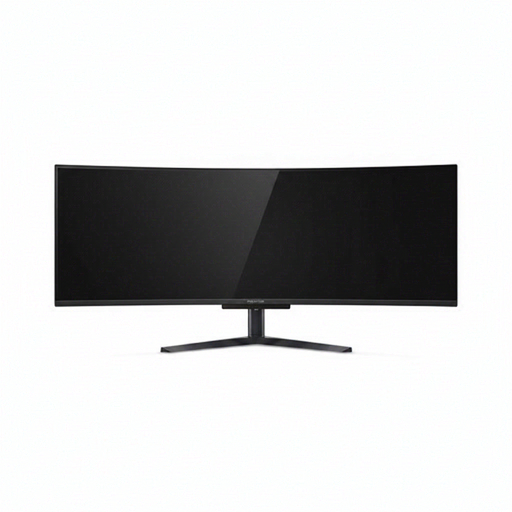
Why This Fits Their Persona: A single-screen workspace for streamers, professionals and gamers who want expansive 32:9 gaming and multitasking.
The 5120 × 1440 resolution, 1800R curve and stand-adjustment details make desk-space requirements easier to assess before purchase.
49-inch 32:9 QD-OLED panel, 240Hz refresh rate, HDMI 2.1, USB-C with 90W power delivery and an integrated KVM switch.
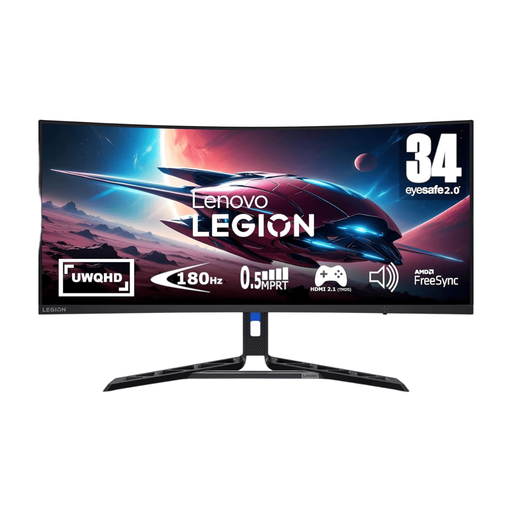
Why This Fits Their Persona: A balanced ultrawide choice for PC gamers wanting 3440 × 1440 detail, smooth play and an adjustable desk setup.
Its 180Hz specification, FreeSync Premium support and fully adjustable stand give practical information beyond headline speed claims.
34-inch UWQHD VA display, 180Hz refresh rate, 0.5ms stated response time, HDR 400 and height, swivel, tilt and pivot adjustments.
We have compiled a complete, real-time list of products that fully satisfy these strict selection criteria and UK safety regulations.
Before ordering, confirm that the monitor has the correct UK power plug or included power arrangement, suitable cables and a compatible VESA mount if required. Check the retailer’s delivery, returns and warranty information, and retain the packaging until the display has been inspected.
For a comfortable setup, position the top of the screen near eye level, keep the viewing distance appropriate for its size and avoid placing a wide panel where daylight creates distracting reflections. For OLED models, enable the supplied pixel-shift, logo-dimming or panel-care features.
For many PC gamers, yes. A 165Hz gaming monitor can provide smooth motion when the computer produces matching frame rates. Competitive players with powerful hardware may prefer 240Hz or above, while slower-paced games may not justify the additional cost.
Running cost depends on wattage, daily use and your electricity tariff. Larger, brighter and HDR-capable displays generally consume more power than smaller Full HD models. Check the product’s typical power consumption where available, and use sleep or power-saving settings when the monitor is idle.
OLED panels can be more susceptible to image retention from prolonged static content than many LCD displays. This does not make them unsuitable for gaming, but users should enable panel-protection features, vary displayed content and avoid leaving bright, fixed desktop elements visible for extended periods.