
24/7 Customer Support

Free returns

Same-day & Next-day Delivery

Quality Guaranteed

Unlock Your Welcome Offers: FREE Delivery | Up to 80% OFF | Free 30-day JoyPlus trial
Download the APP
Buying gaming monitors can become confusing quickly. Refresh rates climb from 144Hz to 180Hz, 240Hz, 280Hz and beyond, while product pages highlight response times, HDR badges and adaptive-sync features. However, a higher number does not automatically mean a better fit for your PC, console or desk.
The sensible approach is to match the display with your hardware, games and everyday use. This guide explains the specifications that matter, common marketing pitfalls and a selection of models for different UK gaming setups.
A 240Hz gaming monitor only shows its full benefit when your computer can consistently produce high frame rates. If a graphics card delivers 90–140 frames per second in your preferred games, a 144Hz or 180Hz display may provide a more balanced purchase.
Connection type also matters. Some monitors support their maximum refresh rate only through DisplayPort, while HDMI may have a lower limit. Check the manufacturer’s stated resolution and refresh rate for each port before buying.
A quoted 0.5ms or 1ms response time may use different measurement methods, such as GtG or MPRT. These figures should not be compared without checking the testing method. A low number can also depend on a particular overdrive setting, which may introduce visible artefacts.
Look for practical support such as a suitable panel type, adaptive sync and clear specifications for the connection you intend to use.
A 4K gaming monitor provides more pixels than a QHD gaming monitor, but it also requires considerably more graphics processing at the same settings. On a 27-inch display, QHD offers a useful balance of sharpness and performance. 4K can be more suitable for cinematic games, content creation and detailed text, especially when paired with a capable graphics card.
OLED panels also deserve careful consideration. They can provide deep blacks and very fast pixel transitions, but buyers should read the manufacturer’s panel-care instructions and warranty terms, particularly if the screen will display static desktop elements for long periods.
For many desktop users, a 27-inch gaming monitor is a practical size. Common options include:
Check your desk depth and viewing distance. A larger screen placed too close may feel uncomfortable, while a monitor arm can improve positioning and free desk space.
Refresh rate describes how many times the display updates each second. A 144Hz gaming monitor is a useful step up from 60Hz, while 180Hz, 240Hz and 320Hz models target smoother motion in fast-paced games.
Adaptive-Sync, including AMD FreeSync and G-SYNC Compatible support, allows the monitor’s refresh rate to adjust to the graphics card’s frame output. This can help reduce tearing and stuttering when frame rates fluctuate. Check the supported operating range, as well as whether the feature works through HDMI, DisplayPort or both.
For competitive play, response time, input latency and refresh rate should be considered together rather than viewed as isolated figures.
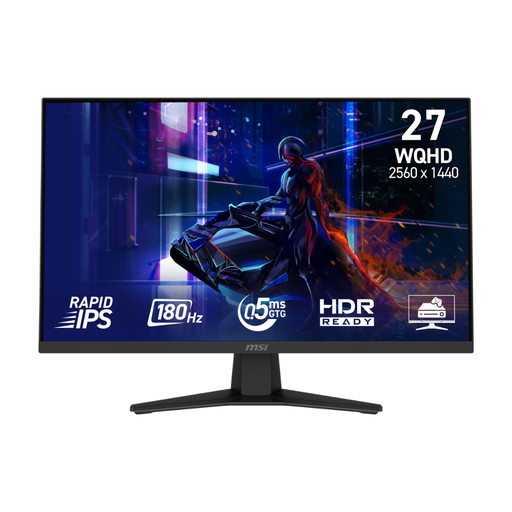
Why This Fits Their Persona: Its 27-inch QHD format and 180Hz refresh rate suit PC gamers who want a responsive upgrade without moving immediately to 4K or OLED.
The listed specifications identify QHD resolution, 180Hz through DisplayPort and 144Hz through HDMI, helping buyers match the monitor to their intended cable and device.
Rapid IPS panel, Adaptive-Sync, 0.5ms GtG minimum response time and 100 x 100mm VESA mounting support.
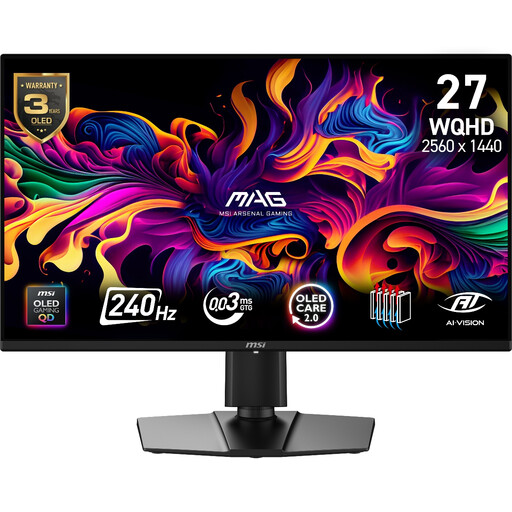
Why This Fits Their Persona: Suitable for players who want QHD detail, OLED contrast and high-speed performance for both competitive and single-player games.
The product information specifies QD-OLED panel care features and a three-year warranty including panel burn-in coverage, rather than leaving ownership considerations unclear.
2560 × 1440 resolution, 240Hz refresh rate, 0.03ms GtG specification, HDMI 2.1 and ergonomic height, swivel and pivot adjustment.
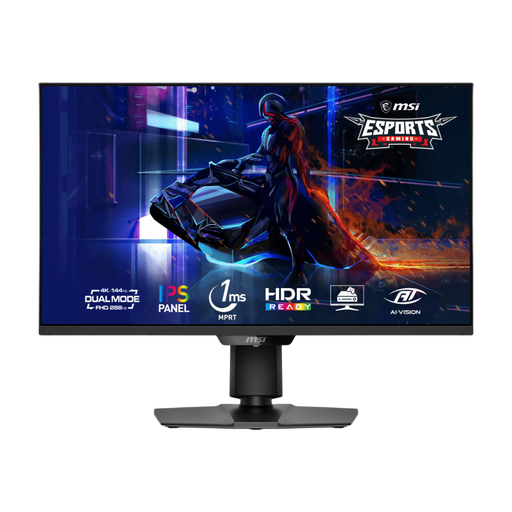
Why This Fits Their Persona: A flexible option for players and creators who switch between detailed 4K gaming and high-frame-rate competitive play.
Its dual-mode specification clearly states UHD at 144Hz or FHD at 288Hz, so buyers can select resolution or speed according to the game and available GPU performance.
4K/FHD IPS dual mode, HDMI 2.1, DisplayPort 1.4a, Adaptive Sync and a height-, swivel-, tilt- and pivot-adjustable stand.
We have compiled a complete, real-time list of products that fully satisfy these strict selection criteria and UK safety regulations.
For many PC gamers, yes. A 144Hz gaming monitor offers noticeably smoother motion than a 60Hz display and can be easier for mid-range hardware to drive. Consider 180Hz or higher when you regularly achieve high frame rates in competitive titles.
It can be, but check the monitor’s HDMI specification and supported console modes. Some displays support 4K at higher refresh rates, while others may be limited to lower refresh rates. VRR, HDMI CEC and 120Hz support are useful specifications to confirm before purchase.
Power use varies with panel type, brightness, resolution and refresh rate. Check the manufacturer’s typical and maximum power figures, enable sleep settings and reduce brightness when appropriate. OLED, IPS and VA models may have different consumption patterns depending on the displayed content.