
24/7 Customer Support

Free returns

Same-day & Next-day Delivery

Quality Guaranteed

Unlock Your Welcome Offers: FREE Delivery | Up to 80% OFF | Free 30-day JoyPlus trial
Download the APP
Buying a gaming monitor involves more than choosing the highest refresh rate on the product page. A screen may advertise a fast response time, HDR support or an impressive curved design, yet still be unsuitable for your graphics card, console or desk.
The most common buying mistakes are easy to avoid:
For a PC gaming monitor, Full HD remains practical on smaller displays, particularly 24 to 25 inches. It is easier for entry-level graphics cards to drive at high frame rates.
A QHD gaming monitor at 2560 × 1440 provides a sharper image than Full HD while generally demanding less graphics performance than 4K. At 27 inches, QHD is a useful balance for gaming, office work and content creation.
A 4K gaming monitor is suited to detailed single-player games, design work and compatible consoles. However, achieving high frame rates at 3840 × 2160 can require a powerful graphics card. An ultrawide model, such as a 3440 × 1440 display, adds horizontal workspace for simulation games, streaming tools and multitasking.
Before purchasing, measure your desk and check the stand dimensions. Also confirm whether the monitor supports VESA mounting, such as 100 × 100mm or 75 × 75mm, if you plan to use an arm or wall bracket.
A high refresh rate monitor updates the image more frequently, which can make camera movement and aiming appear smoother. A 100Hz or 165Hz display may be suitable for general gaming, while a 240Hz gaming monitor is more relevant to competitive players who regularly achieve high frame rates.
Response-time figures need careful interpretation. MPRT and GtG are different measurements, and advertised minimum figures may not represent every transition or setting. Look at the complete specification rather than selecting solely on a “1ms” label.
Adaptive Sync, including a FreeSync gaming monitor implementation, helps coordinate the display refresh rate with the graphics card’s frame output. This can reduce visible tearing and stuttering when frame rates fluctuate. Check compatibility with your GPU and confirm which port supports the required refresh rate.
OLED and QD-OLED panels can provide very deep blacks and fast pixel transitions. They are attractive for premium gaming, films and creative work, but buyers should read the manufacturer’s OLED care guidance and consider varied usage rather than leaving static desktop elements on screen for long periods.
VA panels commonly offer strong contrast, while IPS panels are often selected for viewing angles and colour consistency. No panel type is automatically suitable for every buyer.
For gaming monitors with HDR, check the stated HDR standard, peak brightness and local-dimming or OLED characteristics. An HDR label alone does not guarantee the same visual result across products.
For a monitor for console gaming, HDMI 2.1 can be important when targeting 4K at a high refresh rate on compatible hardware. PC users may prioritise DisplayPort, while USB-C with power delivery can simplify laptop and workstation connections. Check the exact resolution and refresh-rate combination supported by each input.
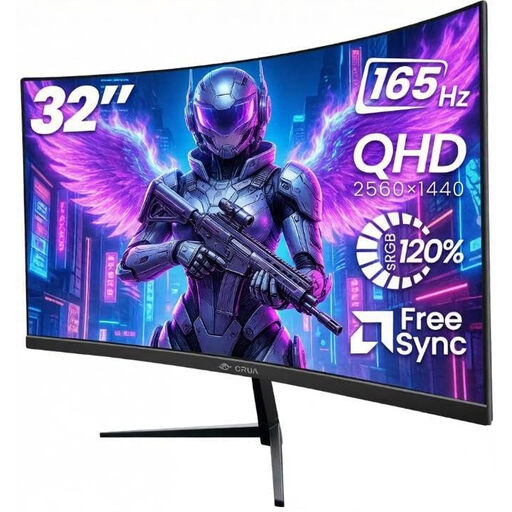
Why This Fits Their Persona: A practical option for UK home offices, bedrooms and first gaming setups, combining a 32-inch QHD screen with a 165Hz refresh rate.
Its specification clearly states 2560 × 1440 resolution, 165Hz support and the need for DisplayPort for maximum refresh rate, helping buyers check compatibility first.
1500R curved VA panel, Adaptive Sync, dual HDMI and dual DisplayPort connections, plus VESA 100 × 100mm mounting.
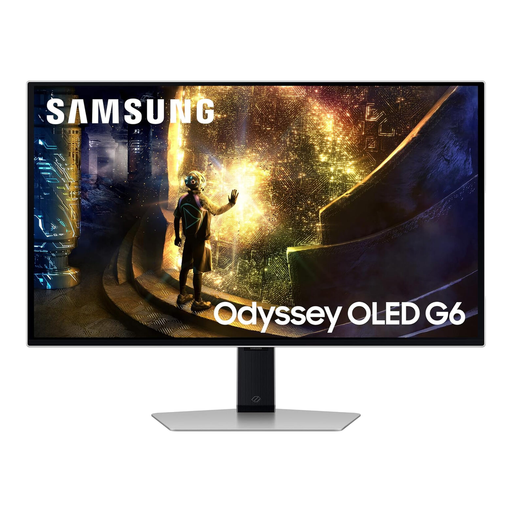
Why This Fits Their Persona: Suitable for players and creators who want QHD detail, OLED contrast and a fast 240Hz format in a 27-inch footprint.
The listing specifies QHD resolution, 240Hz, HDMI 2.1 and DisplayPort 1.4 rather than relying on a general “premium gaming” description.
QD-OLED panel, 2560 × 1440 resolution, 0.03ms stated GtG response time, FreeSync Premium Pro and G-SYNC compatibility.
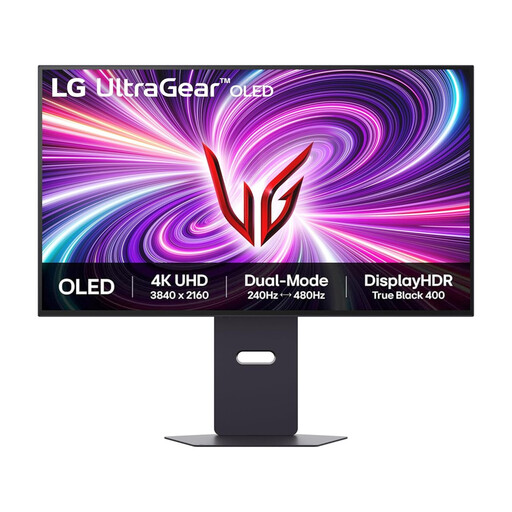
Why This Fits Their Persona: Designed for users moving between detailed 4K gaming, competitive play, creative tasks and compatible console gaming.
Its dual-mode specification makes the trade-off clear: up to 240Hz at 4K or up to 480Hz at Full HD. Buyers can match the mode to their hardware and game type.
OLED 3840 × 2160 display, HDMI 2.1, HDR10 and DisplayHDR True Black support, plus G-SYNC Compatible and FreeSync Premium Pro.
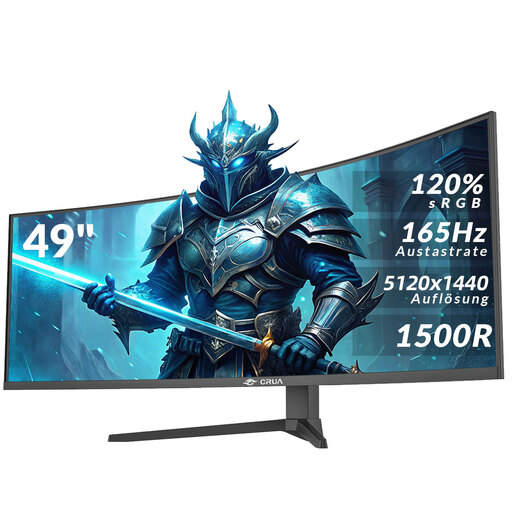
Why This Fits Their Persona: A wide-format choice for streamers, simulation players, video editors and home-office users who need multiple windows without two separate monitors.
The 5120 × 1440 resolution and 32:9 aspect ratio are clearly stated, while the listing warns buyers to check desk depth, mounting strength and cable bandwidth.
49-inch 1500R VA panel, 165Hz refresh rate, AMD FreeSync, HDR10, HDMI 2.1 and height-adjustable installation support.
We have compiled a complete, real-time list of products that fully satisfy these strict selection criteria and UK safety regulations.
It can be useful for esports players with a PC capable of producing consistently high frame rates. For slower-paced games, office use or a modest graphics card, a 144Hz or 165Hz model may offer a more balanced purchase.
Yes, particularly ultrawide models that provide space for documents, timelines and browser windows. A 1500R or 1800R curve can feel immersive, but check your viewing distance and desk width before buying.
Running costs depend on screen size, brightness, HDR use, refresh rate and daily usage. Larger ultrawide and high-brightness displays generally require more power than compact Full HD monitors. Check the product’s stated power consumption and switch the display off when it will not be used for an extended period.