Choose a battery-equipped portable monitor for short map-learning sessions when you cannot spare a wall socket. ASUS states that its ROG Strix XG16AHPE can run for up to three hours at 144 Hz, so longer sessions still need a charging plan. A USB-C portable display depends on compatible video and power connections; if you have a spare outlet, a larger desk monitor gives you more screen-size and resolution choices without solving the socket shortage.
Who each setup suits
Map learners without a spare socket
If you need another screen for short sessions but have no free outlet, look at a battery-equipped portable monitor. Compare its stated runtime at the refresh rate you intend to use with the length of your sessions.
Laptop players who move their setup
A portable display may mean fewer cables when moving between rooms or travelling. Before relying on USB-C for video, check the laptop port and the monitor’s specified connection method.
Players with a permanent desk setup
If an outlet is available, a desk monitor lets you consider a larger screen, QHD resolution or stand adjustment. Check the space and power arrangement as well as the connection needed for your chosen refresh rate.
What matters when choosing
With plug sockets limited, decide whether avoiding an extra outlet matters more to you than map detail, motion clarity or connection simplicity. Then check the exact device and input you will use.
| Concern |
What to check |
Who this matters to |
| Socket independence |
Check battery runtime at your intended refresh rate and how the display is charged. |
If my desk has no free outlet, I need a screen that can cover a short study session without another plug. Around 36% of consumers put socket independence first. |
| Map readability |
Compare physical screen size and native resolution, then check whether your device can output the resolution you want. |
When I study routes and small map labels at a fixed desk, usable screen area matters more to me than portability. Map readability is the primary need for around 29% of consumers. |
| Motion clarity |
Check refresh at the input you will use, compatible variable refresh rate and model-specific response and input-lag testing. |
If I switch between route study and live play, I want camera movement to remain readable. Around 21% of consumers prioritise motion clarity. |
| Connection compatibility |
Confirm the host’s USB-C video capability or the monitor’s DisplayLink requirements, and check input-specific refresh limits. |
Before choosing a cable or portable screen, I need to know that my device can actually send it video. A working connection comes first for around 14% of consumers. |
Buying pitfalls
-
Assuming every USB-C port sends video
USB-C describes the connector, not a guarantee of display output. ASUS support guidance distinguishes DisplayPort Alt Mode from USB-based DisplayLink arrangements.
Check the exact host port and monitor manual for the required video method before ordering the display or its cables.
Depending on that connection method, you may need an adapter, a separate power supply or a DisplayLink setup.
-
Expecting a portable battery to last indefinitely
ASUS states up to three hours at 144 Hz for the ROG Strix XG16AHPE. That stated maximum is a planning limit, not a promise that it will cover a longer session.
Compare the stated runtime with your session length and decide how you will recharge between sessions.
-
Choosing by the highest refresh figure alone
Connection choice can change the maximum available setting: Dell specifies up to QHD 180 Hz through DisplayPort for the G2725D, but up to QHD 144 Hz through HDMI.
Check the limit for the input you plan to use, alongside your device’s output and the cable specification.
-
Treating a product page as proof of availability
LG marks the 24GS60F-B discontinued, while Dell marks the G2725D unavailable on its product page. Their specifications can still help you compare monitor formats.
Check the exact model suffix, current retailer listing and applicable warranty terms before making a purchase decision.
Relevant brands for reference
ASUS ROG / ZenScreen
The ROG Strix XG16AHPE illustrates a battery-equipped portable route; the ZenScreen MB16AHG is a portable 144 Hz alternative with USB-C and mini-HDMI connections.
- ASUS states that the XG16AHPE’s built-in battery supports up to three hours at 144 Hz.
- Its 15.6-inch FHD screen is smaller than the desk-monitor examples, and USB-C video requires a compatible host connection.
BenQ MOBIUZ
The EX2510S illustrates a fixed-desk, 24.5-inch FHD IPS option with a specified 165 Hz refresh rate.
- BenQ lists FreeSync Premium and a height-adjustable stand for this model.
- Its built-in AC power supply makes it a desk option for a setup with an available outlet.
Dell Gaming
The G2725D provides a 27-inch QHD specification to compare when screen area and map detail take priority over portability.
- Dell specifies 2560 × 1440 and up to 180 Hz through DisplayPort for this model.
- Dell marks the G2725D unavailable; use its specifications for comparison rather than assuming it can currently be ordered.
LG UltraGear
The 24GS60F-B illustrates a compact, 23.8-inch FHD IPS desk-monitor format with a specified 180 Hz refresh rate.
- LG lists adaptive-sync features for the 24GS60F-B.
- LG marks this model discontinued, and its external power adapter does not remove the need for an outlet.
Joybuy product choices
These choices include a portable second screen to consider for a compatible connection and desk monitors to consider where power is available. For map learning, weigh socket use and screen detail against the refresh rate your device can deliver.
 No image available
MSI MAG 275UPD E14 27-inch dual-mode gaming monitor
Consider this desk display if you have access to power and want to choose between its listed resolution and refresh modes for map study and play.
- 4K UHD at 144 Hz or FHD at 288 Hz; Adaptive Sync is listed.
- Check which input and source-device settings support the mode you intend to use, and confirm its power arrangement for your desk.
View on Joybuy
 No image available
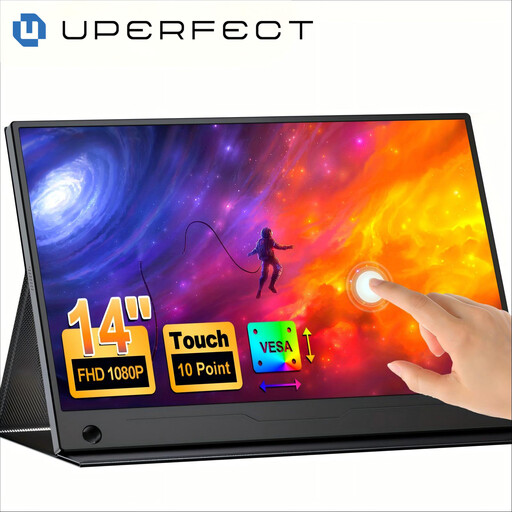
UPERFECT 14-inch 60 Hz portable touchscreen monitor
Consider this portable second screen for map study if its 60 Hz refresh rate also suits the way you play.
- The listing names a touchscreen, VESA compatibility and a stand adjustable through 180°.
- Before planning a one-cable setup, confirm that your host can provide the required video and power; otherwise, a separate supply may be needed.
View on Joybuy
 No image available
MSI MAG 274QF 27-inch WQHD gaming monitor
This is a desk-monitor choice for consumers who can accommodate a 27-inch screen and want WQHD resolution for map viewing.
- The listing names a Rapid IPS panel, Adaptive Sync and a 180 Hz refresh rate.
- Check the intended input, device and cable against the refresh setting you want, and confirm the monitor’s power requirements.
View on Joybuy
 No image available
KOORUI MG24A12FV2 24-inch curved gaming monitor
Consider this smaller desk display for map practice if an outlet is available and a curved FHD screen fits your setup.
- The listing specifies a VA panel, 1500R curvature, 180 Hz and Adaptive Sync.
- Its stated power-adapter setup needs a mains outlet. Check your chosen input and device settings for the refresh rate you intend to use.
View on Joybuy
 No image available
HKC G27H2DPro 27-inch QHD gaming monitor
This fixed-desk option is worth considering if you have an outlet and put QHD map viewing ahead of portability.
- The listing specifies a 2560 × 1440 Fast IPS screen and a 220 Hz refresh rate.
- Its power instructions call for an outlet. Confirm which input and source-device settings support your intended refresh rate.
View on Joybuy
Frequently asked questions
Can a portable gaming monitor work with one USB-C cable?
Yes, if the host and monitor support the required video connection and power arrangement. ASUS support guidance describes DisplayPort Alt Mode and USB-based DisplayLink as distinct methods, so check the specifications for your exact devices rather than relying on the connector shape.
Will a battery-equipped monitor free up a socket for a whole day?
Do not plan on all-day socket-free use from the stated runtime of the ASUS ROG Strix XG16AHPE. ASUS specifies up to three hours at 144 Hz; compare that condition with your session length and make a charging plan.
Should I choose QHD or FHD for learning multiplayer maps?
Consider QHD if map detail is your priority and you have room for a desk display and a compatible video output. Consider FHD when a smaller portable or compact desk format matters more; resolution by itself does not establish motion clarity or whether your connection will work.
Does adaptive sync tell me whether a monitor feels responsive?
No. RTINGS advises assessing refresh rate, response time and input lag as well as adaptive-sync support. If fast multiplayer play matters to you, check compatibility with your device and look for testing of the exact monitor model.


