For mystery games in a shared bedroom, start with dark-scene contrast and a workable private-audio setup rather than choosing by refresh rate alone. OLED offers deep blacks but carries a burn-in risk with prolonged static content; VA is a contrast-led LCD option, while IPS makes more sense if off-centre viewing matters. A 27-inch QHD screen is a useful starting point, provided its stand, connections and footprint suit your desk and gaming device.
Who this setup suits
Dark-scene mystery-game players
If clues and bright details need to stand apart from shadowy surroundings, contrast deserves attention. RTINGS explains that higher contrast has a particularly noticeable effect on blacks in dark rooms; OLED and VA are both relevant routes to compare.
Considerate late-night bedroom gamers
Playing near someone else calls for controllable screen brightness and a private-audio plan. Check how headphones will connect to your gaming device; a monitor’s gaming specifications do not settle that question.
QHD shoppers with a small desk
A 27-inch QHD monitor offers a starting size for comparing OLED, VA and IPS models without committing to an ultrawide screen. Measure the desk and check stand adjustment before deciding that a particular model will fit.
What matters when choosing
For mystery games in a shared bedroom, settle the dark-scene image and late-night audio requirements before comparing desk fit and refresh-rate extras.
| Concern |
What to check |
Who this matters to |
| Dark-scene contrast |
Compare OLED, VA and IPS panel types; do not treat an HDR label alone as proof of how dark scenes will look. |
I want clues to remain distinct in dim game scenes, so black depth matters more to me than an extra refresh-rate increment. Around 36% of consumers put dark-scene image quality first. |
| Quiet late-night play |
Confirm a headphone path through the PC, console, controller or an audio output on the exact monitor; check its brightness controls too. |
When someone else is sleeping nearby, I need private sound and a screen I can turn down. For around 29% of consumers, avoiding disruption is the primary concern. |
| Desk fit and positioning |
Measure width, depth and cable clearance; check stand adjustment and whether anyone will view from the side. |
My desk has limited room, and I need to position the screen where I can use it comfortably. Fit and viewing position come first for around 21% of consumers. |
| QHD gaming value |
Compare the exact resolution, panel and stand features; weigh a higher refresh rate against features you will use. |
I want a QHD gaming display without choosing a specification mainly for faster games I rarely play. Around 14% of consumers prioritise that value trade-off. |
Buying pitfalls
-
Choosing on refresh rate without considering dark-room contrast
A high refresh rate cannot make up for blacks that look grey in a dark scene. RTINGS identifies contrast as especially noticeable in dark rooms and finds that VA generally has higher contrast than IPS.
Compare panel type and dark-scene image characteristics first. Choose IPS deliberately if its wider viewing angles better serve your room or other uses.
-
Treating OLED panel-care features as a burn-in guarantee
OLED carries a burn-in risk when the same static elements remain on screen for long periods. Panel-care features do not remove that trade-off.
If the monitor will also show a static desktop, maps or work applications for extended periods, compare VA and IPS alternatives and read the exact OLED warranty terms.
-
Assuming built-in speakers solve shared-bedroom audio
Speakers do not provide the private sound needed when someone else is sleeping. The connection that works depends on the monitor and the PC, console or controller you use.
Decide where headphones will connect, then check the necessary ports on the exact devices before ordering.
Depending on that connection, you may also need an audio adapter or a longer cable.
Brands to consider
Alienware
The AW2726DM is a QHD QD-OLED route for shoppers considering dark-room image quality.
- Dell UK specifies 2560 × 1440 resolution at 240Hz for the AW2726DM.
- OLED’s burn-in risk still matters if the screen will display static content for long periods.
AOC / AGON
AOC UK lists two 27-inch QHD LCD options here: the Fast VA Q27G42XNE and the Fast IPS Q27G4XFAD, both specified at 180Hz.
- The VA and IPS models let you weigh dark-room contrast against wider viewing angles; RTINGS describes those as general differences between the panel types.
- Check the exact model’s stand, connections and audio options rather than assuming the two monitors share them.
ASUS ROG
The ROG Swift OLED PG27AQDM is an OLED model to consider when dark-scene image quality is the priority.
- ASUS describes panel-care and brightness-management features for this model.
- Those features are not a guarantee against burn-in; assess prolonged static use and the exact warranty terms.
BenQ
Some BenQ models offer ambient-light-responsive screen settings for buyers who want brightness controls during evening use.
- BenQ says its Brightness Intelligence+ feature adjusts brightness and colour temperature in response to surrounding light on applicable models.
- Check which model has the feature; it does not establish that its dark-room contrast matches an OLED or VA monitor.
Joybuy monitors for dark-scene gaming
These monitors offer OLED or VA routes for the dark-scene priority, with different screen sizes to check against a shared-bedroom desk. Plan private audio separately for the gaming device and monitor you choose.
 No image available
Samsung Odyssey G6 S27DG612 27-inch QHD OLED monitor
A route to consider if dark-scene contrast is your main reason for choosing an OLED screen.
- The product name specifies a 240Hz refresh rate; that is not a requirement for mystery games.
- Consider OLED’s burn-in risk with prolonged static use, and confirm how your headphones will connect.
Joybuy
 No image available
LG UltraGear 34GX900A-B 34-inch OLED WQHD monitor
Consider this OLED option if you want a larger screen for dark-scene games and have room for its ultrawide format.
- The product name specifies 240Hz; measure the available desk space before choosing the larger display.
- Check headphone compatibility with your gaming device and account for OLED’s risk with prolonged static content.
Joybuy
 No image available
CRUA 32-inch 1500R curved QHD gaming monitor
The VA panel makes this a contrast-led LCD option if a 32-inch screen fits your bedroom desk.
- The product name specifies 2560 × 1440 resolution, 165Hz, HDMI and DisplayPort.
- Check desk space and establish a compatible private-audio connection before buying.
Joybuy
 No image available
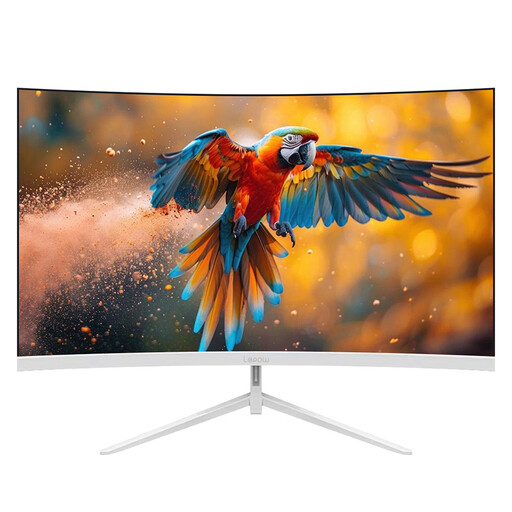
Lepow HC-27Q5 27-inch curved monitor
Consider this 27-inch VA option if the panel type matters more to you than the QHD starting point discussed above.
- The product name specifies a 180Hz refresh rate.
- If QHD is essential, confirm the exact resolution; also check stand adjustment and your private-audio connection.
Joybuy
Questions about shared-bedroom gaming monitors
Which panel type suits mystery games in a dark bedroom?
OLED is worth considering for deep blacks if you can accept its static-image burn-in risk. VA is a contrast-led LCD alternative; choose IPS when wider viewing angles matter more to you. RTINGS identifies higher dark-room contrast for VA than IPS, while the right model still depends on your other uses.
Do mystery games need a 180Hz or 240Hz monitor?
No particular refresh rate is required for mystery games on the basis of the models discussed here. Prioritise contrast, a suitable resolution and desk fit for this setup; a higher refresh-rate specification may matter more if you also play faster games.
How can I play without disturbing someone sharing the bedroom?
Arrange private audio and adjustable screen brightness before relying on a monitor’s speakers. Check whether your headphones will connect through the PC, console, controller or a confirmed output on the exact monitor, and choose a suitable brightness setting for late sessions.


