For a compatible laptop, a USB-C hub monitor can carry video and supply power through the display connection, potentially freeing the socket used by a separate laptop charger. A portable display suits a setup that moves between spaces if its smaller screen and connection requirements work for you. Choose a conventional QHD gaming monitor when screen size and gaming specifications matter more than charger consolidation, and plan the socket arrangement safely.
Who each setup suits
Laptop players short on wall sockets
If you play puzzle adventures on a USB-C laptop, a display that can also charge it may remove the need to plug in a separate laptop charger at your desk. Check the laptop’s charging requirement and USB-C video output before relying on that arrangement.
Players using shared or temporary spaces
A portable display is worth considering when you move between rooms or desks and can accept a smaller Full HD screen. Its USB-C connection still needs to work with your device’s video output, and its power arrangement needs checking.
PC or console players prioritising the image
A larger QHD gaming screen may be the priority if you also play other types of games. That choice does not, by itself, free a wall socket, so account for the display and other equipment when arranging power.
What to check before choosing
Decide whether freeing a charger socket, moving the screen or getting a larger gaming image matters most; then check the connections and power arrangement for that choice.
| Concern |
What to check |
Who this matters to |
| Laptop charging through the display |
Compare the monitor’s USB-C power delivery with the laptop’s charging requirement, and confirm video output through the intended port. |
If my laptop can use one connection for video and charging, I may not need its separate charger at the desk. Around 36% of consumers put that consolidation first. |
| A movable, compact setup |
Check screen size, the required USB-C video mode and how the portable display receives power. |
When I move between rooms or share a desk, a screen I can reposition easily matters more than a large desktop panel. Portability is the primary need for around 29% of consumers. |
| A larger gaming image |
Choose a suitable size and resolution, then confirm which refresh modes your graphics output and cable can deliver. |
I want a larger view of puzzle adventures and a screen I can also use for other games. Around 21% of consumers prioritise that display choice over reducing charger clutter. |
| Safe socket capacity |
Check an extension’s marked rating against the connected load; do not chain extension devices. |
Before choosing a screen, I need to know that the whole setup can be powered without overloading or chaining extensions. Safe socket management comes first for around 14% of consumers. |
Mistakes to avoid
-
Assuming any USB-C monitor can replace a laptop charger
USB-C power delivery and video output are separate compatibility requirements. Dell lists up to 90W power delivery for the P2725DE, but that figure alone does not establish whether a particular laptop can charge and display through the intended connection.
Check the laptop’s charging requirement and port functions against the monitor’s power-delivery rating and video-input requirements.
-
Expecting a portable screen to work without another power source
A USB-C connector does not establish that the host provides compatible video or enough power for the intended setup. ASUS says plug-and-play DP Alt Mode use requires a compatible video function and recommends connecting a portable monitor to a power source.
Confirm the exact monitor input mode, your device’s video output and the power arrangement before counting on a one-cable setup.
-
Chaining extensions to create more outlets
Overloading an extension can cause overheating and fire. Electrical Safety First advises using only one extension device per wall socket and not plugging one extension lead into another.
Keep the connected load within the device’s marked rating and stop using damaged leads. Fully unwind a cable reel when its rated load requires it.
-
Choosing for a refresh mode you cannot use
LG specifies that the UltraGear 27GS85Q-B’s optional 200Hz mode requires a DisplayPort 1.4-capable graphics card and cable. It is not a capability to assume from the monitor alone.
Start with the size, resolution and connection you will use for puzzle adventures; check the hardware requirements if the optional mode also matters for other games.
Relevant brands to consider
Dell
Dell’s P2725DE illustrates the USB-C hub-monitor route: Dell UK lists a 27-inch QHD display at 100Hz with up to 90W power delivery.
- For a compatible laptop, display and charging through the monitor may replace a separate desk charger.
- The laptop must support the intended USB-C video connection and accept charging at an adequate wattage.
ASUS
ASUS’s ZenScreen range includes the compact MB166C and the larger MB229CF, giving portable-display users different screen sizes and connection options.
- ASUS lists USB-C DP Alt Mode for the MB166C; the MB229CF adds listed 60W USB-C power delivery and speakers.
- USB-C video depends on the host’s port functions. The MB166C has a smaller Full HD, 60Hz screen and no built-in speaker.
LG
LG’s UltraGear 27GS85Q-B represents a conventional 27-inch QHD gaming-display choice for players who prioritise the screen over laptop-charger consolidation.
- LG lists a 180Hz native refresh rate and an optional 200Hz overclock for this model.
- The optional 200Hz mode requires a DisplayPort 1.4-capable graphics card and cable; the cited specifications do not establish a laptop-charging route.
Joybuy product choices
These choices cover portable screens, USB-C desktop connections and a larger gaming display for the limited-socket setup. Check your device’s video output, the screen’s power requirements and your available space before choosing.
 No image available
ASUS ZenScreen MB249C IPS USB-C monitor
Consider this USB-C screen for a setup where flexible placement matters. Confirm the laptop’s video output, any charging capability you intend to use and the power accessories supplied with the version you buy.
View on Joybuy
 No image available
Acer X Predator X49X 49-inch curved ultra-wide QD-OLED gaming monitor
This is a large-screen option for players who have room for a 49-inch monitor and also use their display for other games. Its stated specifications include a 32:9 format, Double Quad HD resolution, a 240Hz refresh rate and USB-C. Check desk or mount space and confirm the intended laptop connection and power arrangement separately.
View on Joybuy
 No image available
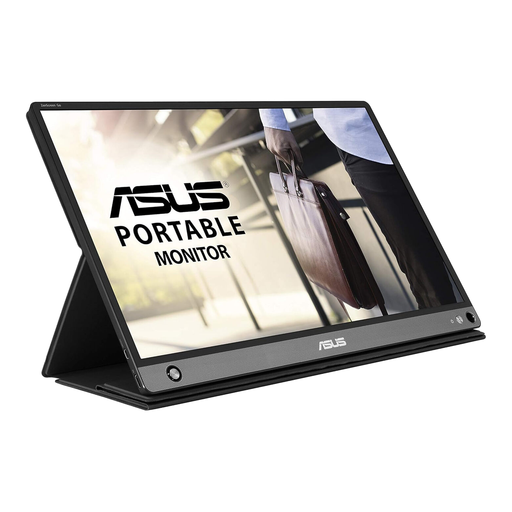
ASUS ZenScreen Go MB16AHP Full HD portable monitor
A portable Full HD screen may suit puzzle adventures played in different spaces. Check how this MB16AHP connects to your device, how it receives power during use and whether its screen size suits your setup.
View on Joybuy
 No image available
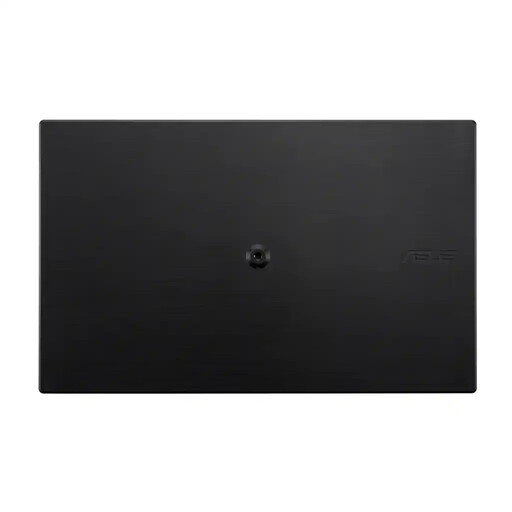
ASUS ZenScreen MB166C 15.6-inch portable USB-C monitor
This compact screen suits a movable setup if your device supports the required USB-C video output. ASUS lists a 15.6-inch Full HD display at 60Hz and USB-C DP Alt Mode for the MB166C. It has no built-in speaker, so plan another audio option if needed, and check how it will be powered.
View on Joybuy
 No image available
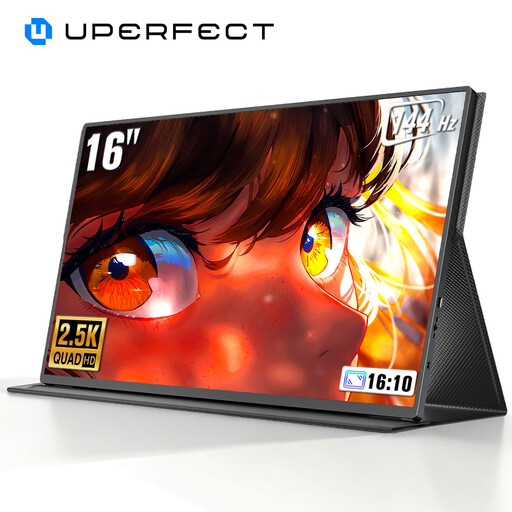
UPERFECT 16-inch 2560 × 1600 portable QLED monitor
Consider this portable screen if you want a 16-inch, 2560 × 1600 display rather than Full HD. The product name lists Mini HDMI and Type-C connections. Confirm the Type-C video mode, power requirements and refresh rate for this exact variant before buying.
View on Joybuy
Common questions
Can a USB-C monitor free the socket used by my laptop charger?
Yes, if the laptop accepts USB-C charging and can send video through the intended connection, and the monitor supplies adequate power. Dell UK lists up to 90W power delivery for the P2725DE; compare any monitor’s rating with your own laptop’s requirements before leaving its charger unplugged.
Will a portable USB-C monitor work from one cable without mains power?
Not necessarily: the computer must provide the video function required by the monitor, and the screen still needs a suitable power source. ASUS says plug-and-play DP Alt Mode use requires compatible USB-C video capability and recommends connecting a portable monitor to power.
Can I chain extension leads if the gaming setup needs more sockets?
No. Electrical Safety First advises using one extension device per wall socket and not chaining extensions. Check the device’s marked rating against the total connected load, and stop using a lead that is damaged or overheating.
What should I do with a monitor I replace?
Check the collection or take-back options offered by your local authority or retailer. UK government guidance covers waste electrical and electronic equipment, while the collection arrangement available to you depends on the provider and location.


