Replay reviewers short on sockets
If your desk has few free outlets, a monitor with built-in speakers could let you skip a separate powered speaker set. Treat USB-C video and laptop charging as separate features when planning the connections.


A QHD monitor with built-in speakers is a sensible starting point if you review competitive replays and want to avoid a separate powered speaker set. Prioritise a higher-refresh QHD screen for fast movement, or a 4K screen when small interface elements and paused frames matter more; check audio, connections and laptop charging for the exact model before counting on it to free a socket.
If your desk has few free outlets, a monitor with built-in speakers could let you skip a separate powered speaker set. Treat USB-C video and laptop charging as separate features when planning the connections.
If you repeatedly inspect quick camera movements, tracking or fights, compare QHD refresh rates alongside the inputs your replay device can use. Quoted response times are manufacturer specifications, not a substitute for checking the settings and connection you intend to use.
If small interface elements and still frames are your priority, a 4K screen may be worth considering even when its refresh ceiling is lower than that of some QHD gaming models.
Decide whether your replay desk primarily needs fewer powered accessories, clearer fast movement, finer paused-frame detail or easier connections between devices; the Dell UK, ASUS ROG UK and BenQ UK model information illustrates how those priorities can lead to different monitors.
| Concern | What to check | Who this matters to |
|---|---|---|
| Powered accessories | Check for built-in speakers and, if using a laptop, whether USB-C video and suitable charging are both specified. | If I have few free sockets, I want replay audio without another powered speaker set. Roughly 34% of consumers put reducing powered accessories first. |
| Fast movement | Compare the stated refresh rate, input limits and your device’s output at the resolution you intend to use. | When reviewing quick fights and camera pans, I care most about following movement on screen. Around 33% of consumers make motion review their primary concern. |
| Fine detail | Compare native resolution and check whether your device and cable support the intended display mode. | I pause replays to inspect small interface elements and individual frames, so detail takes precedence over the highest refresh ceiling. Roughly 25% of consumers prioritise this need. |
| Device connections | Match HDMI, DisplayPort or USB-C inputs to your devices; check any required USB-hub upstream connection separately. | If I switch between a replay laptop, gaming PC and wired peripherals, I want connections that fit my setup without frequent cable swaps. Around 8% of consumers put connection flexibility first. |
A USB-C video connection or hub does not by itself establish laptop-charging capability or sufficient power output.
Compare the exact monitor’s stated Power Delivery output with your laptop’s requirements, and check whether the connection carries your intended resolution and refresh rate.
You may still need the laptop’s charger or another power supply if the monitor cannot provide suitable charging.
A fast screen does not necessarily remove the need for powered desktop speakers. Dell UK and BenQ UK list built-in speakers on the models discussed here; confirm audio provision for any other exact model you consider.
If saving a socket is essential, check the model’s speaker specification before purchase and consider whether its audio will suit your replay work.
Dell UK specifies its S2725QC at up to 120Hz, while its S2725DC is listed at 144Hz; ASUS ROG UK lists the XG27ACS at 180Hz and BenQ UK lists the EX2710Q at 165Hz. These are model specifications, not measured replay performance.
Put paused-frame detail first if that drives your reviews; if rapid movement matters more, compare the QHD options and check what your device can output through the chosen input.
Electrical Safety First warns against plugging one extension lead into another and against exceeding an extension lead’s maximum current rating because of overheating and fire risk.
Use one appropriately rated extension lead per wall socket and check the combined load of connected equipment against its rating.
Dell’s UK S2725DC and S2725QC pages offer two different 27-inch routes for replay review.
The ROG Strix XG27ACS is relevant when fast-motion QHD review and USB-C video or hub connections matter more than built-in audio.
The MOBIUZ EX2710Q is a QHD route for buyers who want built-in audio alongside a gaming-monitor refresh rate.
These monitors cover different replay priorities, from built-in audio and paused-frame viewing to higher stated refresh rates. Match each model’s audio and inputs to your socket-limited desk rather than treating refresh rate alone as the deciding factor.
 No image available
Consider this model if both paused-frame detail and a higher stated refresh rate matter to your replay review. Its title specifies 3840 × 2160 resolution and Type-C 65W; confirm the charging protocol, laptop compatibility and intended display mode before counting on that connection to replace a charger.
 No image available
Built-in speakers make this worth considering when a separate powered speaker set would use a scarce socket. The product title also specifies Adaptive Sync and a 4ms response time; consider whether its stated 75Hz refresh rate meets your fast-motion review needs.
 No image available
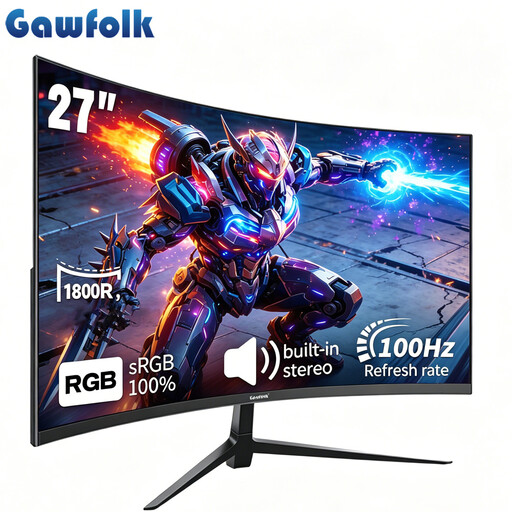
Its stated built-in speakers suit a desk where avoiding separate powered audio matters. The product title specifies an 1800R VA screen and HDMI and VGA ports; check whether FHD resolution and 100Hz meet your detail and motion priorities.
 No image available
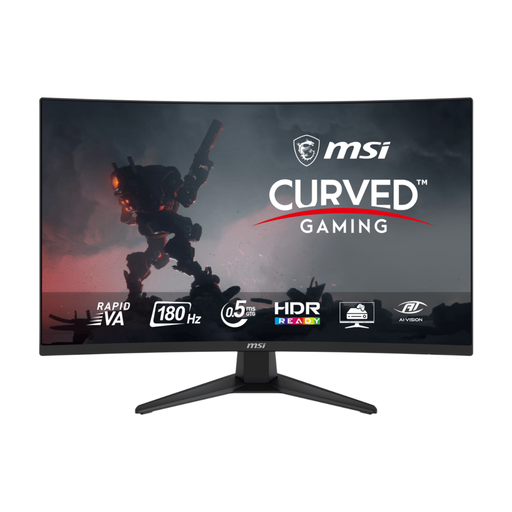
Its stated 180Hz refresh rate makes this a model to consider for fast-motion replay review. Check whether it has built-in speakers if saving an audio socket is important, and confirm that your chosen input and cable support the display mode you want.
 No image available
For reviewing rapid movement at QHD, this model’s title specifies 2560 × 1440 resolution and 220Hz. Confirm the refresh rate available through your chosen input and cable, and check for built-in speakers before assuming it can replace powered audio equipment.
A monitor with built-in speakers can remove the need for a separate powered speaker set, though the monitor itself still needs power. Dell UK lists speakers on the S2725DC and S2725QC, and BenQ UK lists them on the EX2710Q; consider whether built-in audio meets your listening needs.
USB-C connectivity alone does not establish suitable laptop charging. Check the exact monitor’s Power Delivery output against your laptop’s requirements, then confirm that the same connection supports your intended resolution and refresh rate before relying on it to free a socket.
Choose according to what you inspect most: higher-refresh QHD is relevant to rapid movement, while 4K is relevant to small interface elements and paused frames. ASUS ROG UK specifies the QHD XG27ACS at 180Hz, BenQ UK specifies the QHD EX2710Q at 165Hz, and Dell UK specifies the 4K S2725QC at up to 120Hz; check that your device supports the mode you intend to use.
Do not plug one extension lead into another. Electrical Safety First advises using only one socket extension lead per socket; check the lead’s rating and the combined load of the connected equipment to avoid overheating.