What to check before buying
Work out where voice chat will enter your gaming device, then measure the desk and check the display mode supported by your intended connection. The concerns below separate consumers by the need they would put first.
| Concern |
What to check |
Who this matters to |
| Quiet team chat |
Check headphone audio output and where the headset microphone connects to the PC, console or controller. |
If someone else is resting nearby, I need private game audio without losing my voice-chat connection. Roughly 36% of consumers would put quiet, workable team chat first. |
| Compact, responsive play |
Measure the screen and stand footprint; check the refresh mode supported by your device, cable and chosen input. |
With little desk space beside my keyboard and mouse, I want a screen that fits while supporting the pace of my games. Around 29% of consumers would prioritise compact, responsive play. |
| Connection and mounting fit |
Match the required inputs, headphone routing and any VESA mount to the exact model and your existing equipment. |
If cables and headset equipment crowd my desk, I need connections and mounting that work with what I already use. Approximately 21% of consumers would make setup compatibility their primary concern. |
| QHD detail and workspace |
Allow room for the larger screen and check whether your graphics hardware supports the resolution and refresh mode you want. |
When I use the same screen for games and desktop tasks, extra display detail matters enough to give it more space. About 14% of consumers would put QHD workspace and detail first. |
Joybuy monitors for this setup
These choices span compact Full HD monitors and larger QHD screens. Compare each one with your available desk space, intended refresh mode and separate headset-microphone connection.
 No image available
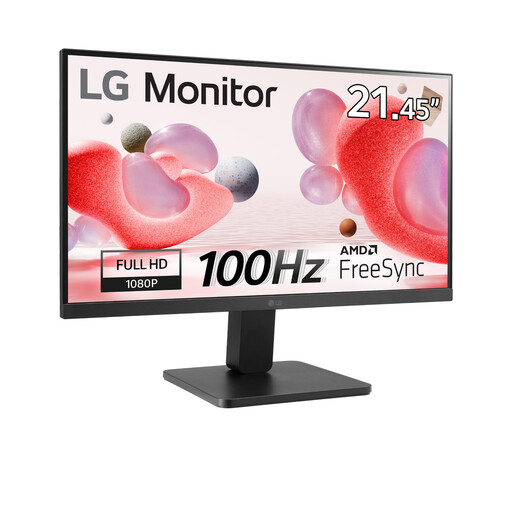
LG 22-inch FHD VA monitor, 100Hz
The 22-inch format is worth considering when screen space is tight. Its name specifies FHD, a VA panel, 100Hz and HDMI; check whether that refresh rate suits your games and where your headset microphone will connect.
View on Joybuy
 No image available
MSI MAG 274QF 27-inch WQHD gaming monitor
Consider this larger-screen route if the desk and graphics hardware suit WQHD. The product name lists a 180 refresh rate, Rapid IPS and Adaptive Sync; confirm the refresh mode over your intended input and connect the chat microphone through a compatible gaming device.
View on Joybuy
 No image available
KOORUI MG24A12FV2 24-inch curved FHD monitor
The compact FHD format may suit a crowded bedroom desk. Its name specifies a VA panel, 180Hz, a 1500R curve, HDMI and DisplayPort; if you want to plug headphones into the monitor, confirm its audio-output connection before ordering.
View on Joybuy
 No image available
CRUA 32-inch 1500R curved QHD monitor, 165Hz
Choose a screen of this size only if you can position it comfortably alongside your team-chat equipment. The name specifies 2560×1440 resolution, 165Hz, HDMI and DisplayPort; check the supported mode on your intended connection and the microphone path through your gaming device.
View on Joybuy
 No image available
AOC Q32V4 31.5-inch IPS monitor
Consider this larger format if desktop space matters more to you than keeping the screen compact. The name specifies a 31.5-inch IPS display and built-in speakers; check its refresh mode against your games, measure the desk and arrange a separate microphone connection for team chat.
View on Joybuy
Common questions
Can I plug my team-chat microphone into a gaming monitor?
Do not rely on a headphone output to receive microphone audio. BenQ UK and LG UK list headphone outputs on the referenced models; connect and test your headset microphone through the PC, console, controller or compatible headset interface that runs voice chat.
Are monitor speakers useful in a shared bedroom?
They may be convenient for occasional listening, but headphones are the quieter choice when someone else shares the room. Check how game audio reaches the headphones and make a separate plan for microphone input.
How can I tell whether I will get the stated refresh rate?
Check the refresh mode for the exact monitor, resolution and input you intend to use, then match it to your cable and PC or console output. BenQ UK lists 220Hz over HDMI and DisplayPort for the EX251, but that specification does not mean every connected device or game will output 220Hz.
What should I do with an old monitor when replacing it?
Ask the retailer how to return the old monitor as electrical waste when buying a replacement. GOV.UK describes free in-store take-back for the types of electrical equipment a retailer sells; confirm the retailer’s arrangements and timing before bringing yours in.


