Competitive movement practisers
Players who chiefly want to follow fast on-screen movement and practise timing, rather than gain more desktop detail. A smaller Full HD screen is one route to consider when that is the priority.


Prioritise a compact, high-refresh Full HD monitor if fast competitive movement is your main use and your PC can produce suitably high frame rates. A 27-inch QHD monitor makes more sense if the same screen also serves detailed games and everyday tasks, provided it fits the desk. With either choice, check the refresh rate available through your intended port and cable, as well as how you will position the screen.
Players who chiefly want to follow fast on-screen movement and practise timing, rather than gain more desktop detail. A smaller Full HD screen is one route to consider when that is the priority.
Players fitting a monitor around other uses of a bedroom desk. Screen size matters, but so do space for the keyboard and mouse and enough adjustment to place the display sensibly.
Players who practise competitive games but also use the screen for more detailed games, video or ordinary PC tasks. They may prefer QHD detail while accepting a different refresh-rate target from a compact esports display.
Decide whether competitive movement or mixed-use detail drives the choice, then check whether the screen, stand and required connection work on your desk and PC.
Choose when: Fast competitive practice is the main use, you prefer a smaller viewing area and your PC can produce high frame rates.
Trade-off: The 24.5-inch models discussed here use 1920 × 1080 rather than QHD, and their highest stated refresh modes may depend on the connection.
Choose when: One screen must serve competitive practice alongside detailed games or desktop tasks, and the larger display fits.
Trade-off: QHD places more demand on the graphics card than Full HD, so check frame rates at the resolution you intend to use.
| Concern | What to check | Who this matters to |
|---|---|---|
| Fast movement | Check the refresh mode you can use and your expected in-game frame rate. Compare response claims for the specific models, not just their panel labels. | If fast-moving opponents are my focus, I want the screen and PC to keep pace with practice. Around 36% of consumers put motion-first practice ahead of their other monitor needs. |
| Desk fit and posture | Measure usable desk width and depth, including room for controls; check stand adjustment or mounting compatibility. | When the desk serves several purposes, I need to place the screen without crowding my keyboard and mouse. Roughly 29% of consumers make workable positioning their primary concern. |
| Mixed-use detail | Compare Full HD with QHD for your other tasks, then check game frame rates at the chosen resolution. | I use the same display for practice and more detailed games, so I do not want to choose on refresh rate alone. About 21% of consumers place mixed-use detail first. |
| PC and connection | Match the GPU output, monitor input and cable to the intended native or overclocked refresh mode. | Before committing to a headline refresh figure, I need to know which mode my existing setup can access. Around 14% of consumers treat connection certainty as their leading need. |
Dell UK specifies 320Hz through DisplayPort but 255Hz through HDMI for the Alienware AW2525HM. LG UK says the 27GS85Q-B needs a DisplayPort 1.4-capable graphics card and cable for its 200Hz overclock mode.
Before ordering, check the full specification for the exact monitor model against your GPU output and cable, including whether the target rate is native or overclocked.
A high-refresh monitor does not make a game produce the same number of frames. Refresh rate and frame rate are not the same thing; the latter also depends on the PC, game and settings.
Check frame rates for the games and resolution you intend to use before choosing a very high-refresh Full HD model over a QHD alternative.
Screen diagonal alone does not determine whether the display can sit in front of you at a suitable height and distance. The Health and Safety Executive advises placing the top of a display around eye level and the screen about an arm's length away.
Measure the desk and check the stand's adjustment or suitable mounting options before choosing a position.
If the supplied stand cannot achieve that position, the setup may call for a suitable monitor arm, stand riser or desk rearrangement.
Recycle Now advises recycling monitors rather than putting them in a waste bin.
Check for a suitable local electrical recycling point, recycling centre or retailer-supported route when replacing the display.
Its XL2566K is a 24.5-inch, 360Hz TN model aimed at compact, motion-focused competitive setups.
The 24.5-inch Full HD AW2525HM offers a compact Fast IPS example with stand adjustments for a constrained desk.
The 27GS85Q-B is a 27-inch QHD Nano IPS option for combining practice with more detailed screen use.
The ROG Strix XG259CMS is a 24.5-inch Full HD Fast IPS alternative for a compact PC setup.
These choices include smaller Full HD and larger, higher-resolution monitors relevant to practice on a shared-bedroom desk. Match the screen size and intended refresh mode to your available space, PC and other uses.
 No image available
Consider this if you want a high-refresh screen for practice while retaining QHD detail for other uses.
The 27-inch OLED model is listed at 240Hz. Measure the available desk space and confirm the connection, cable and PC output needed for your intended mode.
 No image available
Consider this if competitive practice and detailed visual use share one setup, and a 27-inch screen fits the desk.
The product name lists dual 240Hz and 480Hz modes. Check which resolution, GPU output, port and cable are required for the mode you intend to use.
 No image available
Consider this 27-inch WQHD option when practice shares the screen with games or desktop work where additional detail matters.
The product name lists a 180 refresh rate. Check the supported rate for your intended connection and make sure the larger screen leaves enough usable desk space.
 No image available
Consider this if QHD detail matters alongside a high stated refresh rate for competitive practice.
Its product name specifies 2560 × 1440 and 220Hz. Measure the desk, and check connection-specific refresh modes and stand adjustment before ordering.
 No image available
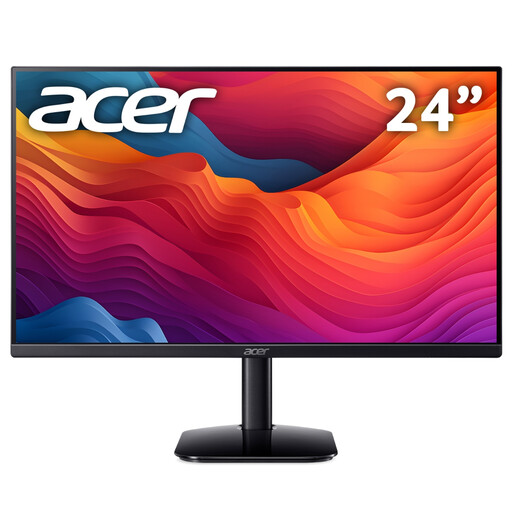
Consider this smaller screen if fitting the shared desk is more important to you than pursuing the highest refresh figures discussed above.
The product name specifies 1920 × 1080, 144Hz and FreeSync. Check whether the stand or a suitable mount can place the screen at the height you need.
No: the available refresh mode can depend on the monitor input, cable and GPU output, while the frames you see in a game also depend on PC performance. Dell UK specifies 320Hz through DisplayPort but 255Hz through HDMI for the AW2525HM; check the exact model and connection you plan to use.
Start with the usable desk space, leaving room for your keyboard and mouse rather than choosing by screen diagonal alone. The Health and Safety Executive advises placing a display directly in front of you, with its top around eye level and the screen about an arm's length away; check that the stand or a suitable mount lets you achieve that arrangement.
Yes, make room for regular changes of activity rather than staying at the screen continuously. The Health and Safety Executive's workplace guidance favours short, frequent breaks over longer, less frequent ones; for home gaming, use that as practical posture guidance, not a gaming-performance rule.
Check that the listing clearly identifies the seller, exact monitor model and power arrangement supplied for your location. The UK Office for Product Safety & Standards explains that electrical equipment placed on the Great Britain market is subject to the Electrical Equipment (Safety) Regulations 2016; a gaming specification does not, by itself, establish compliance, and Great Britain guidance should not be treated as Northern Ireland guidance.
Read the particular seller's written terms for returns, dead pixels, repairs and warranty coverage before ordering. These terms may differ between listings; a brand name or refresh-rate figure does not tell you what a seller's voluntary policy covers, and that policy is distinct from any applicable statutory remedies.