Small-desk sandbox builders
If your keyboard, mouse and building controls already fill the desk, consider the monitor’s base depth as well as its screen size. A monitor arm is another possibility only if the screen, arm and desk are compatible.


A 23.8–24.5-inch Full HD monitor is a starting point for sandbox building at a small desk, but measure the space needed by its stand before choosing by refresh rate. Consider a 180Hz IPS model if your device can use that mode; a 320Hz model is more relevant if you also play high-frame-rate games and can use the required connection. If screen position matters, check height adjustment or compatible VESA mounting.
If your keyboard, mouse and building controls already fill the desk, consider the monitor’s base depth as well as its screen size. A monitor arm is another possibility only if the screen, arm and desk are compatible.
If you move rapidly between building areas or explore at speed, compare refresh modes and adaptive-sync compatibility with what your gaming device and connection can actually use.
If you switch between building, guides, chat and other desktop tasks, weigh screen positioning and readable detail alongside gaming refresh rate.
Measure the usable desk area first, then match resolution and refresh rate to your device and the way you play.
| Concern | Buying checks | Who it matters to |
|---|---|---|
| Desk fit and mounting | Measure the monitor and stand width and depth, allowing room for cables. For an arm, check the VESA pattern, load rating, clamp clearance and desk construction. | I need space left for my keyboard and mouse after placing the screen. Around 29% of consumers put desk fit first. |
| Readable building detail | Check your device’s supported output resolution, then decide whether Full HD gives you enough detail for maps, menus and building at your usual viewing distance. | I want to read inventories and see what I am building without choosing a resolution my device cannot use comfortably. Roughly 29% of consumers prioritise that balance. |
| Smooth movement | Match the monitor’s refresh modes and adaptive-sync support to the device, connection and games you intend to use. | When I explore or turn the camera quickly, consistent movement matters more to me than extra desktop detail. About 21% of consumers make smoothness their primary concern. |
| Screen positioning | Check the exact model’s height, tilt, swivel and pivot adjustments; if using an arm instead, confirm mounting compatibility. | I spend long stretches building and reading guides, so I need to position the display for my desk and seat. Around 21% of consumers put positioning first. |
A compact panel can still have a base that takes up too much desk depth for your keyboard, mouse and cables.
Measure the available surface and compare it with the exact model’s dimensions with its stand. If you plan to use an arm, check the mount, arm and desk together.
Moving the screen off its supplied base may require a compatible arm and a suitable place to clamp it.
Dell UK lists the Alienware AW2525HM at up to 320Hz through DisplayPort but 255Hz through HDMI. The monitor’s headline refresh rate therefore does not establish the mode available through your chosen connection.
Check your device’s output, the cable and the monitor’s input specification before choosing a refresh-rate tier.
ASUS UK lists height adjustment for the VG249QL3A, whereas LG UK describes the 24GS65F-B stand as tilt-adjustable. Stand features differ even among similarly sized screens.
Confirm the exact model’s adjustment range before ordering, or check whether a compatible arm would suit your desk.
ASUS UK lists the 23.8-inch Full HD TUF Gaming VG249Q3A and VG249QL3A as 180Hz IPS models. The VG249QL3A is the one to examine if height adjustment is important.
Dell UK lists the 24.5-inch Full HD AW2525HM with height, pivot, swivel and tilt adjustment. It is worth considering when the desk also serves high-frame-rate competitive gaming.
LG UK lists the 24GS65F-B as a 23.8-inch Full HD IPS monitor with a 180Hz refresh rate and adaptive-sync support.
These 24-inch Full HD choices include a curved gaming monitor and screens suited to mixed desktop use. Compare their refresh rates, stand space and positioning options against your own desk and device rather than treating them as interchangeable gaming displays.
 No image available
Consider this model if compact, high-refresh sandbox play matters more to you than an adjustable-height stand.
The product name specifies 180Hz, a 1500R curve, adaptive sync, tilt adjustment and VESA compatibility. Check the stand’s depth against your desk and confirm the exact variant’s ports before ordering.
 No image available
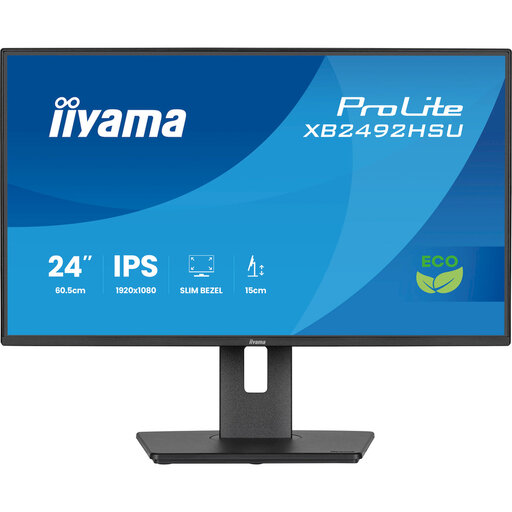
Consider this model if positioning the screen for building and other desktop tasks matters more than following the 180Hz gaming route.
Its listed refresh rate is 60Hz, a limitation if high-refresh play is a priority. Check that its stand and your available desk depth work together.
 No image available
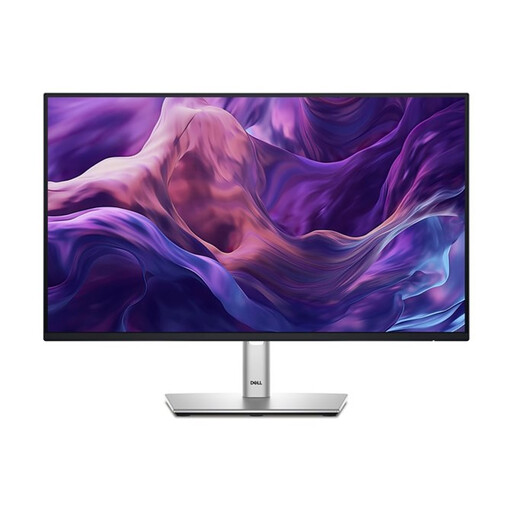
Consider this model for a compact setup shared between sandbox play and desktop tasks, provided its stated refresh rate meets your gaming needs.
The product name specifies 99% sRGB coverage and USB-C, DisplayPort, HDMI and VGA connections. Measure the space available for its stand, and confirm mounting details before planning to use an arm.
Yes, a roughly 24-inch Full HD screen is a sensible compact option if its resolution suits your device and you have room for its stand. Measure the complete footprint and allow cable clearance; the screen diagonal alone will not tell you whether it fits.
No. The game’s frame rate and the available display mode depend on your device and connection as well as the monitor. Dell UK, for example, lists the AW2525HM at up to 320Hz through DisplayPort and 255Hz through HDMI, so check the port you intend to use.
Not necessarily: the supplied stand may fit and offer the adjustment you need. If its base takes up too much working space, check the monitor’s VESA mounting pattern, its weight, the arm’s load rating and whether your desk can accommodate the clamp.