Close-seated puzzle readers
If dialogue, clues and inventories contain small details, compare Full HD with QHD at a similar screen size. Dell UK lists a 23.8-inch QHD option; check that your device supports the resolution you intend to use.


Start with a compact monitor that fits your measured desk space, then choose Full HD or QHD according to how much close-range text and artwork detail matters to you. A 23.8- to 24-inch IPS model is one route, but stand depth and adjustment can matter as much as screen size at a shallow desk. If you play on a console, check the resolution and refresh rates supported over the monitor’s HDMI input rather than relying on its headline refresh rate.
If dialogue, clues and inventories contain small details, compare Full HD with QHD at a similar screen size. Dell UK lists a 23.8-inch QHD option; check that your device supports the resolution you intend to use.
A compact Full HD IPS screen may suit puzzle games and everyday tasks when extra pixel density is not your priority. Measure the desk and stand rather than judging fit from the screen diagonal alone.
If you switch between a computer and a console, check the monitor’s HDMI resolution and refresh-rate combinations for each device. A PC refresh-rate specification does not establish which console modes are available.
For narrative puzzles at a small desk, decide whether readable detail or physical screen placement is the harder constraint before considering higher refresh rates.
| Concern | Buying checks | Who this matters to |
|---|---|---|
| Close-range detail | Compare the native Full HD and QHD resolutions at the screen size you can accommodate. Confirm that your device supports the intended output. | When I sit close enough to study dialogue and visual clues, I want fine details to remain clear; roughly 36% of consumers put readable detail first. |
| Desk fit and positioning | Measure usable width and depth, then check stand dimensions and adjustments. For an arm, confirm the VESA pattern and desk-mounting suitability. | With little room to move my screen, I need a position that works with my seating and lighting; around 29% of consumers make placement their primary concern. |
| Useful specifications | Check panel type, native resolution and the refresh rate your device can use. If separate speakers would crowd the desk, check whether they are built in. | If I mainly play slower-paced puzzles, I would rather choose features I will use than pay for a refresh-rate headline; about 21% of consumers prioritise that simpler choice. |
| PC and console compatibility | Check the desired resolution and refresh rate together for the monitor’s HDMI input and your console. PlayStation says 120Hz output applies to games supporting 120fps; Xbox says a display must support 1440p to use that output. | When I switch between a PC and a console, I need both to use the display mode I expect; roughly 14% of consumers put device compatibility first. |
A high refresh-rate figure does not address small text or desk fit, and it does not guarantee the same output from a console. PlayStation says 120Hz output is for games that support 120fps.
Set your screen-size, resolution and placement requirements first. Check higher-refresh HDMI modes if you also play games that can use them.
Dell UK lists its S2425H with tilt adjustment, while the S2425HS also offers height, swivel and pivot adjustment. Neither the diagonal measurement nor the panel type tells you how much desk space the stand needs.
Measure the available surface and compare the exact model’s stand dimensions. If considering an arm, check the mounting pattern, arm capacity and whether your desk can accept the mount.
An arm is a separate item to plan for if the supplied stand cannot be positioned as you need.
A branded eye-care feature does not establish that a screen will prevent discomfort, and HDR10 support alone does not establish how HDR content will look. Screen position and lighting also affect the viewing setup.
Compare confirmed display and stand specifications first. Arrange the screen and room lighting to reduce reflections, as the Health and Safety Executive’s display-screen-equipment guidance advises for workstations.
Dell UK lists compact Full HD and QHD IPS monitors with different stand arrangements.
BenQ’s GW2490 range covers compact Full HD monitors with IPS panels and built-in speakers.
LG UK lists compact Full HD IPS models with different refresh rates, connections and stand adjustments.
Samsung UK lists both 24-inch Full HD and compact QHD monitor options.
These compact monitor choices include Full HD, WUXGA and QHD options for a small-desk setup. Check each model’s stand fit and device connections; the curved 24.5-inch option also differs from the IPS models discussed above.
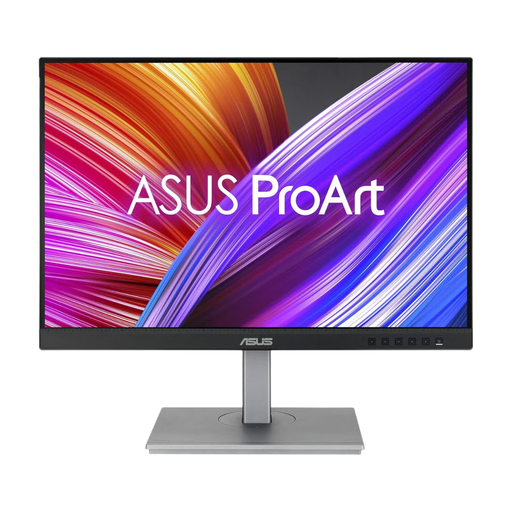 No image available
Consider this model if screen positioning is important at your desk. Its IPS WUXGA designation distinguishes it from the QHD option below; check the assembled stand dimensions and your intended device connection before choosing it.
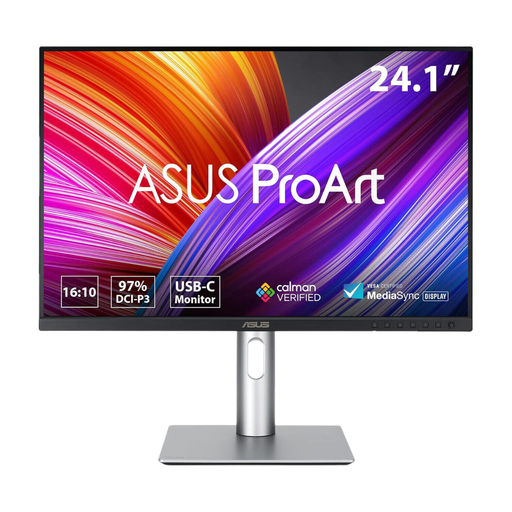 No image available
This is another IPS WUXGA choice to consider when close viewing and screen positioning shape your decision. Confirm its stand footprint against your available desk depth, and check the display mode required by your gaming device.
 No image available
The QHD designation makes this the option here to examine if fine dialogue or puzzle details are your priority. Check its supported refresh rate, the stand footprint and whether your PC or console can provide the QHD output you want.
 No image available
Consider its curved format if that is your preference rather than assuming it will suit every close-seated setup. The product name specifies a 24.5-inch Full HD screen, 100Hz refresh, HDMI, built-in speakers and 75 × 75 mm VESA mounting; check the stand footprint and whether its curved VA panel suits you.
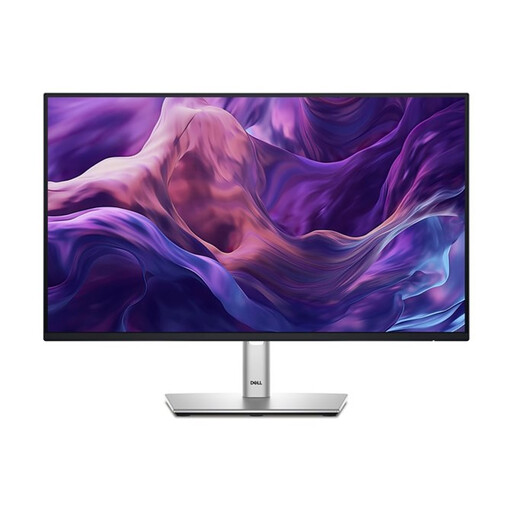 No image available
This is a conventional Full HD IPS option if you want a compact screen for puzzle play. Its product name specifies 1920 × 1080 resolution and USB-C, DisplayPort, HDMI and VGA connections; confirm the exact refresh-rate specification and assembled stand dimensions before deciding.
It can be, provided the complete monitor and stand fit the space you have measured. Both Full HD and QHD models exist around 23.8 to 24 inches, so consider your viewing distance and the importance of small text as well as the diagonal size.
No particular high refresh rate is a requirement for this type of game. Consider a higher rate if you also play games that can use it, and check the relevant connection mode; PlayStation says 120Hz output applies to games supporting 120fps.
Xbox says the connected display must support 1440p for the console to use 1440p output. Check the monitor’s HDMI specification and the console’s display settings; a QHD panel alone does not establish every available refresh-rate combination.
Check that the screen position, available desk space and lighting work together without troublesome reflections. The Health and Safety Executive’s workplace display-screen-equipment guidance covers arranging desk space and adjusting screens and lighting; it is not a claim about any particular monitor’s health effects.