Small-desk PC gamers
You want a screen for games without losing too much room for a keyboard and other desk items. Compare the supplied stand’s footprint and the screen’s width before treating a 24-inch label as a fit guarantee.


For a small desk, start with the monitor’s actual width and stand depth, then decide whether an adjustable stand or compatible arm would help you position it. A roughly 24-inch Full HD IPS model is one starting point for an ambient aquarium and gaming, while a higher refresh rate matters chiefly if you also play games that can use it. It will not, by itself, fix a stuttering aquarium: Wallpaper Engine says video-wallpaper resolution and frame rate affect GPU load.
You want a screen for games without losing too much room for a keyboard and other desk items. Compare the supplied stand’s footprint and the screen’s width before treating a 24-inch label as a fit guarantee.
You expect the aquarium to remain visible during ordinary desktop use. An IPS model with stated sRGB coverage is a starting point for comparing displays, but the aquarium content and PC also affect how smoothly it plays.
If the same screen handles work, casual viewing and games, comfortable placement, suitable inputs and possibly built-in speakers may matter alongside refresh rate.
Measure the usable desk area and identify your PC’s display output before deciding how much emphasis to place on gaming features.
| Concern | What to check | Who this matters to |
|---|---|---|
| Desk fit and positioning | Compare usable desk width and depth with the exact monitor and stand dimensions. For an arm, check the mounting pattern, supported weight and desk-clamp clearance. | If my keyboard already takes up much of the desk, the stand must fit without putting the screen in an awkward position. Around 33% of consumers would put fit and positioning first. |
| Aquarium appearance | Compare panel type and stated sRGB coverage, and check the aquarium content’s own display settings. | When the aquarium stays on screen during other tasks, I want to choose a display for how that content looks rather than gaming speed alone. Colour and image appearance would come first for around 27% of consumers. |
| Gaming motion | Check the refresh rate available through your intended input and whether variable refresh rate works with your PC. | If I also play fast games, I want the monitor and computer to support the display mode I intend to use. Gaming motion would be the primary concern for around 20% of consumers. |
| PC and connection | Match the monitor input to the PC output and cable. If the aquarium runs as a video wallpaper, consider its resolution and frame-rate settings. | Before changing monitors, I want to know whether my PC connection and aquarium settings can deliver smooth playback. Around 20% of consumers would make compatibility and PC performance their first concern. |
Two 23.8-inch models can occupy different amounts of desk depth: ASUS lists the VG249QL3A at 20.8 cm deep with its stand, while BenQ lists 25.2 cm for the EX240.
Measure the space left after the keyboard and cables, then compare it with the exact model’s dimensions.
Refresh rate describes a monitor capability, not the PC’s ability to render an animated wallpaper. Wallpaper Engine says lowering a video wallpaper’s frame rate can reduce GPU load.
Choose a higher refresh rate for games that can use it; assess the aquarium’s own playback settings separately.
A VESA mounting pattern is only one part of the fit. The arm must also support the monitor’s weight and attach to the desk.
Match the exact monitor pattern and weight to the arm’s specifications, then check desk thickness and rear clearance.
BenQ identifies the EX240 as end of life on its UK product page, even though its specifications remain useful for comparison.
For any model you consider, confirm the exact version, current seller, included accessories and applicable warranty terms before ordering.
The Dell 24 Plus S2425HSM is a 23.8-inch Full HD IPS option for a desk where an adjustable stand and built-in speakers are useful.
The TUF Gaming VG249QL3A combines a 23.8-inch Full HD Fast IPS screen with an adjustable stand and gaming-focused specifications.
The 23.8-inch MOBIUZ EX240 shows how a gaming monitor can combine an adjustable stand, VESA mounting and speakers.
The 23.8-inch UltraGear 24GS65F-B is a Full HD IPS option for people using the same screen for an aquarium and games.
These monitors offer different screen sizes, panel descriptions and refresh rates for an aquarium alongside desktop use or gaming. Compare each stand with your measured desk space; a screen size alone does not establish fit.
 No image available
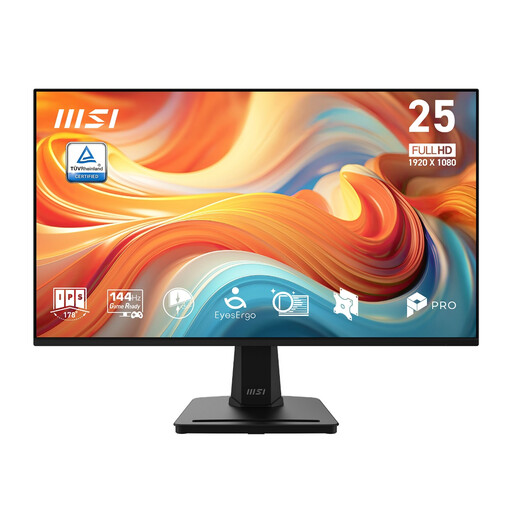
Consider this if a 24.5-inch screen fits your desk and you also want gaming-oriented display features. The named variant is Full HD IPS with 144Hz and Adaptive-Sync; check the supplied stand dimensions and your PC connection before buying.
 No image available
Consider this if you want a curved screen for the aquarium and also play games. Its stated features include a Full HD VA panel, 1500R curvature, 180Hz, Adaptive Sync, two HDMI inputs and DisplayPort. Check the stand’s depth and whether tilt adjustment gives you the position you need.
 No image available
This is a curved option to assess if a 24.5-inch display suits your desk. The product name specifies 100Hz, a 3000R curve, AMD FreeSync, HDMI and built-in speakers. Confirm the supplied stand’s footprint and the exact mounting pattern before planning its position or choosing an arm.
 No image available
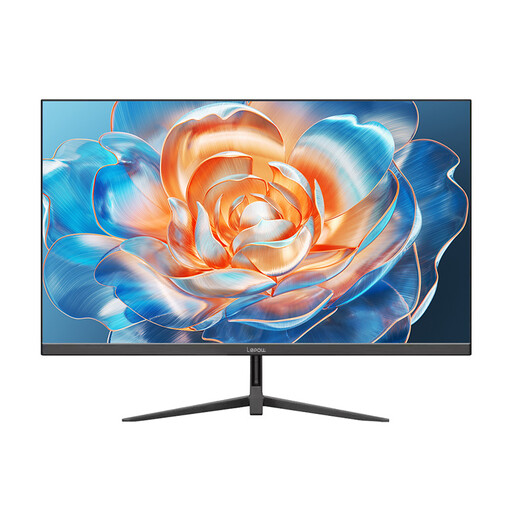
Consider this for an aquarium alongside routine desktop use and lighter gaming. The named model has a stated 100Hz refresh rate. If panel type or precise desk fit matters to you, confirm both before ordering, along with the display mode your PC can provide.
Not automatically. A higher refresh rate can matter for compatible games, but an aquarium running as a video wallpaper also depends on its video settings and the PC. Wallpaper Engine says a lower video-wallpaper frame rate can reduce GPU load.
Check that the stand fits while leaving room to sit and use the keyboard comfortably. The UK Health and Safety Executive advises placing the top of a display around eye level and the screen about an arm’s length away; an adjustable stand or compatible arm may help if the supplied stand cannot achieve that position.
No: screen size does not determine mounting compatibility. Check the exact monitor’s VESA pattern and weight against the arm’s supported range, as well as the desk attachment. ASUS lists 100 × 100 mm mounting for the VG249QL3A, but that alone does not establish whether a particular arm fits your desk.
Confirm the exact model and suffix, included cables, applicable warranty terms and how the seller handles returns or problems such as damage or faults. Check the terms for the specific item and seller rather than assuming that a manufacturer specification page describes the purchase arrangements.
Use a suitable electrical-equipment collection or recycling route, checking whether a local service or retailer take-back scheme accepts monitors. UK government guidance on waste electrical and electronic equipment describes recovery, reuse and recycling as aims of the regime.