Space-first fantasy players
If desk depth or width is tight, compare the monitor’s dimensions with its stand attached before giving image features priority. Check mounting compatibility if you plan to use an arm.


Measure the space available for the monitor and its stand before choosing between QHD detail and a smaller Full HD screen. A flat or curved QHD model may suit fantasy adventures if its footprint and your gaming device’s output work for your setup; curvature and a headline refresh rate alone do not settle the choice.
If desk depth or width is tight, compare the monitor’s dimensions with its stand attached before giving image features priority. Check mounting compatibility if you plan to use an arm.
If scenery, maps and interface detail matter most, compare QHD models’ stated display specifications while checking that your gaming device can deliver the resolution you want.
If you are aiming for a particular resolution and refresh rate, check the monitor’s individual inputs against your device’s outputs rather than relying on its headline refresh rate.
Start with desk fit, then decide how much you value QHD detail, which display modes your device can deliver, and whether a curved screen suits your viewing position.
| Concern | What to check | Who this matters to |
|---|---|---|
| Desk fit | Measure usable width and depth; compare the exact dimensions with the stand attached. If using an arm, check mounting and desk-clamp compatibility. | I need room for the screen without crowding my keyboard and mouse. Around 36% of consumers put desk fit and placement first. |
| Game detail | Compare QHD and Full HD resolution, then check whether your device can run your games at the resolution you prefer. | Maps, scenery and interface detail matter more to me than keeping the graphics load lower. Roughly 29% of consumers prioritise QHD detail. |
| Device output | Match the monitor’s per-port resolution and refresh-rate limits to your device and cable. | I do not want to choose a refresh rate that my connection cannot deliver. About 21% of consumers make device and connection compatibility their primary concern. |
| Screen shape | Compare the placement of the exact flat or curved model and consider whether you normally sit centred in front of it. | A curved view appeals to me, but only if it works at my usual viewing position. Around 14% of consumers put the flat-versus-curved choice first. |
The screen size does not tell you how much desktop the stand occupies. ASUS ROG UK lists the ROG Strix XG27ACS at 61.48cm wide and 21.88cm deep with its stand.
Measure your usable desk space and compare the dimensions of the exact model, including its stand. Check its VESA pattern if you intend to mount it.
If the supplied stand takes too much space, a suitable monitor arm may need to be obtained separately.
Dell UK lists the Alienware AW2725DM at up to QHD 180Hz through DisplayPort, but up to QHD 144Hz through HDMI.
Check the intended port’s specification against your gaming device’s output and use a suitable cable.
LG UK states that the 1ms grey-to-grey figure for the 27GS60F-B requires Faster Mode; it is not an unconditional setting.
Read the conditions attached to a response-time claim and weigh it alongside resolution, refresh rate and desk fit.
LG UK lists the 27GS60QC-B as a 1000R curved QHD model, but its shape does not establish that it will suit every desk or viewing position.
Consider a curved model if you normally sit centred, then check its stand dimensions before choosing it over a flat screen.
The ROG Strix XG27ACS provides a flat 27-inch QHD reference point for checking placement and mounting.
The AW2725DM is a 27-inch QHD option for comparing connection-specific display modes.
The cited LG models offer distinct curved QHD, flat QHD and Full HD specifications to compare.
These choices cover QHD and Full HD screens in different sizes, including curved options. Compare each model’s stated dimensions and display mode with your desk and gaming device.
 No image available
Consider this model if QHD resolution is a priority and your desk can accommodate a 27-inch screen.
The product name specifies OLED and 240Hz; check the display modes available through your gaming device’s connection before choosing it for that refresh rate.
 No image available
Consider the smaller screen size if a 27-inch monitor would be awkward to position on your desk.
The product name specifies a 1500R curved VA screen, 180Hz, HDMI inputs, DisplayPort and VESA compatibility. Full HD has fewer pixels than QHD, so check whether it provides the game detail you want.
 No image available
Consider this model if you want QHD detail on a 27-inch screen and can confirm its fit on your desk.
The product name specifies 2560 × 1440 resolution and 220Hz. Check the dimensions with the stand attached and the refresh-rate limits for the connection you intend to use.
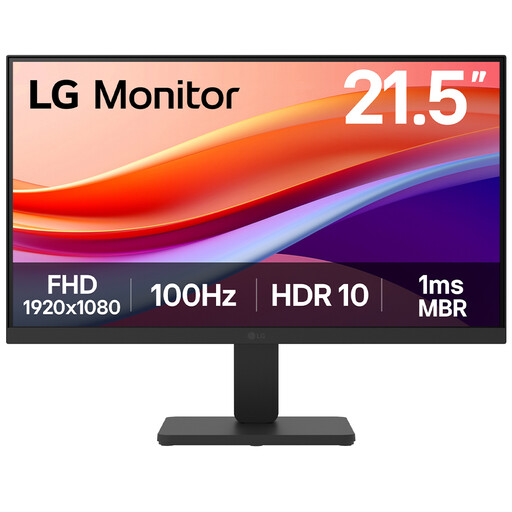 No image available
The 22-inch size is worth considering when available desk space makes a larger screen difficult to place.
The product name specifies Full HD, 100Hz and HDMI. Check that its resolution and the modes supported by your gaming device meet your needs.
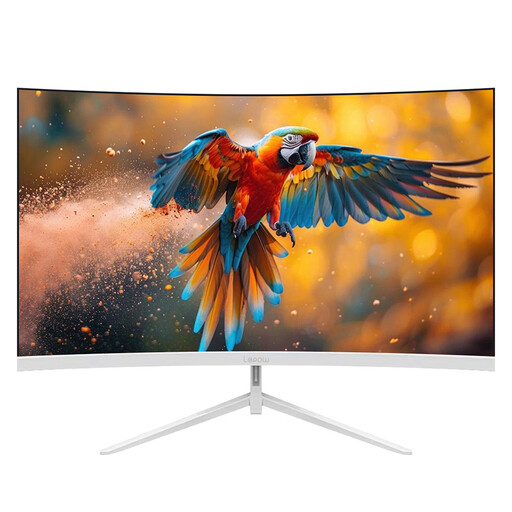 No image available
Consider the curved screen if you prefer a centred viewing position and have room for a 27-inch monitor.
The product name specifies 180Hz. Check its dimensions with the stand attached, resolution and connection-specific display modes against your desk and gaming device.
It depends on the model’s dimensions with its stand attached and the usable space on your desk. ASUS ROG UK lists the ROG Strix XG27ACS at 61.48cm wide and 21.88cm deep with its stand; measure your space before comparing that footprint with other models.
For the Alienware AW2725DM’s listed QHD 180Hz mode, Dell UK specifies DisplayPort; its listed HDMI limit is QHD 144Hz. Check the limits of the particular monitor, your device’s output and the cable you intend to use.
No single refresh rate is necessary for every fantasy adventure setup. Decide how much you value the stated refresh rate alongside desk fit and resolution, and check whether your device and chosen connection can deliver the display mode you want.
Check the retailer’s take-back information and your local authority’s current collection options. GOV.UK’s guidance on waste electrical and electronic equipment explains the wider UK framework, but it does not identify one collection route for every household.
Confirm the complete model suffix, the seller’s stated warranty and return terms, delivery arrangements, and the dimensions and connection modes relevant to your setup. Do not assume that terms shown for a different model apply to the one you choose.