What to check before choosing
Choose the screen size and resolution that fit both your desk and your use, then confirm that your computer and connection can deliver the refresh rate you want.
| Concern | Buying checks | Who this matters to |
|---|
| Fast movement and output compatibility |
Check the refresh rate at native resolution and whether your computer’s output and cable support that mode. Dell lists different QHD limits for HDMI and DisplayPort on the AW2725DM. |
When I repeatedly pan across routes and sightlines, I want the game and connection to make use of the screen’s high-refresh mode. Around 37% of consumers would put that motion-and-output need first. |
| Desk fit and positioning |
Measure usable desk depth and the stand footprint; check adjustment or mounting options. The Health and Safety Executive advises placing a screen directly ahead, about an arm’s length away, with its top level with your eyes. |
A larger display is difficult to use if it crowds my keyboard and mouse or sits too close. Roughly 27% of consumers would make desk fit and positioning their primary concern. |
| Map detail and study space |
Compare native Full HD and QHD resolution, then check whether your computer can run games at your chosen resolution and refresh rate. |
If I also use the monitor for documents and annotated maps, room for text and detail may matter more than keeping the screen small. About 27% of consumers would prioritise that shared study-and-play need. |
| OLED and higher refresh |
For the exact OLED model, check panel-care guidance, warranty wording and support for the desired display mode. |
I may want QHD OLED and 240Hz for gaming beyond map practice, but I would need to accept the model’s ownership conditions. Around 9% of consumers would put those specialist display features first. |
Joybuy monitors for these choices
These monitors span compact Full HD, larger QHD and QHD OLED choices for a student-room gaming setup. Compare each listing’s panel and connection details against your desk space and computer rather than treating the different formats as interchangeable.
 No image available
MSI MAG 274QF 27-inch WQHD 180Hz gaming monitor
Consider this larger screen if QHD map detail and study space matter more than a compact desk footprint.
The product name specifies Rapid IPS, Adaptive Sync and a quoted 0.5ms response time. Check the available refresh mode with your computer and cable.
View on Joybuy
 No image available
KOORUI MG24A12FV2 24-inch Full HD 180Hz curved gaming monitor
This compact-screen choice may suit a smaller desk, but its curved VA panel is not the Fast IPS type used in the compact research examples.
The product name specifies a 1500R curve and Adaptive Sync. Confirm the refresh rate supported by the input you will use.
View on Joybuy
 No image available
MSI MAG 274QP QD-OLED X24 WQHD 240Hz gaming monitor
This 26.5-inch QD-OLED option is for consumers who specifically want QHD and 240Hz beyond their map-learning needs.
MSI specifies 2560 × 1440 resolution and Adaptive Sync. Joybuy describes OLED Care 2.0 and a three-year warranty including panel burn-in coverage; check the current seller terms and availability before ordering.
View on Joybuy
 No image available
HKC G27H2DPro 27-inch QHD Fast IPS 220Hz gaming monitor
The 27-inch QHD format is relevant if you want space for map detail and coursework and can accommodate the larger display.
The product name specifies 2560 × 1440 resolution and 220Hz. Confirm the refresh rate available through your chosen connection and check the stand’s adjustment range.
View on Joybuy
 No image available
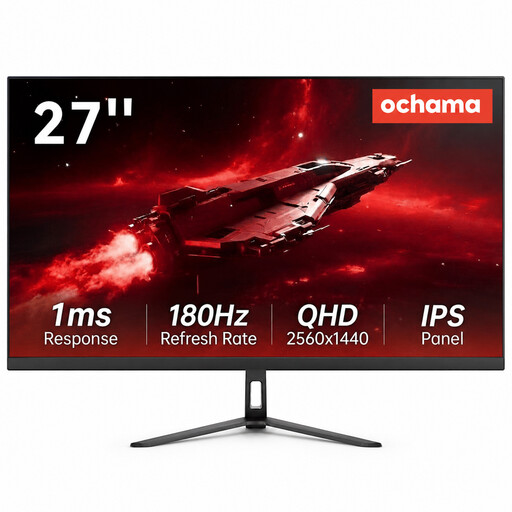
Ochama 27-inch QHD IPS 180Hz gaming monitor (Gift Keyboard)
This larger IPS option may suit a desk shared between gaming and study; measure the space before choosing it over a 24-inch screen.
The product name specifies QHD and 180Hz. Confirm the exact pixel resolution, supported modes and what the advertised keyboard offer includes.
View on Joybuy
Frequently asked questions
Is a 24-inch Full HD monitor enough for learning multiplayer maps?
Yes, if compact placement and fast movement matter more to you than extra desktop space. AOC’s 24G4X and ASUS’s VG249Q3A are both listed as 23.8-inch Full HD, 180Hz Fast IPS models; consider QHD if finer map text and shared study use take priority and your computer can drive it.
Do I need DisplayPort for the monitor’s maximum refresh rate?
That depends on the exact model and resolution. Dell lists the Alienware AW2725DM at up to QHD 144Hz over HDMI and QHD 180Hz over DisplayPort; check your chosen monitor’s inputs, your computer’s output and the cable before buying.
Where should a monitor sit on a student-room desk?
Place it directly in front of you, roughly an arm’s length away, with the top of the screen level with your eyes, following Health and Safety Executive workstation guidance. Arrange the screen and lighting to avoid reflections and leave working space for your keyboard and mouse.
What should I check before choosing an OLED monitor?
Check the exact model’s panel-care guidance, connection support, current availability and applicable warranty terms. For the MSI MAG 274QP QD-OLED X24, Joybuy describes OLED Care 2.0 and a three-year warranty including panel burn-in coverage; confirm the terms on the current listing.
How can I dispose of an old monitor in the UK?
Ask your retailer or local authority which electrical-equipment collection or recycling route is available where you live. GOV.UK identifies the Waste Electrical and Electronic Equipment Regulations 2013, as amended, as the framework underpinning UK recovery, reuse and recycling measures.


