Competitive-practice players with limited desk space
If reaction-timing drills and fast games are your main use, a compact screen and room for mouse movement may matter more to you than QHD detail.


Choose a compact 24–25-inch esports monitor if keeping the action within a smaller screen area and using a high refresh mode matter most, but check that your PC, connection and game can deliver that mode. A 27-inch QHD OLED suits a desk that can accommodate the larger screen when detailed desktop use and contrast also matter; compare the exact models rather than assuming every OLED has a lower refresh ceiling. A monitor does not establish or train your physiological reaction time.
If reaction-timing drills and fast games are your main use, a compact screen and room for mouse movement may matter more to you than QHD detail.
If the screen also serves desktop work, media or visually detailed games, QHD resolution and panel image quality deserve a place alongside refresh rate in your decision.
If you are considering a 360Hz-or-higher mode, check the graphics hardware, connection, monitor settings and frame rate your games can sustain before choosing by the headline figure.
For consumers choosing a monitor for reaction-timing practice at a small desk, the main decision is whether compact screen area or broader image detail takes priority. In either case, a refresh mode is useful only if the intended setup can run it.
Choose it when: A 24–25-inch screen and a high-refresh mode take priority for practice and competitive play.
Trade-off: FHD offers less image detail than QHD, while the highest modes depend on compatible hardware and stable frame delivery.
Choose it when: The desk fits a larger screen and the monitor will also serve detailed games or general desktop use.
Trade-off: The larger screen takes more space; refresh ceilings vary by model, so check the precise mode you intend to use.
| Concern | What to check | Who this matters to |
|---|---|---|
| Usable refresh | Check the refresh rate available at your chosen resolution and input, and whether your PC and game can sustain the corresponding frame rate. | If I practise with fast-moving images, I want a refresh mode my system can actually run rather than a larger headline number. Around 46% of consumers would put usable refresh first. |
| Desk fit | Measure desk width and depth with the stand fitted, leaving space for the keyboard and mouse. | When every bit of desk space counts, I need the stand and screen to leave room for comfortable mouse movement; roughly 27% of consumers would make fit their primary concern. |
| Mixed-use image quality | Compare FHD and QHD resolution, panel type and whether a 27-inch screen fits your viewing space. | I also use the monitor for desktop tasks and detailed games, so image detail matters beyond practice. For about 18% of consumers, that mixed-use need would come first. |
| Mode compatibility | Confirm the GPU output and cable requirements, and check whether the monitor permits variable refresh rate and blur reduction together. | If I rely on particular motion settings, I want to know which combinations work with my hardware. Compatibility would be the main concern for around 9% of consumers. |
A headline mode may require particular hardware or settings. ASUS specifies an NVIDIA RTX 20-series-or-newer GPU and the latest Windows version for the ROG Swift Pro PG248QP’s 540Hz overclocked mode.
Check the exact model’s refresh modes by input, your intended cable and your games’ sustained frame rates before choosing that mode.
ZOWIE says DyAc/DyAc+ cannot operate alongside variable refresh rate on the XL2566K, so buying for both features does not mean you can enable them together.
Decide which mode suits your frame-rate behaviour and check the feature combinations for the exact monitor.
The stand also occupies usable desk space. ASUS describes retractable stand claws on the PG248QP, while Dell lists height, pivot, swivel and tilt adjustment for the AW2524HF; neither detail establishes fit on your desk.
Measure the space available with the stand fitted, including mouse movement, and check mounting compatibility if you plan to use an arm.
Manufacturer-rated grey-to-grey response-time figures describe a monitor specification, not a person’s end-to-end reaction time. Figures quoted for different panels should not be treated as directly comparable results without matching measurement conditions.
Consider the rating alongside refresh mode, frame delivery, motion settings and desk fit rather than choosing from that number alone.
The ROG Swift Pro PG248QP is a compact 24.1-inch FHD esports model that ASUS rates for 540Hz overclocked operation.
Dell presents the AW2524HF as a 24.5-inch FHD Fast IPS esports monitor.
The XL2566K is a 24.5-inch, 360Hz TN esports monitor, according to ZOWIE.
LG’s 27GS93QE-B offers a 27-inch QHD OLED option for gaming alongside broader desktop use.
These monitors offer different ways to balance screen size, resolution and stated refresh rate for a small-desk practice setup. The two 27-inch choices need a desk-fit check; the 24.5-inch choice has a lower stated refresh ceiling.
 Image unavailable
Consider this dual-mode monitor if you want a choice of display modes for gaming and other screen use, and have room for a 27-inch panel.
The product name states a maximum refresh rate of 360Hz. Confirm the resolution and connection required for the mode you plan to use, as well as the stand’s fit on your desk.
 Image unavailable
Consider this model if you want a 27-inch QD-OLED screen alongside a high stated refresh ceiling, rather than prioritising the smallest screen area.
Its product name specifies 2560 × 1440 WQHD, 500Hz and AMD FreeSync. Check desk dimensions and whether your PC, connection and games can use the intended mode.
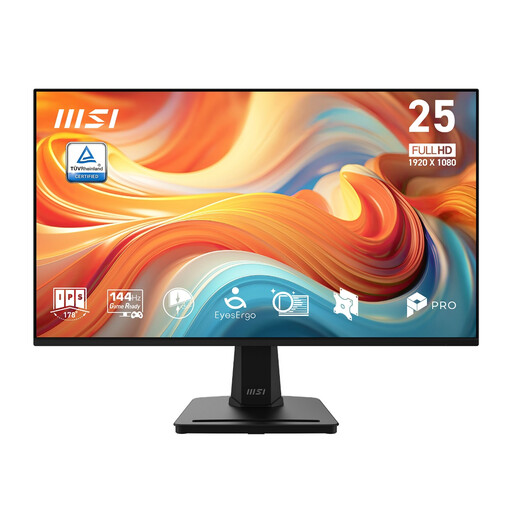 Image unavailable
Consider this 24.5-inch screen if compact placement matters more to you than the higher refresh ceilings of the specialist options.
The product name specifies 1920 × 1080 FHD, 144Hz and Adaptive-Sync. Check its stand dimensions against the space available for your mouse.
No: a monitor’s refresh rate is not a measure of your physiological reaction time. It determines how frequently the display can update in the relevant mode, provided your PC and game can deliver it; ASUS also sets hardware and Windows requirements for the PG248QP’s 540Hz overclocked mode.
Check the exact monitor’s supported resolution, input and cable for the mode you want, then select that refresh rate in the operating system and monitor settings. Your graphics output and game frame rate also need to support the intended setup.
Not on every monitor. ZOWIE says the XL2566K cannot run DyAc/DyAc+ alongside variable refresh rate, so choose the mode that suits your frame-rate behaviour and check compatibility on any other model individually.
For qualifying UK distance sales, GOV.UK says you can tell the seller within 14 days of receiving the item that you wish to cancel. Check the seller’s return instructions before mounting or extensively using the monitor; a change-of-mind cancellation is separate from remedies for faulty or misdescribed goods.