What matters when choosing
Start with the space available for the screen and stand, then decide whether normal-speed motion review or room for replay tools is your primary need. Compare refresh modes and display features on the exact model you intend to buy.
Compact Full HD
Consider it: When a 24.5-inch-class screen suits your desk and fast competitive action is your focus.
Trade-off: Full HD leaves less pixel area than QHD for a replay timeline, notes and adjacent windows.
Small-format QHD
Consider it: When you want QHD without moving straight to a 27-inch-class panel; ZOWIE UK lists the 24.1-inch XQ2566X.
Trade-off: Check whether replay controls and text are comfortable for you at that screen size.
Larger QHD OLED
Consider it: When QHD workspace matters and a 26.5-to-27-inch-class screen fits your viewing position.
Trade-off: Persistent timelines and HUDs make static-image care part of everyday use.
| Concern |
What to check |
Who this matters to |
| Fast-motion readability |
Check the exact model’s native refresh rate and whether the motion-reduction and variable refresh rate (VRR) modes you want can operate together. Confirm the PC and connection support your intended mode. |
If I assess tracking and rapid pans at normal playback speed, seeing that action clearly is my priority; around 40% of consumers put fast-motion readability first. |
| Small-desk positioning |
Measure usable desk depth as well as width, allowing for the stand and keyboard. Check the model’s adjustment or mounting options. |
A screen that crowds my keyboard or sits too close would make long review sessions awkward. For around 30% of consumers, comfortable positioning is the primary concern. |
| QHD detail and workspace |
Confirm the native resolution and whether your replay windows fit at a readable size. If choosing OLED, check its care guidance for persistent controls and HUDs. |
When I keep footage open beside a timeline and notes, I need room to see both; QHD detail and workspace come first for around 30% of consumers. |
Relevant brands to consider
These examples show different monitor approaches for the same replay-review decision; compare the named models rather than assuming every monitor from a brand shares their features.
ZOWIE by BenQ
ZOWIE UK lists compact esports-focused choices, including the 24.5-inch Full HD XL2566X+ and 24.1-inch QHD XQ2566X.
- The XL2566X+ is specified at 400 Hz with Fast TN and DyAc 2; the XQ2566X is specified at 360 Hz with QHD, Fast TN and DyAc 3. ZOWIE’s motion-clarity descriptions are its own claims.
- ZOWIE UK Support says DyAc, DyAc+ and DyAc 2 cannot run with VRR on applicable models, so check the mode combination you need.
Alienware
Dell UK lists the 24.5-inch Full HD AW2524HF for buyers considering a compact, high-refresh IPS monitor.
- Dell UK specifies a 500 Hz refresh rate for the AW2524HF.
- Its 1920 × 1080 resolution gives less pixel area for simultaneous replay windows than a 2560 × 1440 QHD display.
ASUS ROG
The ROG Swift OLED PG27AQDP represents a larger QHD OLED option for a desk that can accommodate it.
- ASUS ROG UK specifies a 26.5-inch-viewable, 2560 × 1440 WOLED panel with a native 480 Hz refresh rate.
- ASUS ROG Support advises against leaving the same image at maximum brightness for a long time; persistent replay controls need care.
LG UltraGear
LG UltraGear is relevant if you are considering a larger QHD OLED gaming monitor for replay review.
- The 27GS95QE-B is identified in the research as a 27-inch QHD OLED option.
- LG UK says prolonged display of the same image may leave faint marks and provides Image Cleaning guidance.
Joybuy monitor choices
These monitors cover larger QHD options for replay detail and one compact Full HD option. If desk space is tight, compare the full stand footprint and your intended viewing distance before deciding whether a larger panel is practical.
 No image available
MAG 274QP QD-OLED X24, 27-inch QHD monitor
Consider this if QHD space for footage and replay tools matters more than having the smallest screen. The listed variant is a 27-inch, 2560 × 1440 QD-OLED monitor with a stated 240 Hz refresh rate and Adaptive-Sync. Check its full stand footprint, the display mode your PC can output and the applicable OLED-care guidance.
View on Joybuy
 No image available
MSI MAG 271QP QD-OLED X28, 27-inch QHD monitor
This QHD choice is relevant when replay detail and a high stated refresh rate take priority over a compact panel. Its name specifies QD-OLED and 280 Hz. Confirm the stand footprint, the connection needed for your intended mode and the model’s OLED-care and warranty terms.
View on Joybuy
 No image available
Acer X Predator X27U W3, 26.5-inch QHD monitor
Consider its QHD screen if you need room for replay footage and controls and can accommodate a larger panel. The listed variant specifies a 26.5-inch, 2560 × 1440 QD-OLED display at 240 Hz. Check stand depth, your PC’s supported output mode and care guidance for long sessions with static controls.
View on Joybuy
 No image available
HKC G27H2DPro, 27-inch QHD Fast IPS monitor
This is a non-OLED QHD option for keeping footage and replay tools visible together, provided a 27-inch panel fits your desk. Its name specifies 2560 × 1440, Fast IPS and 220 Hz. Measure the space available for its stand and confirm your PC and connection support the intended QHD mode.
View on Joybuy
 No image available
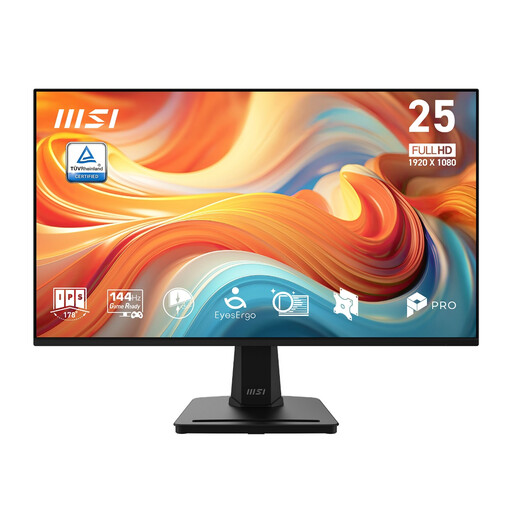
MSI PRO MP251 E14L, 24.5-inch Full HD monitor
The 24.5-inch Full HD format is relevant if a compact screen matters more than QHD workspace. This IPS variant is listed at 1920 × 1080 and 144 Hz with Adaptive-Sync; its refresh rate is below the specialist 400 Hz and 500 Hz esports models discussed above. Check the connection and mode your PC can use, as well as how the screen will sit on your desk.
View on Joybuy
Frequently asked questions
Does a higher monitor refresh rate increase a replay recording’s resolution?
No. Refresh rate and resolution are separate monitor specifications: Dell UK lists the AW2524HF at 1920 × 1080 and 500 Hz, while ASUS ROG UK lists the PG27AQDP at 2560 × 1440 and 480 Hz. Choose resolution for the image and workspace you need visible, then check the refresh mode you can use.
Can I use OLED for long replay sessions with controls on screen?
You can consider it, but persistent controls and HUDs make screen care important. ASUS ROG advises against prolonged static imagery at high brightness, while LG UK warns that leaving the same image on screen for a long time may cause faint marks. Follow the chosen model’s care, screen-sleep and image-cleaning guidance.
How should I position a monitor on a small desk?
Aim to place it directly in front of you, with the top around eye level and the screen roughly an arm’s length away, in line with Health and Safety Executive display-screen guidance. Measure the stand and usable desk depth before moving to a 27-inch-class monitor.
Will VRR work with every motion-reduction mode?
No. ZOWIE UK Support says DyAc, DyAc+ and DyAc 2 cannot be used with VRR on applicable models. Check the exact monitor’s supported combinations and whether your graphics card and connection can output the mode you want.


