What to check before buying
Measure the desk and identify your computer’s video output before choosing the screen size, resolution and refresh mode.
| Concern |
What to check |
Who this matters to |
| Smooth multiplayer motion |
Check the refresh mode available through your actual input and cable, plus graphics-hardware compatibility for variable refresh rate. |
When fast team-game action is hard to follow, I want the intended high-refresh mode to work on my computer; around 37% of consumers put smooth motion first. |
| Desk fit and screen position |
Measure usable desk depth and the stand footprint; check height adjustment or a compatible mount if positioning needs it. |
If the screen crowds my keyboard or sits too close, the larger panel will be awkward to use; roughly 27% of consumers make desk fit their primary concern. |
| Voice-chat and connections |
Match the device’s video output to the monitor input, then check headset-microphone connection and chat routing separately. |
I need teammates to hear me, not just a picture on the screen; about 18% of consumers put communication and connection readiness first. |
| Workspace and image detail |
Choose between Full HD and QHD for your preferred screen use, then check the computer’s performance at that resolution. |
Keeping coursework and game information visible makes screen space important to me; around 18% of consumers prioritise workspace and image detail. |
Joybuy monitors for this setup
These monitors cover compact Full HD screens and larger Full HD or QHD options for a student-room desk. Compare each screen’s physical fit and your computer’s intended connection before choosing for team practice.
 No image available
KOORUI MG24A12FV2 24-inch curved Full HD monitor
Consider this smaller screen when desk space and a high-refresh gaming mode are priorities.
The listed variant has a VA panel, 1500R curvature, a stated 180Hz refresh rate, two HDMI inputs, DisplayPort, tilt adjustment and VESA compatibility.
Check that your device and chosen connection can use the desired refresh mode; arrange headset-microphone routing separately.
View on Joybuy
 No image available
Gawfolk 24.5-inch curved Full HD monitor
This is a smaller-screen option for consumers whose planned gaming mode does not require the higher refresh rates shown by other models here.
The title states 100Hz, a 1ms MPRT response-time rating, 3000R curvature, built-in speakers, AMD FreeSync, HDMI and 75 × 75 mm VESA mounting.
Confirm the refresh mode available through your intended connection. Built-in speakers do not establish headset-microphone support.
View on Joybuy
 No image available
HKC G27H2DPro 27-inch QHD Fast IPS monitor
Consider this QHD route if a 27-inch screen fits the desk and your computer can drive the mode you want for gaming.
The title specifies 2560 × 1440 resolution and a stated 220Hz refresh rate.
Verify the achievable QHD refresh mode through your chosen input and cable, and check how the screen can be positioned before ordering.
View on Joybuy
 No image available
Dahua 32-inch curved QHD 180Hz monitor
Choose this larger-screen route only if the desk allows a workable viewing position for a 32-inch display.
The title specifies 2560 × 1440 resolution, a VA panel, a 1ms MPRT response-time rating, two HDMI inputs and two DisplayPort 1.4 inputs.
Check the refresh mode available through the connection you will use; confirm headset and microphone routing separately from the monitor’s audio output.
View on Joybuy
 No image available
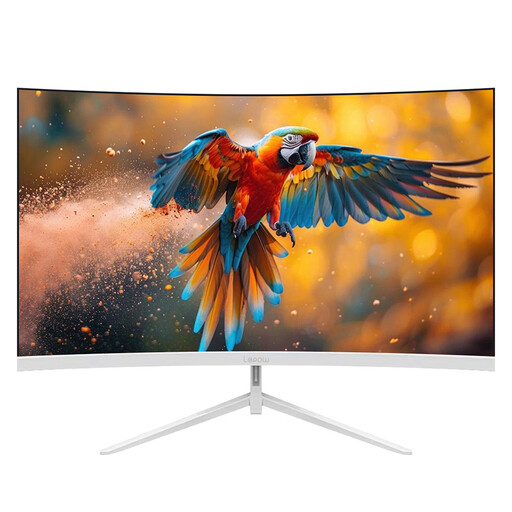
Lepow HC-27Q5 27-inch curved monitor
This 27-inch option is worth considering for a desk used for both gaming and work, provided the larger screen fits comfortably.
Its name specifies a stated 180Hz refresh rate; check the intended resolution and available connection modes on the exact listing.
If variable refresh rate, stand adjustment or mounting matters to your setup, confirm those features before buying.
View on Joybuy
Questions about the setup
Should I choose 165Hz, 180Hz or a higher refresh rate?
Choose a refresh mode your computer can use at the resolution you intend to play. The monitor’s headline rate alone does not establish which mode your output, cable and settings will deliver; variable refresh rate has separate hardware requirements.
How can I position a monitor on a small student-room desk?
Measure the desk and stand before ordering, leaving space for your keyboard and mouse. The Health and Safety Executive suggests placing the screen about an arm’s length away with its top around eye level; check whether the stand or a compatible mount allows that position in your setup.
Will a gaming monitor handle team voice chat?
A monitor alone does not establish a working voice-chat setup. Check the game device, headset or microphone, chat software and audio routing separately; a headphone jack does not by itself confirm microphone-input support.
Which product marking should I check for delivery to Great Britain?
For products placed on the market in England, Scotland and Wales, Department for Business and Trade guidance says CE marking continues to be recognised alongside or in place of UKCA marking where the relevant product regulations apply. Northern Ireland follows different processes, so check the seller’s market-specific product information if delivery is there.


