What matters when choosing?
Settle desk fit and comfortable viewing distance first, then choose the workspace and gaming features your computer can use.
| Concern |
What to check |
Who this matters to |
| Desk fit and position |
Measure desk depth and stand footprint; check height adjustment or compatible mounting if needed. The Health and Safety Executive advises an arm’s-length viewing position with the screen top at eye level. |
On a crowded desk, I need space for study materials without having the screen too close or too low. Around 37% of consumers put comfortable placement first. |
| Readable detail and workspace |
Compare 24-inch Full HD with 27-inch QHD, then check the computer’s output and whether interface scaling remains readable. |
When I switch between dialogue, maps and study windows, I want enough screen space without making text awkward to read; roughly 36% of consumers prioritise that workspace. |
| Other gaming use |
Check refresh rate and adaptive-sync compatibility only against the faster games you also play and the modes your connection supports. |
If I also play fast games, I care whether the monitor suits those sessions as well as adventures. About 27% of consumers make mixed-genre play their primary concern. |
Joybuy monitor choices
These choices cover compact Full HD monitors and QHD options for desks with more room, including models whose higher refresh specifications may matter if you also play faster games.
 Image unavailable
ASUS ProArt PA278CV IPS WQHD Monitor
Consider this IPS WQHD option if you want room for adventure-game detail and study windows. Check its physical dimensions, connections and supported display modes against your desk and computer.
View on Joybuy
 Image unavailable
Samsung Odyssey G6 S27DG612 27-inch QHD OLED Monitor
This QHD OLED model is worth comparing if you play faster games as well as adventures. Its product name specifies 240 Hz and 0.03 ms; check whether your computer supports the mode you want, and review the warranty terms before choosing OLED.
View on Joybuy
 Image unavailable
KOORUI MG24A12FV2 24-inch Curved Full HD VA Monitor
The 24-inch Full HD format is an option when desk space matters, while its stated 180 Hz refresh rate is more relevant if you also play faster games. The product name specifies a 1500R curve, two HDMI inputs, DisplayPort, tilt adjustment and VESA compatibility; check whether its positioning options suit your desk.
View on Joybuy
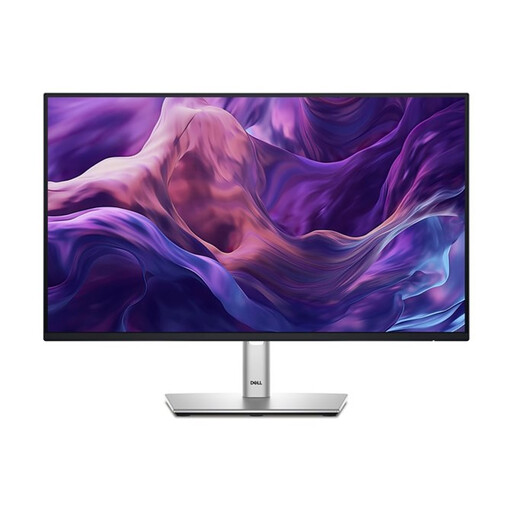 Image unavailable
Dell P2425H 24-inch Full HD IPS Monitor
This compact Full HD IPS option is worth considering when study use and desk fit take priority over extra workspace. Check the exact refresh mode, connections and stand dimensions against your computer and available space.
View on Joybuy
Frequently asked questions
Should I choose a 24-inch or 27-inch monitor for a student room?
Choose by desk depth and usable viewing distance, not size alone. The Health and Safety Executive advises keeping the display about an arm’s length away with its top at eye level; a compact screen may fit a shallow desk more comfortably, while a 27-inch QHD screen can provide more workspace where there is room for it.
Do point-and-click adventures need a 180 Hz or 280 Hz monitor?
No particular high refresh rate is necessary just to choose a monitor for point-and-click adventures. Consider those specifications if you also play faster games, and check that your computer and connection support the display mode you want.
What should I check before connecting a monitor to my laptop?
Match the laptop’s video-output capability to the monitor’s inputs and confirm the resolution and refresh rate available through that connection. Inputs differ by model: BenQ UK, for example, lists two HDMI 2.0 inputs and DisplayPort 1.4 on the EX2710Q.
What should I check about warranty and recycling?
Read the warranty conditions for the exact monitor and keep proof of purchase. If you are replacing an old screen, check an applicable retailer take-back arrangement or local electrical-recycling route; for delivery to Northern Ireland, confirm the appropriate market documentation with the seller rather than assuming Great Britain guidance applies unchanged.


