Choose a compact Full HD high-refresh monitor if ranked tactical play comes first and your PC can deliver the frame rates needed to use it. A QHD screen gives you more desktop space for coursework, but maintaining similarly high game frame rates is harder at the higher resolution. If you are considering OLED for both uses, check the exact model’s panel-care guidance and warranty for long sessions with static windows.
Who each screen suits
Ranked tactical PC players
If competitive matches are your main use, look at compact screens and refresh modes your PC can actually drive. ZOWIE positions its XL2566X+ as a 400Hz Fast TN monitor for FPS play; that positioning does not make its specifications a requirement for every player.
Students sharing one screen between play and coursework
QHD desktop space, screen positioning and suitable inputs matter alongside game refresh rates. BenQ lists its EX2710Q with QHD resolution, 165Hz, a height-adjustable stand and DisplayPort and HDMI inputs.
Players considering high-refresh OLED
QHD OLED is an option if you want a high advertised refresh rate without using Full HD for everyday desktop work. ASUS lists the PG27AQDP at QHD and 480Hz, while Dell lists the AW2725DF at QHD and 360Hz. Check care guidance and warranty terms for the model you would use for study.
What matters when choosing
Start with the frame rates your PC achieves in your ranked game, then decide how much room you need for coursework and whether the screen and stand will fit your desk.
| Concern | What to check | Who this matters to |
|---|
| Competitive refresh rate |
Compare your game’s frame rate with the refresh modes available through your PC’s output and intended cable. |
If ranked matches decide my screen choice, I want to use a high refresh mode my PC can sustain. Around 42% of consumers put competitive refresh rate first. |
| Study space and desk fit |
Check resolution, stand footprint and adjustment against the space available for work and play. |
When one desk has to accommodate coursework and matches, I need enough desktop space without crowding the room. For around 33% of consumers, that balance is the primary concern. |
| QHD OLED ownership |
Check the exact model’s refresh mode, OLED-care guidance and warranty terms. |
I want QHD for everyday use as well as a high advertised refresh rate, and I am willing to manage static study windows. That combination comes first for around 25% of consumers. |
Checks before ordering
-
Taking the headline refresh rate to apply to every port
Connection choice can change the mode available. Dell lists the Alienware AW2524HF at 500Hz through overclocked DisplayPort, 480Hz through standard DisplayPort and 255Hz through HDMI.
Check the exact monitor specification against your PC output and intended cable before buying for a particular refresh mode.
-
Treating OLED as maintenance-free during static study use
Long periods displaying documents and desktop interfaces make model-specific panel care relevant. ASUS describes measures intended to reduce burn-in risk on its PG27AQDM; do not assume another OLED model has the same provisions.
Read the care controls and warranty terms for the exact OLED monitor you are considering.
-
Choosing by panel size without measuring the setup
The stand and screen position affect how a monitor fits a student-room desk. The Health and Safety Executive advises arranging desk space and adjusting screens and lighting to avoid reflections and glare.
Measure usable desk depth and width, then check the stand dimensions, adjustment range and mounting compatibility of the exact model.
Brands to consider
ZOWIE by BenQ
An FPS-focused monitor line to consider when compact competitive play is the priority.
- ZOWIE specifies the XL2566X+ as a 400Hz Fast TN model with DyAc 2.
- Check a particular model against your coursework needs rather than treating its FPS positioning as an all-round suitability claim.
Alienware
Dell offers distinct Full HD high-refresh and QHD OLED models within this line.
- Dell lists the AW2524HF at up to 500Hz through overclocked DisplayPort and the AW2725DF at QHD and 360Hz.
- Those specifications belong to different models; check the connections and panel type of the one you choose.
ASUS ROG
A line with QHD OLED options for players considering both desktop space and high refresh rates.
- ASUS specifies the PG27AQDP at QHD and 480Hz.
- Check the chosen model’s OLED-care features and warranty; measures described for the PG27AQDM do not establish identical coverage for other models.
BenQ MOBIUZ
A line worth considering when the same screen will serve coursework and gaming.
- BenQ lists the EX2710Q with QHD resolution, 165Hz and a height-adjustable stand.
- Its listed refresh rate is below the 400Hz and higher figures of the specialist models discussed here.
Joybuy monitor choices
These monitors offer different ways to equip a student-room desk for ranked play: compact Full HD, QHD OLED and larger dual-mode screens. Match the size and advertised mode to your space, PC and study use rather than treating them as interchangeable.
 Image unavailable
LG UltraGear 27G810A-B 27-inch 4K dual-mode monitor
Consider this if you want a higher-refresh option for matches and a 4K screen for other work.
The product name specifies an IPS panel and a maximum dual-mode refresh rate of 360Hz. Check which resolution, input and cable provide the mode you intend to use, and measure the stand against your desk.
View on Joybuy
 Image unavailable
LG UltraGear 32GS95UV-B 32-inch OLED dual-mode monitor
This larger screen is a choice to assess if you want to switch between high-refresh Full HD play and 4K desktop use.
Its product name specifies 4K at 240Hz and Full HD at 480Hz. Check mode support through your intended connection, available desk space, and the exact model’s OLED-care guidance and warranty.
View on Joybuy
 Image unavailable
Acer X Predator X27U W3 26.5-inch QD-OLED monitor
Consider it if QHD desktop space and a high advertised refresh rate both matter to your choice.
The product name specifies 2560 × 1440 resolution, 240Hz and a quoted 0.03ms response time. Confirm the refresh mode for your connection and read the exact model’s OLED-care and warranty terms before using it regularly for static coursework.
View on Joybuy
 Image unavailable
Samsung Odyssey G6 S27DG612 27-inch QHD OLED monitor
This is another QHD OLED option to assess for a desk shared between ranked matches and study.
The product name specifies 240Hz and a quoted 0.03ms response time. Check whether your PC connection supports the intended refresh mode, and review care guidance and warranty terms for this model.
View on Joybuy
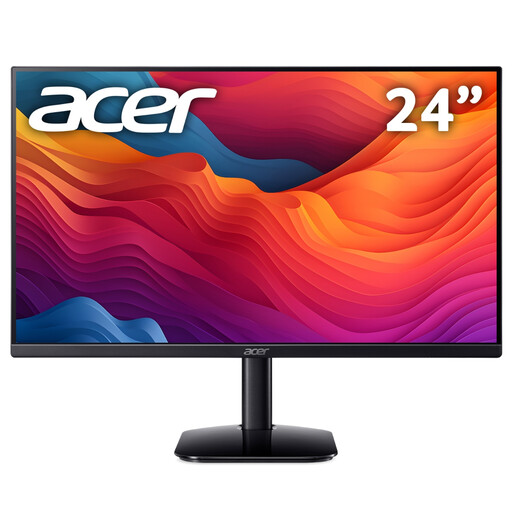 Image unavailable
Acer KB2 KB242YP0 23.8-inch Full HD monitor
Consider this compact screen if Full HD suits your desk and you do not need the refresh rates of the specialist esports models discussed above.
Its product name specifies 1920 × 1080 resolution, 144Hz and FreeSync. Check that your intended connection supports the refresh mode you want.
View on Joybuy
Common questions
Is 500Hz automatically worth choosing for ranked tactical games?
No. Prioritise that refresh rate only if your PC and connection can make use of it and competitive play outweighs your other screen needs. Dell specifies 500Hz for the AW2524HF through overclocked DisplayPort, compared with 480Hz through standard DisplayPort and 255Hz through HDMI.
Should I choose 24.5-inch Full HD or 27-inch QHD for play and study?
Choose the compact Full HD format if very high game frame rates are your priority; consider 27-inch QHD if the same screen needs to accommodate coursework and everyday desktop use. Check what frame rate your PC delivers at each resolution and whether the larger screen fits your desk.
What should I check before putting a monitor on a small desk?
Measure the usable surface and check the exact stand’s footprint and adjustment range. The Health and Safety Executive also advises arranging screens and lighting to avoid reflections and glare during display-screen work.
What should I do with an old monitor when replacing it?
Use an electrical-waste return or recycling route rather than ordinary household waste. Check the retailer’s applicable take-back arrangements; GOV.UK sets out responsibilities for retailers and distributors, but the route available to you depends on the retailer and circumstances.


