Tactical PC players sharing a study desk
You want room for game maps, interfaces and coursework on one screen, while keeping the monitor manageable on your desk.


A 27-inch QHD IPS monitor rated around 165–200Hz is a sensible starting point for tactical games and study on the same desk, provided it fits and your PC can run the intended mode. Check the stand and connections before chasing a higher refresh figure; consider OLED or faster dual-mode screens only if their particular modes and setup requirements suit you.
You want room for game maps, interfaces and coursework on one screen, while keeping the monitor manageable on your desk.
You care chiefly about following fast action and avoiding distracting blur or tearing. The mode you choose also needs to work with your PC and connection.
Stand dimensions, screen position, mounting options and cables may decide whether a monitor works in your room as much as its gaming specifications do.
For tactical games on a student-room desk, decide whether screen detail, motion, physical fit or connection compatibility is your primary need, then check the relevant specifications on the exact model.
| Concern | What to check | Who this matters to |
|---|---|---|
| Game detail and study | Check for a 27-inch, 2560 × 1440 screen and whether your PC can run games at the resolution you intend to use. | I want tactical maps and coursework to be readable on the same display; around 31% of consumers would put that combined need first. |
| Motion and response | Check refresh rate at your chosen resolution, variable refresh rate support and how the stated response time is measured. | When tracking quick movement, I care most about how clear and responsive play feels. Roughly 31% of consumers would make motion their primary concern. |
| Desk fit and positioning | Compare stand footprint and adjustment; check VESA mounting if you plan to use an arm. | A shallow desk makes screen position my deciding factor, especially if I also study there; around 23% of consumers would prioritise physical fit. |
| Connection compatibility | Match the intended mode to your computer output, monitor input and required cable. | I need to know my laptop or desktop can actually use the refresh mode I am choosing; for roughly 15% of consumers, that compatibility check comes first. |
A monitor's highest mode may depend on the connection. LG specifies a DisplayPort 1.4-capable graphics card and cable for the 27GS75QN-B's 200Hz overclock, while ASUS lists different maximum refresh rates over HDMI and DisplayPort for the VG27AQ3A.
Before buying, check the mode you want against your computer output, the monitor input and the cable you will use.
A different cable or adapter may be needed, and an adapter cannot make an unsupported computer output run the intended mode.
ASUS lists no height adjustment for the VG27AQ3A; BenQ lists 100mm for the EX2710Q. Either specification matters when the screen must share a small desk with study materials.
Measure your usable desk space and compare the stand dimensions and adjustments before deciding whether you need a monitor arm.
An arm may be necessary if the supplied stand cannot place the screen where you need it.
Monitor variants can differ in panel type, ports and stand adjustment, even when their names look similar.
At checkout, confirm the exact model number, seller, availability and warranty terms, then recheck the specifications that drove your choice.
An old screen needs an appropriate electrical-waste route. GOV.UK says retailers must offer take-back for waste equipment of the same type as an item their customers buy.
Ask the seller how its take-back arrangement works for your old monitor before arranging delivery or disposal.
These model-specific examples show why refresh rate alone does not settle the choice: stands, connections and operating conditions differ.
The VG27AQ3A is a 27-inch QHD Fast IPS example rated up to 180Hz.
The 27GS75QN-B is a 27-inch QHD IPS option with a stated 180Hz refresh rate.
The EX2710Q combines a 27-inch QHD IPS screen rated at 165Hz with features for a shared gaming and study setup.
Dell lists the AW2725DM as a 27-inch QHD Fast IPS gaming monitor.
These choices cover QHD screens for gaming and desk use, alongside OLED and 4K dual-mode alternatives. Compare each monitor's advertised mode with your PC, cable and available desk space.
 No image available
A 27-inch WQHD option for using one screen for tactical games and study.
The title lists 180Hz, Adaptive Sync and a 0.5ms response-time claim. Check the connection needed for your intended mode and the stand adjustments you require.
 No image available
Consider this QHD screen if a stated 220Hz refresh rate is relevant to your PC gaming setup.
Check which connection enables your intended QHD mode, as well as the stand adjustments needed on your desk.
 No image available
An OLED alternative for players considering a stated 240Hz QHD screen rather than a conventional IPS model.
Confirm the connection requirements for the mode you want, and review the exact model's panel-care guidance and warranty terms.
 No image available
This 4K Nano IPS model is an alternative if you want to assess higher-resolution and high-refresh modes separately.
The title lists 240Hz and 480Hz dual modes, DisplayPort 2.1 and HDMI 2.1. Check the resolution attached to each refresh mode and whether your PC and cable can run it.
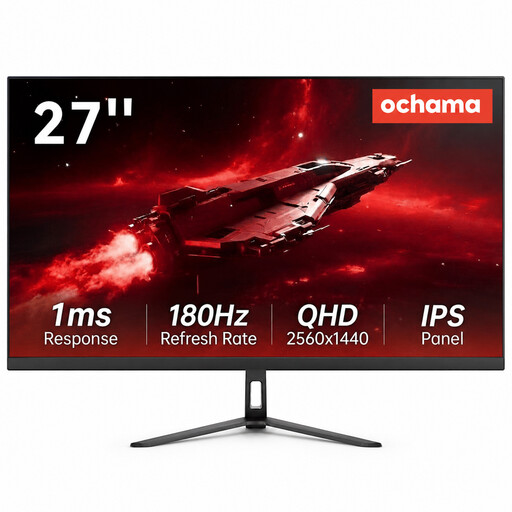 No image available
A QHD screen described for gaming and office use could suit a shared play-and-study desk.
Check its adaptive-sync support, connection-specific refresh modes and stand dimensions if those will determine your choice. Confirm the exact bundle contents before ordering.
It depends on the monitor and mode. ASUS lists up to 180Hz over DisplayPort and 144Hz over HDMI for the VG27AQ3A; LG says the 27GS75QN-B's 200Hz overclock needs a DisplayPort 1.4-capable graphics card and cable. Check the exact monitor, computer output and cable before buying.
It can be a practical starting point for tactical games and study if the stand fits your available desk space. Measure the footprint and check height adjustment or VESA mounting if screen position is important to you.
No. GtG and MPRT are different response-time measures. BenQ, for instance, lists the EX2710Q at 2ms GtG and 1ms MPRT; use the stated measurement method when comparing manufacturer claims rather than treating the figures as equivalent test results.
Arrange an appropriate electrical-waste take-back or recycling route. GOV.UK says retailers must offer to take back waste equipment of the same type as an item their customers buy; ask your seller how its arrangement applies to your old monitor.