What matters when choosing?
Decide where the screen and controls will sit, then match your preferred display shape and refresh mode to the PC connection you will use.
| Concern |
What to check |
Who this matters to |
| Motion and variable frame rates |
Check the refresh limit for your chosen input and whether your graphics hardware supports the monitor’s adaptive-sync mode. |
If rapid changes in the driving view matter most, I want the PC and monitor to run the mode I chose; roughly 31% of consumers would put motion handling first. |
| Desk fit and quiet audio |
Measure the stand’s depth alongside the wheel or keyboard space, and check for a suitable headphone connection. |
When I share a bedroom, I need the setup to leave usable desk space and let me listen quietly; around 31% of consumers would make fit and audio their primary concern. |
| Driving view and QHD detail |
Compare flat and curved layouts from your usual seat, and check whether the PC can run your intended settings at 2560 × 1440. |
Sitting centrally, I may prefer a curved view, but I still want enough room for the controls; about 23% of consumers would prioritise the view and detail. |
| Connection certainty |
Match the PC or console output, cable and monitor input to the resolution and refresh mode you intend to use. |
If I am keeping my current hardware, I want to know which advertised modes it can access; roughly 15% of consumers would put connection certainty first. |
Joybuy monitor options
These monitors cover several choices for the same drift setup: 27-inch QHD gaming screens, a larger curved QHD screen and alternatives whose resolution or refresh rate calls for a different trade-off. Check each model’s connection, desk fit and audio route against your own setup.
 No image available
HKC G27H2DPro 27-inch QHD Fast IPS monitor, 220Hz
Consider this if you want a 27-inch QHD screen and a high listed refresh rate for your PC drift setup.
The product name specifies 2560 × 1440, a Fast IPS panel and 220Hz. Check which mode your PC and intended monitor input can use, as well as the stand footprint and a quiet audio route.
View on Joybuy
 No image available
Samsung Odyssey G6 S27DG612 27-inch QHD OLED monitor, 240Hz
Consider this if a 27-inch QHD OLED gaming screen matches your preferred display type and PC setup.
The product name specifies 240Hz and a 0.03ms response-time figure; treat these as listed specifications, not a guarantee of game performance. Check the refresh mode for your intended connection, the stand’s fit and your headphone options.
View on Joybuy
 No image available
CRUA 32-inch 1500R curved QHD gaming monitor, 165Hz
Consider this larger curved screen if you drive from a central seat and have measured enough room for the monitor and controls.
The product name specifies 2560 × 1440, 165Hz and HDMI and DisplayPort connections. Check the exact refresh mode for the port you will use, particularly if connecting through HDMI, and plan a quiet audio route.
View on Joybuy
 No image available
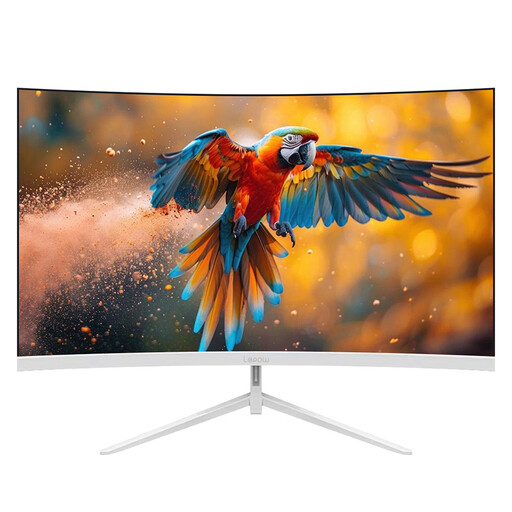
Lepow HC-27Q5 27-inch curved monitor, 180Hz
Consider this if a 27-inch curved screen matters more to you than following the QHD route discussed above.
The stated resolution is 1920 × 1080 rather than QHD. Check whether that meets your preference for driving-game detail, and confirm the intended refresh mode, desk fit and audio connection.
View on Joybuy
 No image available
ASUS ProArt PA278CFRV IPS QHD monitor, 100Hz
Consider this 27-inch QHD IPS option if its specified 100Hz refresh rate suits your use and you do not need the higher-refresh gaming route.
Check the connection and audio configuration of the exact variant before buying, especially if headphones or a particular input are essential to your shared-bedroom setup.
View on Joybuy
Common questions
Should I choose 144Hz, 165Hz, 180Hz or 200Hz for virtual drifting?
Choose a refresh mode that your PC, cable and monitor input can run at your intended resolution, rather than choosing by the largest number alone. Dell specifies 165Hz through DisplayPort and 144Hz through HDMI on the S2722DGM; LG labels 200Hz on the 27GS75QN-B as an overclock mode.
Is adaptive sync useful for a driving game?
Adaptive sync is worth checking if your PC’s frame rate varies, but the monitor, graphics hardware and settings must be compatible. AMD documents low-framerate compensation for FreeSync Premium, while NVIDIA describes compatibility testing for G-SYNC monitors; check the exact model and graphics setup you intend to use.
How do I make a drift setup work in a shared bedroom?
Measure the stand and leave space for the wheel or keyboard and cables, then plan an audio connection that allows quiet use. If you are considering built-in speakers, BenQ’s EX2710Q also specifies a headphone jack for times when speakers would disturb someone.
What should I check about UK online returns before setting up a monitor?
For a typical UK online sale of goods, the cancellation period under the Consumer Contracts Regulations 2013 ends 14 days after the day you receive the goods, subject to applicable exceptions. Check how the retailer asks you to notify it and return the monitor; change-of-mind cancellation is separate from remedies for goods that are faulty, damaged or misdescribed.


