Quiet late-night players
If someone else is sleeping, studying or relaxing nearby, a workable headphone connection and manageable screen brightness matter more than built-in speakers.


For visual novels in a shared bedroom, start with private audio and brightness you can adjust comfortably, then choose a screen that fits the desk. A compact 24-inch Full HD monitor suits a tighter space; a 27-inch QHD monitor offers more pixel detail if you have room for it. Check the exact model’s audio connections, screen finish and stand before prioritising a high refresh rate for other games.
If someone else is sleeping, studying or relaxing nearby, a workable headphone connection and manageable screen brightness matter more than built-in speakers.
Extended dialogue reading makes screen detail, reflections, brightness settings and a positionable display worth checking together. A feature labelled for eye comfort does not replace a comfortable room setup or breaks.
If the same monitor will also show faster games, higher refresh rates become relevant. First make sure its size, audio arrangement and positioning work in the shared bedroom.
Work out how you will listen privately and control the screen in your room before deciding between a compact display and a larger one.
| Concern | What to check | Who this matters to |
|---|---|---|
| Quiet, low-disturbance play | Check headphone-output compatibility and whether your device sends audio through the chosen input; try the monitor’s brightness controls for the room. | When someone nearby needs quiet, I want to hear dialogue without using room-audible speakers or leaving the screen uncomfortably bright. Around 42% of consumers put low-disturbance use first. |
| Dialogue and image clarity | Compare resolution at the actual screen size, the screen finish and the available stand adjustments. | For long stretches of dialogue, I want text detail and a screen position that suit where I sit, without distracting reflections. Reading comfort comes first for around 33% of consumers. |
| Desk fit and versatility | Measure the space for the screen and stand; check your device’s supported resolution, refresh rate and connections. | If one display must fit my desk and serve both story-led and faster games, I need to balance its footprint against those other uses. Around 25% of consumers prioritise that balance. |
Speakers are audible to the other person in the room, while a headphone socket cannot help unless your chosen connection carries audio to it.
Plan your headphone route before buying. Check the exact monitor’s output and your PC or console’s HDMI or DisplayPort audio settings.
A separate headset connection or audio adapter may be needed if the monitor’s output does not suit your setup.
At 27 inches, BenQ lists 82 pixels per inch for the GW2790, while Dell lists 109 pixels per inch for the QHD S2725DS. That is a specification difference, not a measured verdict on how either screen will look to you.
Compare text at your intended viewing distance. If you want a 27-inch screen for dialogue-heavy play, consider QHD alongside Full HD rather than judging by physical size alone.
Room lighting, reflections, display settings and breaks still matter. Moorfields Private advises using good lighting and moving light sources that cause glare.
Look for usable brightness controls and an appropriate screen finish, then position the monitor to reduce reflections and take breaks during long sessions.
A high refresh rate may suit faster games but does not tell you whether the screen can be placed comfortably for reading. LG lists a tilt-adjustable base for the 27GS60F-B; the cited Dell S2725DS and AOC Q27G4XF have height-adjustable stands.
Measure the available desk space and check the exact model’s stand adjustments and VESA mounting details.
If a tilt-only stand cannot place the screen where you need it, a suitable arm or replacement stand may be necessary.
These model examples help compare features; a brand name alone does not establish what another model includes.
The GW2790 is a reference for a 27-inch Full HD monitor with reading-oriented settings rather than a specification centred on fast-paced gaming.
The S2725DS provides a 27-inch QHD reference for comparing screen detail and stand adjustment.
The cited models illustrate gaming-monitor features that can be considered alongside a visual-novel setup.
The Q27G4XF illustrates a 27-inch QHD option for someone who plays visual novels and faster games on the same screen.
Acer’s VisionCare terminology can help you identify comfort-related features to investigate on an individual monitor.
These monitors offer different screen sizes, resolutions and gaming specifications for a visual-novel setup. Compare each one against your desk space, preferred screen position and private-audio connection; the list is not a comparison of every monitor type discussed above.
 Image unavailable
Consider this larger, high-resolution screen if you have desk space for it and also want gaming features beyond visual-novel play.
The product name specifies 4K UHD Nano IPS, dual-mode 240 Hz/480 Hz, DisplayPort 2.1 and HDMI 2.1. Check how your device will deliver private audio, whether the screen finish suits the room and how far you can reduce brightness.
 Image unavailable
This 27-inch option suits a desk with room for a larger display when faster games are also part of the plan.
The product name specifies 2560 × 1440 resolution, 320 Hz and Adaptive-Sync. Check the stand position, your device’s supported output, brightness control and headphone route before choosing it for a shared room.
 Image unavailable
Consider this model if you want a 27-inch display for dialogue and artwork as well as a higher refresh specification for other games.
Its product name specifies WQHD, Rapid IPS, Adaptive Sync and a 180 Hz refresh rate. Confirm the available stand adjustment, brightness range, screen finish and audio connection for your setup.
 Image unavailable
Only consider the 31.5-inch format if the desk and intended viewing distance can accommodate it; screen size is an especially important check in a shared bedroom.
The product name lists Adaptive-Sync and built-in speakers. For quiet play, check your separate headphone route, along with brightness controls and the stand’s positioning options.
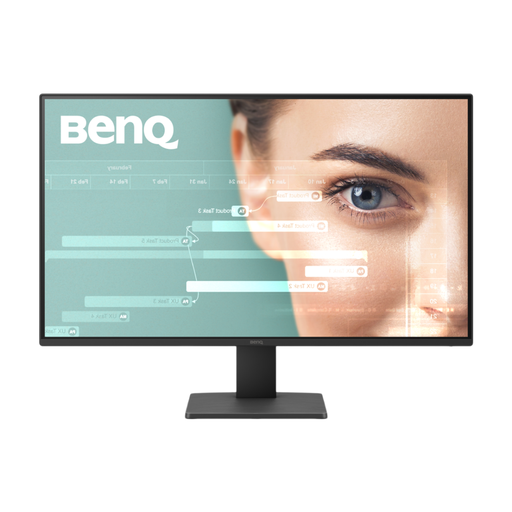 Image unavailable
This is a 27-inch Full HD option to assess if you prefer a larger physical screen and its text detail suits your viewing distance.
The product name specifies IPS, 100 Hz and eye-care technology. Check its brightness controls and whether its audio output works with your intended headphones; do not assume that the GW2790 specifications discussed above apply to the GW2791.
No high refresh rate is necessary solely because you play visual novels. AOC describes the 180 Hz capability of its Q27G4XF in a faster-paced gaming context; for dialogue-heavy play in a shared bedroom, check screen size, text detail, brightness, reflections and private audio first. Higher refresh becomes more relevant if you also play faster games.
Use headphones or a headset instead of monitor speakers, and keep brightness appropriate for the room. If you plan to plug headphones into the monitor, confirm that the exact model has a compatible output and that your PC or console sends audio through the connected HDMI or DisplayPort input.
Place the screen where you can read it comfortably, adjust its brightness and reduce reflections rather than relying on an eye-care label alone. Moorfields Private recommends good lighting, moving sources of glare and taking regular breaks.
Check the energy label for the exact monitor when comparing models. GOV.UK states that electronic displays within the UK energy-labelling scope must display an energy label at the point of sale.