
24/7 Customer Support

Free returns

Same-day & Next-day Delivery

Quality Guaranteed

Unlock Your Welcome Offers: FREE Delivery | Up to 80% OFF | Free 30-day JoyPlus trial
Download the APP
Buying a gaming monitor in 2026 involves more than choosing the highest refresh rate or the largest screen. UK shoppers must match resolution, graphics hardware, desk space and connectivity to the way they actually play. A 240Hz OLED gaming monitor may suit competitive PC gaming, while a 4K gaming monitor with HDMI 2.1 may be more practical for a PlayStation 5 or Xbox Series X.
This guide from the Joybuy Product Recommendation Officer explains the specifications that matter, the marketing traps to avoid and our top recommendations for 2026.
A 240Hz gaming monitor can display up to 240 frames per second, but your computer must generate those frames to make full use of it. If a mid-range graphics card produces 90–140fps at the monitor’s native resolution, a 165Hz or 180Hz display may offer a more balanced purchase.
Console users should check platform limits too. Current consoles commonly support up to 120Hz in compatible games, so HDMI 2.1 and 4K at 120Hz can be more relevant than 240Hz.
A quoted 0.03ms response time monitor figure is often measured using a specific panel mode or measurement method. It should not be compared automatically with a 1ms MPRT or 4ms GtG figure. Look at the complete specification and consider refresh rate, motion handling and adaptive sync together.
OLED and QD-OLED panels provide individually lit pixels and can produce very dark blacks. However, prolonged static content can create image-retention or burn-in risk. Features such as pixel shifting, logo dimming and panel care can help manage this risk, but buyers should still vary on-screen content and avoid leaving static desktop elements displayed unnecessarily.
Large curved gaming monitors and ultrawide models also require careful planning. Measure your desk depth, check the stand footprint and confirm that a monitor arm can support the screen’s weight and VESA pattern.
IPS panels usually offer wide viewing angles and consistent colour across the screen. VA panels can provide higher stated contrast, which may suit darker games and films. OLED and QD-OLED monitors offer fast pixel transitions and deep blacks, but they need sensible static-image management.
For creative work, check colour coverage such as sRGB or DCI-P3, along with the bit depth and any stated colour-accuracy specification. HDR labels also vary: check the actual certification, brightness information and whether the content you use supports HDR.
A high refresh rate monitor can make cursor movement and compatible games appear smoother. Match the connection to the required resolution and refresh rate:
Also consider USB hubs, USB-C power delivery, speakers, KVM switches and stand adjustment if the screen will also serve as a home-office or content-creation display.
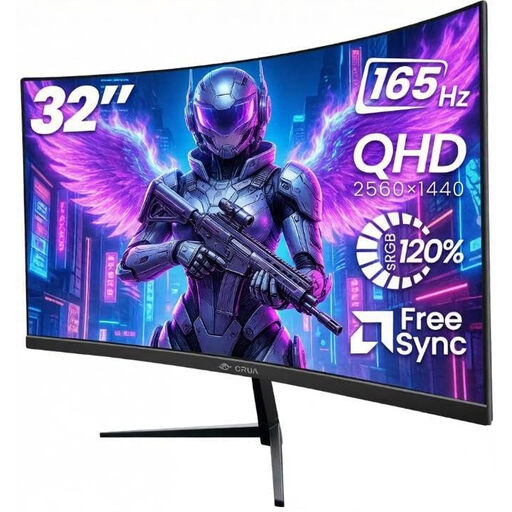
Why This Fits Their Persona: A straightforward option for UK bedrooms, student rooms and first gaming setups, with QHD resolution and a 165Hz refresh rate.
Its specification clearly separates 2560 × 1440 resolution, 165Hz refresh rate and Adaptive Sync, helping buyers compare like with like.
32-inch QHD VA panel, 165Hz refresh rate, dual HDMI and dual DisplayPort connections, plus VESA 100 × 100mm support.
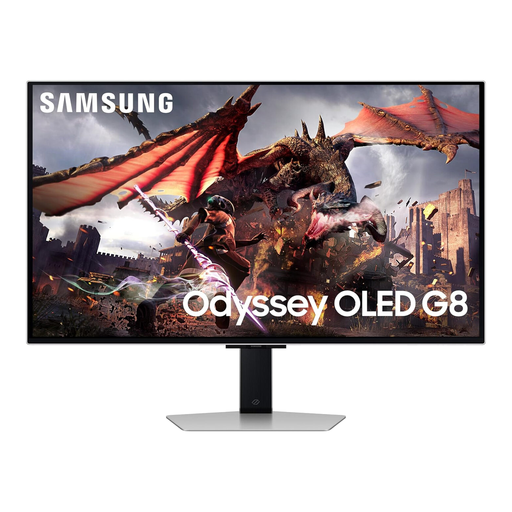
Why This Fits Their Persona: Suits buyers seeking 4K detail, OLED contrast and smart features for gaming, streaming and entertainment in one screen.
The listed 4K resolution, 240Hz refresh rate, 0.03ms response time and HDMI 2.1 ports make the intended performance easier to verify.
32-inch QD-OLED panel, Ultra HD resolution, 240Hz refresh rate, OLED Glare Free technology and an adjustable stand.
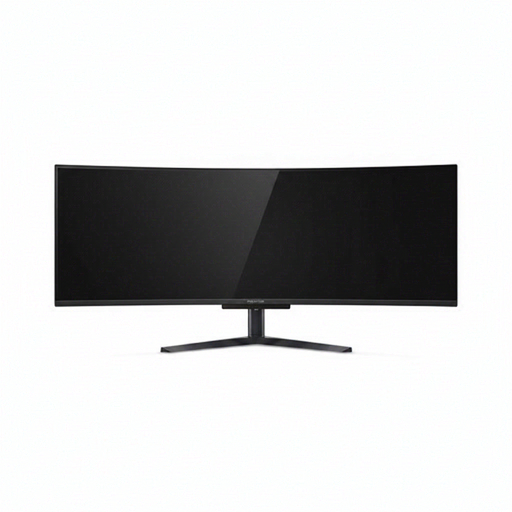
Why This Fits Their Persona: Designed for users who want one wide canvas for simulation games, multitasking, streaming layouts and two-computer workflows.
The 5120 × 1440 resolution and 32:9 format are stated clearly, while the stand adjustments and VESA support help with large-screen positioning.
49-inch QD-OLED panel, 240Hz refresh rate, 0.03ms stated response time, USB-C with 90W power delivery and integrated KVM switch.
We have compiled a complete, real-time list of products that fully satisfy these strict selection criteria and UK safety regulations.
It can be worthwhile for console gaming, single-player titles, films and creative work where image detail matters. For competitive PC gaming, QHD may offer a more practical balance between sharpness and achievable frame rates. Your graphics card and preferred games should determine the choice.
Power consumption varies by panel, brightness, HDR mode and refresh rate. OLED models can use different amounts depending on the brightness of displayed content, while larger 49-inch screens generally require more power than smaller displays. Check the manufacturer’s typical and maximum wattage figures and use sleep settings when the monitor is idle.
Lifespan depends on usage, brightness, content and maintenance settings. To reduce image-retention risk, use automatic sleep, pixel-shift and panel-care functions where available, vary static content and avoid leaving a desktop or broadcaster logo on screen for extended periods.