Low-sensitivity flick-practice players
If your drills involve wide arm movements, repeated swipes and frequent mouse lifts, consider how the mouse feels to move and reposition. A high maximum DPI figure does not answer those questions.


For repeated shooter-aim practice, choose a mouse by how its shape fits your grip, how it feels during frequent swipes and whether you can keep your sensitivity settings consistent. A light wireless model may suit wide, low-sensitivity movements, while adjustable lift-off distance matters most if you repeatedly pick up and reposition the mouse. Bright indoor lighting alone does not establish a need for a particular maximum DPI or polling rate.
If your drills involve wide arm movements, repeated swipes and frequent mouse lifts, consider how the mouse feels to move and reposition. A high maximum DPI figure does not answer those questions.
If the hump, sidewalls or button positions affect how securely you hold a mouse, assess its shape before treating sensor specifications as decisive.
Moving from a basic mouse does not mean you need the highest polling rate. Look for a connection and adjustable settings that suit your practice routine.
Start with grip and movement, then check whether you can repeat your preferred settings; compare connection and battery arrangements against how you practise.
| Concern | What to check | Who this matters to |
|---|---|---|
| Movement and repositioning | Compare the stated weight of the exact variant and, if you often lift the mouse, its lift-off-distance settings. | Wide flicks and repeated lifts make movement feel central to my practice, but a lighter mouse still has to fit my grip. Around 42% of consumers put this movement need first. |
| Repeatable settings | Check adjustable DPI, lift-off controls and whether the exact model can store your preferred settings. | When I move between games or computers, I want my familiar sensitivity to be easy to retain. Roughly 33% of consumers prioritise consistent configuration. |
| Connection and battery use | Compare the supported connection modes and read battery claims alongside the mode and settings to which they apply. | For regular practice, I need a connection and battery routine I can manage without making maximum specifications the deciding factor. About 25% of consumers place that practical need first. |
Maximum DPI describes an available setting, not the sensitivity that will suit your mousepad space and in-game movements.
Choose a repeatable setting that works for your drills, then adjust it deliberately rather than choosing a mouse solely by its maximum figure.
Even a light mouse may feel insecure if its hump, grip width or button placement does not suit your hand.
Compare dimensions and shape, and check the retailer’s return conditions before using a new mouse extensively to assess fit.
A wireless mouse’s stated battery life may apply to a particular connection mode; the SteelSeries Aerox 3 Wireless Gen 2, for example, has separate mode-specific claims.
Check the claim for the connection and settings you intend to use, along with the receiver or charging arrangement for the exact model.
A rechargeable mouse needs charging time; a model powered by an AA battery needs replacement batteries.
Razer’s Viper V3 Pro is a wireless option for players considering a light mouse with configurable lift-off behaviour.
The PRO X SUPERLIGHT 2 and G305 address different priorities within Logitech G’s gaming-mouse range.
The Aerox 3 Wireless Gen 2 offers published lift-off and connection-mode information relevant to frequent repositioning.
These gaming mice offer different combinations of light-weight claims, adjustable settings and connection options for shooter-aim practice. Check the exact variant’s shape and the features most relevant to your drills.
 No image available
Consider this model if frequent swipes and mouse lifts are central to your practice, provided its shape suits your grip.
The listed weight is 54 g, with a Focus Pro 35K Gen-2 sensor and up to 8,000 Hz polling. Razer describes adjustable lift-off and landing distance for the matching model.
 No image available
This is a model to consider for repeated swipes if its shape feels secure in your grip.
The product title states 56 g and 8 kHz polling. Confirm the exact DPI specification and supported connection modes for this variant before relying on either feature.
 No image available
Consider this model if you want a stated low weight alongside sensitivity settings you can retain.
The product title states 53 g and 8 kHz wireless polling; the product information also describes independent X/Y DPI settings and onboard memory. Check whether its shape suits your grip and whether lift-off adjustment matters to your routine.
 No image available
This model may suit practice across different connection setups if its ergonomic shape fits your hand.
Its product title identifies Bluetooth, 2.4 GHz and USB-C modes and a PAW3311 sensor. Confirm the mouse’s actual weight before choosing it for weight-sensitive flick drills, and check lift-off controls if you reposition frequently.
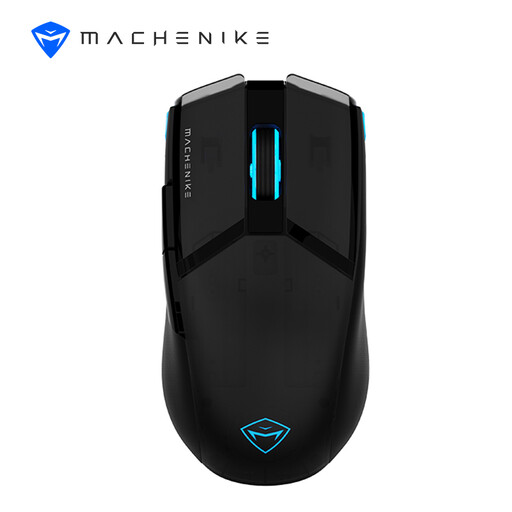 No image available
Consider this model if wireless or wired use and retaining settings matter more to you than a particular stated weight.
The product title identifies a PAW3395 sensor and dual-mode wireless and wired use; the product information describes onboard memory. Check its numeric weight and lift-off controls if frequent swipes and lifts are your priorities.
Do not choose a sensor solely because you practise under bright indoor lighting. Check tracking on the mousepad and desk setup you actually use rather than treating room brightness as a reason to seek maximum DPI or polling rate.
No: maximum DPI is a capability, not a recommended practice setting. Start with a sensitivity that gives you enough room for your intended movements, then keep it consistent while you practise.
Not on its own. Razer defines polling rate as how frequently a device communicates with the PC; assess your hardware and preference alongside grip, movement and settings rather than treating the highest rate as an aim result.
You can if the exact mouse supports storing the settings you need on the device. Logitech Support describes this capability for compatible Logitech gaming mice; check model compatibility and which settings can be saved before buying.