Players who want a visible mouse on a dim desk
You play digital card games in low light and care about adjustable mouse lighting or desk ambience. Lighting the physical cards is a separate need.


For digital card games, choose adjustable mouse lighting if you want a more visible mouse or a particular desk ambience; it will not light physical playing cards. Extra programmable buttons make sense when you have shortcuts to assign, while a simpler wired mouse avoids wireless charging and unnecessary controls.
You play digital card games in low light and care about adjustable mouse lighting or desk ambience. Lighting the physical cards is a separate need.
You regularly use game actions, overlays or desktop commands and want to consider assigning some of them to mouse buttons.
You mainly need pointer control and some mouse lighting, without a strong reason to manage wireless charging or configure many buttons.
For digital card games in a dark room, start with the feature that would actually change your setup or controls, then check what the exact model lets you adjust.
| Concern | What to check | Who this matters to |
|---|---|---|
| Adjustable lighting | Check whether the mouse lighting can be changed or switched off; lighting zones do not tell you how well a card table will be lit. | If I play on a dim desk, I want to find my mouse easily without being stuck with a distracting effect. Around 36% of consumers put adjustable lighting first. |
| Remappable controls | Count the shortcuts you would assign, then check button remapping and whether you need onboard profiles. | When I repeatedly open overlays or use game commands, I would rather put those actions within reach of my mouse hand. Around 29% of consumers prioritise shortcut controls. |
| Simple setup | Compare the exact variant’s button layout, cable and lighting controls before choosing features you may not use. | If I mostly point and click, I want straightforward controls instead of spending time configuring a large button layout. Around 21% of consumers place simplicity first. |
| Cable-free use and weight | Check connection modes, charging arrangements, stated weight and whether the shape suits your grip. | On a cramped desk, I want to move the mouse without managing a cable, but I am willing to keep track of charging. Around 14% of consumers make wireless flexibility their main concern. |
Lighting on a mouse can change how the mouse or nearby desk looks; it is not a substitute for lighting a card table.
If you play with physical cards, address room or table lighting separately. Choose mouse RGB for digital play only if its visibility or appearance matters to you.
Extra programmable buttons are useful only if you have commands to assign and can reach the buttons comfortably.
List the actions you would map. If there are only a few, compare a simpler layout before choosing an 11-button mouse.
A wireless mouse still needs power management; manufacturer-stated battery life depends on the conditions in which it is used.
Check the charging method and battery-life conditions for the exact model, and consider whether a wired mouse would suit your desk just as well.
An animated effect may be distracting in a dark room. Logitech G says compatible LIGHTSYNC devices can have their colour configured through G HUB.
Check the exact mouse’s software controls if you want a subdued static colour or the option to switch its lighting off.
The Cobra models offer different approaches to lighting and connectivity for a dim desk.
The G203 and G502 HERO illustrate the choice between a six-button RGB layout and more extensive wired controls.
The Aerox 5 Wireless is a wireless, multi-button option for players who want to avoid a mouse cable.
These wired and wireless gaming mice offer different ways to approach digital card games on a dim desk. Check whether any lighting is on the mouse or a charging dock, and choose extra controls only if you have shortcuts to use.
 No image available
Consider this wired model if you want a mouse for digital card games without managing wireless charging. Its name identifies the Minecraft Edition; check the lighting controls for this exact edition if a subdued effect matters to you.
 No image available
Consider this wireless mouse if you want a charging dock as part of your desk setup. The product name specifies Bluetooth, 2.4G and USB-C modes, a PAW3311 sensor and 24000 DPI; check the exact connection requirements for your computer. If you need the mouse itself to light up, confirm that separately from the dock.
 No image available
Consider this model if you want a wireless mouse with a magnetic charging base. Its name lists 2.4G and wired modes, a 56 g weight and a colour screen. Confirm the exact connection modes and whether lighting is on the mouse rather than the base; check charging expectations for your playing routine.
 No image available
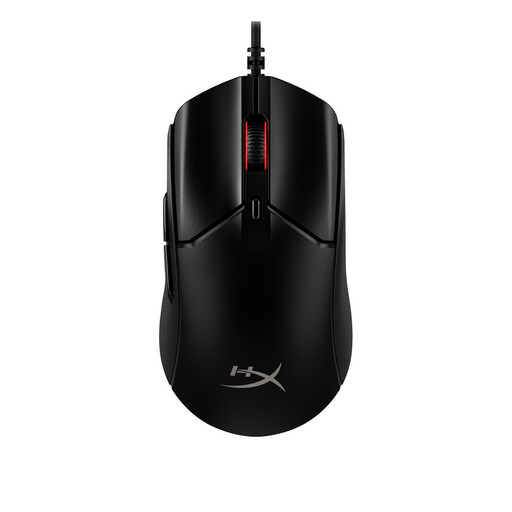
This wired option suits a desk where avoiding battery management matters more than cable-free use. Check whether this exact regional variant has the lighting you want and supports any particular sensitivity settings you need.
 No image available
Consider this wired RGB mouse if mouse-side colour is part of your dim-desk setup. The product name identifies adjustable levels and programmable buttons; check whether its lighting can be dimmed or switched off if bright effects would distract you.
Do not rely on mouse RGB to light physical cards. Mouse lighting is described for effects on the mouse or nearby desk; if you cannot see cards clearly, consider room or table lighting separately.
Choose enough buttons for the actions you will actually assign. A six-button layout may suit basic navigation and a few shortcuts; consider a model with nine or 11 programmable buttons if you regularly use several commands and can reach its controls comfortably.
That depends on the controls supported by the exact mouse. Logitech G says G HUB can set LIGHTSYNC colour on compatible devices; check your chosen model’s options if you need a static colour, lower brightness or a way to switch lighting off.
Check the product identification and applicable marking information for the mouse you intend to buy. Department for Business and Trade guidance recognises CE marking alongside UKCA for products within its stated Great Britain scope; Northern Ireland follows a different route, so do not assume Great Britain marking guidance answers a Northern Ireland question.