Long-session card-game players
If you spend extended sessions clicking cards and navigating menus, hand fit and predictable scrolling may matter more to you than a high maximum sensitivity setting.


For card games, start with a mouse shape that feels comfortable for repeated clicks, then decide whether you would use extra buttons for shortcuts. A wired mouse avoids battery management; a wireless one can clear a cable from the desk, but you should check its connection method and the ports available alongside your headphones. Wearing headphones does not itself call for a particular mouse technology.
If you spend extended sessions clicking cards and navigating menus, hand fit and predictable scrolling may matter more to you than a high maximum sensitivity setting.
If you move between a game, chat and other desktop tasks, remappable buttons may be useful when you have specific commands to assign and compatible setup software.
If your headphones already occupy desk space or a USB port, a wireless mouse may help with cable layout. Check its power needs and whether its chosen connection requires another port.
Decide whether hand fit, shortcuts or a clearer desk is your main reason for changing mice; that priority makes the feature list easier to judge.
| Concern | What to check | Who this matters to |
|---|---|---|
| Comfort and basic control | Compare shape, dimensions and stated weight with a mouse you already find comfortable; check return terms if you cannot assess the fit beforehand. | I expect to click and move through menus for long sessions, so a manageable grip matters more to me than a high DPI ceiling. Around 45% of consumers put comfortable everyday control first. |
| Useful shortcuts | List the commands you would assign, then check button placement and whether the remapping software works with your computer. | When I switch between a card game and other desktop tasks, I want mouse buttons for commands I actually use. Roughly 33% of consumers make shortcut customisation their primary concern. |
| Cable management | For wireless use, check Bluetooth or receiver compatibility, available USB ports and battery arrangements. | I want less cable clutter beside my headphones, even if that means managing mouse power. About 22% of consumers prioritise a cable-free desk setup. |
A high dots-per-inch (DPI) ceiling describes a sensitivity range, not whether the mouse will fit your hand or make ordinary card-game clicks easier.
Start with a sensitivity you already find controllable, then consider shape, weight and button access before comparing maximum DPI figures.
Extra controls add shortcut options, but unused buttons need not improve card-game play and may complicate the layout.
Write down the commands you want to assign and check the mouse software’s compatibility before choosing a button count.
A wireless mouse can remove one desk cable, but its connection and power needs still matter. Razer’s stated maximum battery life for the Basilisk V3 X HyperSpeed is a manufacturer rating, not a promise of runtime in every setup.
Check whether you will use Bluetooth or a 2.4 GHz receiver, particularly if your headphones also occupy a USB port, and plan for battery management.
The wired G502 HERO is a reference point if you want numerous controls and profiles at a fixed desk.
The Basilisk models illustrate a choice between wired multi-button use and a mouse offering wireless connection options.
The wired Rival 5 is worth comparing if you want remappable controls and prefer its stated weight to that of another mouse you are considering.
These gaming mice cover wired setups and models with wireless connection options. Compare the exact variant, hand fit and controls you would use rather than assuming every model has the same shortcut features.
 No image available
Consider this wired variant if you play at one desk and prefer not to manage mouse batteries.
If shortcuts matter, check the button count and how remapping works on your computer; assess the shape against your usual grip.
 No image available
Consider this model if you want to choose between a wired connection and cable-free use at your headphone-based desk.
The product name specifies 49 g, wired, 2.4 GHz and Bluetooth modes, and a PAW3395 sensor. Check hand fit and battery arrangements for wireless use; confirm its controls if remapping is a priority.
 No image available
Consider this model if you want wired and wireless connection choices while arranging space around your headphones.
The product name specifies Bluetooth, 2.4 GHz and USB-C modes, a PAW3311 sensor and a charging dock. Confirm the exact weight before using it to judge hand feel, and check power arrangements for wireless use.
 No image available
Consider this wired model if you want a fixed desk setup without mouse battery management.
Its product name describes adjustable sensitivity and programmable buttons. If you need particular shortcuts, confirm the button layout, remapping method and software compatibility before buying.
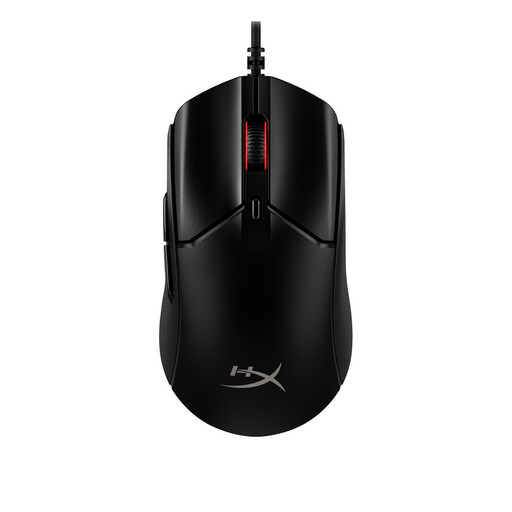 No image available
Consider this listing if you want a wired mouse for card-game play without battery management.
Confirm whether the exact model supplied is Pulsefire Haste or Pulsefire Haste 2 before ordering, particularly if its weight, sensitivity settings or button layout will determine your choice.
No particular mouse sensor or button layout is needed simply because you wear headphones. Choose for hand fit, useful controls and connection preference; if your headset and mouse both use USB receivers, check that suitable ports are available.
Extra buttons are worthwhile when you have specific commands to assign, not just because a model has a higher button count. Logitech G lists 11 programmable buttons for the G502 HERO, Razer lists 11 for the wired Basilisk V3, and SteelSeries lists nine for the Rival 5; check placement and software compatibility as well as the number.
Choose wired if avoiding battery management matters more to you; consider wireless if removing a cable from your desk matters more. Check whether the wireless mouse uses Bluetooth or a receiver and whether that connection works alongside your headphones.
Check the electrical-waste collection options offered by your local authority or retailer rather than putting an old mouse in ordinary household waste. GOV.UK explains that the UK’s waste electrical and electronic equipment framework aims to reduce electrical waste sent to landfill and support recovery, reuse and recycling.