Shortcut-heavy colony builders
If you repeatedly change game speed, select build tools or issue commands, accessible programmable controls may matter more to you than headline sensor figures.


For colony-management games, choose a mouse whose reachable controls cover the commands you use most often, then decide how it will connect and draw power. Bluetooth can leave a USB port free if your computer supports it; a 2.4 GHz receiver occupies a port, while rechargeable and AA-powered mice trade charging access for battery replacement.
If you repeatedly change game speed, select build tools or issue commands, accessible programmable controls may matter more to you than headline sensor figures.
Wireless operation avoids a mouse cable during play, but connection choices still matter: Bluetooth requires computer support, and a 2.4 GHz receiver uses a USB port.
Decide whether keeping AA batteries available or arranging periodic charging is less disruptive to your setup.
Start with the connections your computer and desk can accommodate, then check command access, power upkeep and hand fit.
| Concern | What to check | Who this matters to |
|---|---|---|
| Desk connections | Check computer Bluetooth support, receiver port requirements and where a rechargeable mouse would charge. | If my available ports are already occupied, I want a connection that fits my desk without adding another wall adaptor. Around 31% of consumers put reducing desk connection burden first. |
| Command access | Inspect programmable-button placement and confirm that your game permits the bindings you intend to use. | When I repeatedly open build tools or change game speed, I want those commands within comfortable reach. For around 25% of consumers, command access is the primary concern. |
| Power interruptions | Compare battery claims for the stated connection mode, then choose between keeping AA batteries and arranging charging. | During a long session, I would rather plan for one power arrangement than be caught without a working mouse. Avoiding power-related interruptions comes first for around 25% of consumers. |
| Hand fit | Check shape, handedness, button reach and weight under the stated power setup. | If I spend hours clicking and scrolling, the controls need to suit my grip without awkward reaches. Around 19% of consumers prioritise hand fit for extended sessions. |
A 2.4 GHz receiver occupies a USB port, and a rechargeable mouse still needs charging. Bluetooth leaves the receiver port free only if both mouse and computer support it.
Before buying, check whether you will use Bluetooth, have a port for the receiver or have a convenient charging point.
Additional controls help only when you can reach them comfortably and assign the game actions you actually use.
List your repeated commands, then inspect the button layout against your grip rather than relying on the count.
Published runtimes may refer to different connection modes and power systems. Razer, for example, gives separate maximum figures for the Basilisk V3 X HyperSpeed in HyperSpeed and Bluetooth modes.
Compare claims alongside their stated mode, and decide whether charging or replacing batteries is easier to manage at your desk.
Its cited wireless models offer different balances of mouse-side controls, connection choice and AA-battery use.
The Basilisk V3 X HyperSpeed is a right-handed option for buyers considering programmable controls and two wireless connection modes.
The rechargeable Aerox 5 Wireless is relevant when several mouse-side commands and a Bluetooth option matter.
These wireless models offer mouse-side command options for colony-management play. Check each model's connection and power arrangement against your available ports and charging setup.
 No image available
Consider its programmable controls for frequently used game commands, provided their placement suits your grip.
The product name specifies 10 programmable buttons and a 53 g weight. Its described wireless receiver uses a USB port; check the connection options before relying on Bluetooth.
 No image available
Its programmable controls may suit repeated colony-management commands if you can reach them comfortably.
The product name specifies 10 programmable buttons and a 53 g weight. Allow a USB port for the described receiver, and check the connection options if Bluetooth is essential.
 No image available
This rechargeable option suits players who prefer charging to replacing AA batteries and want controls for repeated commands.
The product name specifies 10 programmable buttons and a 53 g weight. Its described receiver uses a USB port; check that both its charging arrangement and connection suit your desk.
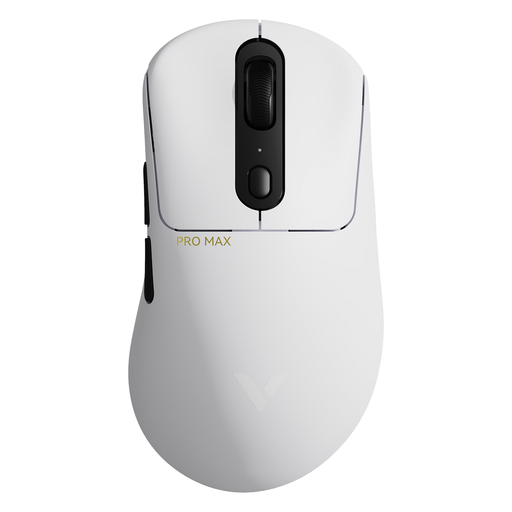 No image available
Consider this wireless model if you can accommodate a receiver and want to assign selected game commands to the mouse.
Confirm the programmable-button count and polling-rate details for this variant before choosing it on either basis. Check whether its button placement suits your hand.
 No image available
Bluetooth offers a way to leave the receiver port free if your computer supports it; the charging dock still needs a suitable power connection.
The product name lists Bluetooth, 2.4G and USB-C modes. Check the variant's weight if that affects your choice, and confirm how often your setup would require charging.
Not necessarily during play: the cited AA-powered and rechargeable examples do not require a dedicated wall socket for normal use. A rechargeable model still needs a suitable charging connection periodically, while an AA-powered model needs replacement batteries.
Yes, when both your computer and chosen mouse support Bluetooth. Logitech G lists it for the G309, Razer for the Basilisk V3 X HyperSpeed and SteelSeries for the Aerox 5 Wireless; check your computer before choosing a mouse on that basis.
There is no fixed minimum: list the commands you repeatedly use, then choose controls you can reach without changing grip. Logitech G specifies 13 for the G502 X LIGHTSPEED, while Razer and SteelSeries specify nine for the Basilisk V3 X HyperSpeed and Aerox 5 Wireless respectively; the larger number alone does not establish a better fit.
Choose AA power if keeping replacement batteries available is easier than arranging charging; choose rechargeable power if you prefer not to replace cells and have a convenient charging point. Compare any stated runtime under its specified connection mode rather than assuming different brands' maximum figures describe identical use.
Check your local collection or take-back arrangements for the mouse and its batteries rather than putting them straight into general waste. UK guidance from GOV.UK explains that waste electrical and electronic equipment is regulated to support recovery, reuse and recycling; follow the applicable local instructions for each item.