Long-session adventure players
If you spend extended periods moving the cursor, reading and clicking, start with a shape that suits your hand and grip. SCAN UK places comfort at the centre of choosing a gaming mouse.


For point-and-click adventures, choose a gaming mouse that feels comfortable through long sessions, then consider whether its scroll wheel suits the way you navigate menus. Extra buttons are useful if you will map recurring game commands; in a dark room, treat lighting as a controllable preference rather than a sign of better control. Wired use avoids battery management, while wireless use removes the cable from your desk.
If you spend extended periods moving the cursor, reading and clicking, start with a shape that suits your hand and grip. SCAN UK places comfort at the centre of choosing a gaming mouse.
Extra mouse controls may appeal if your games let you map recurring inventory, map or journal commands. A dense button layout is worthwhile only if you can distinguish and use those controls comfortably.
You may want adjustable lighting, a wireless desk setup or a wired connection that needs no charging. Consider whether the lighting remains pleasant beside a dim display.
For point-and-click adventures in a dark room, start with the need that would most change your experience: hand comfort, access to game shortcuts or the lighting and connection at your desk.
| Concern | What to check | Who this matters to |
|---|---|---|
| Comfort and grip | Compare shape, dimensions and weight with your usual palm, claw or fingertip grip; check where the buttons sit under your fingers. | If I play for long stretches, I want repeated cursor movement and clicking to feel comfortable in my own grip. Around 42% of consumers put fit first. |
| Shortcuts and scrolling | Check whether your games allow the commands you want to remap, and whether the button layout and scroll-wheel modes suit those actions. | When I return to the inventory or journal often, I want useful commands within reach without learning buttons I will never press; around 33% of consumers prioritise shortcut access. |
| Lighting and connection | Check lighting controls on the exact model and choose between a cable and a battery or charging routine. | At a dim desk, I want lighting I can live with and a connection that suits my space. Desk setup is the main concern for around 25% of consumers. |
A stated DPI or polling-rate figure cannot tell you whether the shape will suit your grip. SCAN UK identifies comfort as a particularly important part of mouse selection.
Compare shape, weight and button placement first, then decide which sensor adjustments you would use.
Extra controls help with recurring game actions only when the game supports your intended bindings and you can learn the layout.
List the commands you would assign. If you mainly use standard clicks and the wheel, consider a simpler layout.
Battery claims depend on the model and stated conditions. Razer quotes up to 250 hours for the Naga V2 HyperSpeed using HyperSpeed Wireless; that figure does not describe every wireless mouse or setting.
Check the exact model's power arrangement, quoted conditions and charging options before choosing wireless.
Depending on the model, wireless use may mean keeping charging accessories or replacement batteries available.
A related model name does not establish the same controls, lighting or connection type.
Confirm the full model name and included receiver or cable on the product-detail page before ordering.
The G502 X Wired is a reference point for a wired mouse with configurable controls and a dual-mode scroll wheel.
The Naga V2 HyperSpeed illustrates a shortcut-heavy layout; the Cobra Pro illustrates wireless lighting customisation.
The DARK CORE RGB PRO range is relevant if you want to compare wireless connection options and a visible status indicator.
These gaming mice offer wired or wireless choices for the desk setup, with some models also aimed at players who want extra controls. Check fit and lighting on the exact model rather than assuming either from its gaming-mouse name.
 No image available
Consider this if you want a wireless mouse for your adventure-game desk setup.
Check its dimensions against your grip, how it is powered and whether the exact version has the lighting you want.
 No image available
Consider this if you plan to map recurring game commands and want a wireless connection.
The product name states 53 g and 10 programmable buttons. Its advertised battery maximum is up to 750 hours; the stated 1,000 Hz low-power condition requires a driver update.
Check the shape against your grip and confirm lighting options if they matter at your desk.
 No image available
Consider this if you want to assess a wireless mouse for a shortcut-focused setup.
Check its size and weight against your grip. Its stated battery maximum of up to 67 hours applies with RGB lighting off, so consider whether you would use it that way.
 No image available
Consider this if you prefer a wired desk setup and want to assess a mouse with RGB lighting.
Before using it for game shortcuts or play beside a dim display, confirm which buttons can be programmed and whether the lighting can be dimmed or switched off. Check its dimensions for fit.
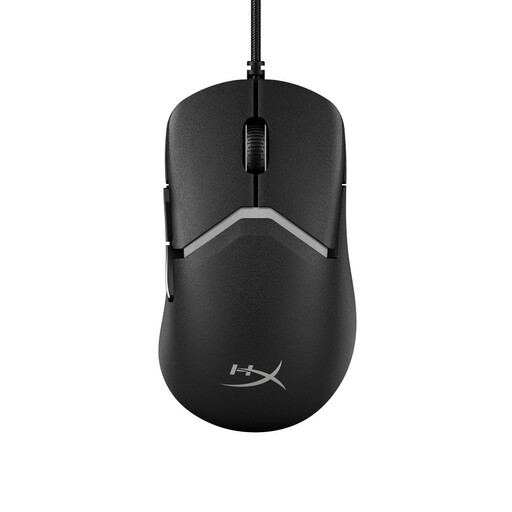 No image available
Consider this if a wireless connection is your starting point and you want to check its controls against your game shortcuts.
Confirm the dimensions, button arrangement and charging routine for your use. RGB availability depends on the regional version, so check the exact product if lighting matters.
Choose for comfort and usable controls before treating a high DPI figure as a deciding factor. SCAN UK places finding a comfortable shape at the centre of mouse selection; check DPI adjustments after you have considered fit.
Either can suit point-and-click adventures: choose wired if you want to avoid battery management, or wireless if you prefer no mouse cable across your desk. For wireless models, check the exact power arrangement and any conditions attached to battery-life claims.
Extra buttons help if your game supports the commands you want to map and you can use the layout reliably. If you mainly click and scroll, a simpler arrangement may be easier to learn; Razer's 21-control Naga V2 HyperSpeed is an example of a shortcut-heavy option, not a requirement.
Check the exact mouse's lighting controls and whether you can reduce or switch off the light if it distracts you. Razer states that the Cobra Pro has 11 individually programmable lighting zones, but lighting options do not establish hand fit or game-control performance.