Dark-room RGB setup builders
You want the mouse to add visible light to your desk while you build, but its shape and control layout still need to work for longer sessions.


Start with a shape that fits your hand and controls you can reach during long sandbox-building sessions; RGB lighting cannot make up for an uncomfortable mouse. Choose wired RGB if you want desk lighting without managing a battery, wireless RGB if freedom from a cable matters more, or extra programmable controls if you have specific building and inventory actions to assign.
You want the mouse to add visible light to your desk while you build, but its shape and control layout still need to work for longer sessions.
You often change tools, select inventory items or move the camera and want to assign some of those actions to reachable mouse controls.
You want room to move the mouse without a cable, and are willing to plan for charging while checking that the shape suits your grip.
Check hand fit first, then decide which matters most in your dark-room building setup: shortcuts, visible lighting or cable-free movement. A mouse can offer more than one, but your main need should guide the trade-off.
| Concern | What to check | Who this matters to |
|---|---|---|
| Reachable shortcut controls | Check button placement and whether the software supports the game actions or macros you intend to assign. | If you repeatedly switch building tools or inventory items, you may want those actions within easy thumb or wheel reach. Around 40% of consumers put accessible shortcuts first. |
| RGB lighting and hand fit | Compare lighting placement and configuration options, then check the shape against your grip. | You may want the mouse to contribute to a dimly lit desk without becoming awkward to hold through a long session. Roughly 30% of consumers make lighting their primary concern. |
| Wireless movement | Check connection modes, charging arrangements and whether the mouse can be used while charging. | A cable may get in your way when you reposition the mouse, while charging is a routine you are prepared to manage. About 30% of consumers prioritise cable-free movement. |
RGB can suit a dark room, but a shape that feels awkward may matter more during an extended building session. SCAN UK advises putting mouse comfort at the centre of the choice.
Consider how you hold your current mouse, then compare shape, dimensions and button reach before using lighting as a deciding factor.
Razer lists compatible charging options for the Cobra HyperSpeed separately. The charging routine you want may therefore call for an accessory beyond the mouse.
Check the box contents and compatibility of any dock, puck, mat or cable you plan to use.
An optional charging accessory may be a separate purchase.
Additional controls are useful only if you can reach them comfortably and have actions worth assigning; awkward placement can also lead to unintended presses.
List the building, inventory and camera actions you would move from the keyboard, then assess the button layout against that list.
These product lines illustrate different approaches to lighting and controls; a brand name alone cannot tell you whether a particular shape fits your hand.
The Cobra line is relevant if mouse lighting is an important part of your dark-room desk setup.
The G502 X line is worth considering when the arrangement of extra controls matters more to you than lighting alone.
Rival models provide examples to compare if you are weighing RGB configuration against additional buttons.
These options cover wired mice for a lit desk, wireless choices and mice to consider for shortcut-heavy play. Match the controls and shape to the actions you use rather than assuming every mouse needs the same lighting features.
 Image unavailable
Consider this wired option if mouse lighting is part of your dark-room setup. Check the Minecraft Edition’s shape and available button mappings against the actions you want to use.
 Image unavailable
This wired mouse is a choice to examine if you want RGB lighting modes and programmable buttons. Confirm the remapping software works with your computer and intended game actions, and check the shape against your grip.
 Image unavailable
Consider the wireless Spatha X if you have several sandbox actions to assign to mouse controls. Check whether the side-button layout is comfortable to reach; if lighting matters, confirm the available effects for this variant.
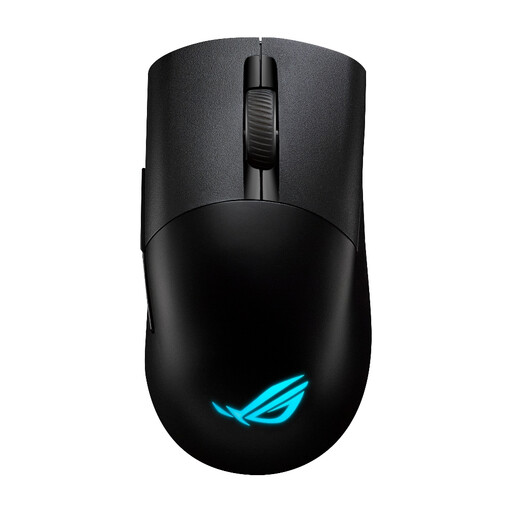 Image unavailable
This wireless option is relevant if you want desk lighting alongside a smaller set of configurable controls. Check whether its shape suits your grip and confirm the exact variant’s specifications before comparing weight or sensor figures.
 Image unavailable
Consider this mouse if cable-free movement and a few assignable actions are more important to you than choosing by lighting. Check expected battery life for your routine, and confirm any mouse lighting you require before buying.
No: check grip comfort and the controls you will use before deciding how much lighting matters. Razer’s Cobra models offer underglow or multi-zone RGB, but those features do not establish whether either shape suits your hand.
Yes, if you can accommodate a cable and would rather not manage charging. Judge the mouse by hand fit and the controls you need, rather than assuming that wired or wireless connectivity settles every performance question.
Software may be needed for the configuration you want. SteelSeries describes Engine software for Rival 3 RGB customisation, while the Joybuy Cobra listing directs users to Razer Synapse for DPI and lighting settings; confirm software and operating-system support for the exact model you choose.
Check an appropriate electrical-equipment recycling route rather than assuming the mouse belongs in ordinary household waste. GOV.UK identifies the UK Waste Electrical and Electronic Equipment framework; your local authority can advise on its current collection arrangements, and you can check whether a retailer offers take-back.