For digital board games, start with the shortcuts and scrolling you will actually use, then choose a connection that suits your desk: wired avoids a charging routine, while wireless removes the cable. In a dark room, check the exact model’s lighting controls before buying, and make sure its shape and buttons suit your grip.
Who this choice affects
Players who use frequent shortcuts
If you repeatedly open cards, maps and menus or adjust the view, reachable remapped controls may save trips to the keyboard. Check that your game accepts the commands you want to assign and that you can find the buttons comfortably by touch.
Players who prefer a dim, uncluttered view
If mouse lighting catches your eye beside the screen, look for documented settings on the exact model. Logitech G describes an unlit option for compatible LIGHTSYNC devices, while Razer documents configurable Chroma lighting; neither description establishes how every mouse behaves.
Players who want a cable-free desk
Wireless can clear a cable from the playing area or offer another way to connect a compatible device. Compare the available connection modes with your computer and consider the battery or charging routine alongside the mouse’s shape.
What to check before buying
For board-game interfaces, decide which commands need to be close to hand before comparing button counts; then check lighting, connection and fit against your room and computer setup.
| Concern |
What to check |
Who this matters to |
| Shortcuts and scrolling |
Check reachable programmable controls, scroll behaviour and whether your game accepts the intended bindings. |
When I keep opening cards and maps, I want familiar commands under my fingers instead of repeatedly reaching for the keyboard; roughly 42% of consumers put shortcuts and scrolling first. |
| Dark-room lighting |
Check the exact model’s lighting settings, software compatibility and whether a suitably dim or unlit setting can be saved. |
In a dim room, I would rather keep decorative light from competing with the screen; around 33% of consumers make low-distraction lighting their main concern. |
| Connection and fit |
Check the required USB or Bluetooth connection, battery routine, dimensions and button reach for your grip. |
Whether I play at one desk or move between compatible devices, I need a manageable connection routine and a shape I can use comfortably; approximately 25% of consumers prioritise practical setup and hand fit. |
Buying pitfalls
-
Assuming RGB will suit a dark room
RGB describes lighting capability, not the exact controls available on every model. A default effect may be distracting beside a screen.
Check the mouse’s lighting settings and compatible software before buying if a static dim setting or no visible light is important to you.
-
Choosing by maximum DPI alone
A headline sensor figure does not tell you whether the buttons are easy to reach or whether scrolling suits the menus and maps you use.
Work out which commands your games allow you to assign, then compare control layout, scroll behaviour and grip fit.
-
Treating advertised battery life as a fixed runtime
Manufacturer battery figures expressed as “up to” values depend on the stated settings and use conditions.
Check the conditions behind the figure, the battery or charging requirements and whether the mouse can be used while charging if that matters to you.
-
Overlooking grip and button reach
Extra controls are less useful if the mouse’s shape makes them awkward for your hand. Scan UK identifies comfort as a key difficulty when choosing a gaming mouse.
Compare the dimensions and shape with a mouse you already find comfortable, and read the seller’s return conditions before opening or using it.
Relevant brands to consider
Logitech G
The G502 X LIGHTSPEED is a reference point if you want several assignable controls: Logitech G specifies 13 programmable controls for that model.
- Logitech G documents G HUB configuration and lighting options for compatible LIGHTSYNC devices.
- Check the chosen variant’s lighting features and whether its shape suits your hand; the control count alone cannot establish either.
Razer
The wired Basilisk V3 and wireless Basilisk V3 X HyperSpeed illustrate different connection choices within Razer’s range.
- Razer specifies 11 programmable buttons and multiple scroll behaviours for the Basilisk V3; the V3 X HyperSpeed supports 2.4 GHz wireless and Bluetooth.
- Check lighting settings and software compatibility for the exact model rather than assuming all Chroma-equipped mice have the same dark-room controls.
Corsair
The DARK CORE RGB PRO is relevant if you want to choose between receiver-based wireless, Bluetooth and USB wired use.
- Corsair documents those three connection modes for the DARK CORE RGB PRO.
- Its RGB lighting and wireless operation make lighting configuration and the charging routine worth checking for your setup.
Joybuy product choices
These mice cover wired and wireless ways to play digital board games. Compare their stated controls and connections with your games, and check exact-model lighting and grip fit before choosing one for a dark room.
 No image available
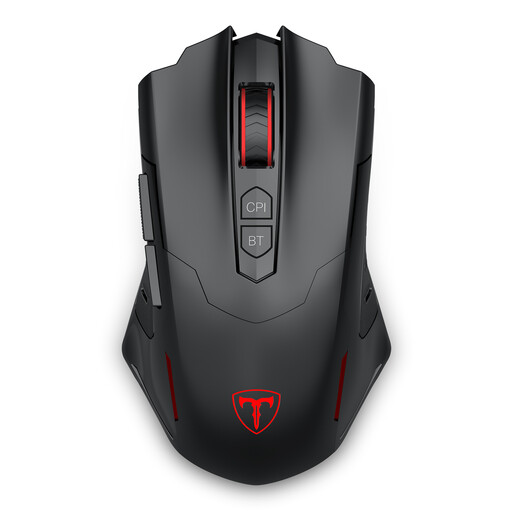
ET PC400 Wireless Gaming Mouse
Consider this model if you want wireless play with assignable controls for repeated board-game commands.
Its title specifies seven programmable buttons, 2.4G and Bluetooth connection, and 8000 DPI. The listing describes a way to switch off the backlight, but check the exact lighting behaviour because its colour descriptions differ.
View on Joybuy
 No image available
RAPOO VT2 MAX Wireless Gaming Mouse, White
This is a wireless option to consider if you expect to assign several interface shortcuts.
Its title specifies ten programmable buttons, a 53 g weight and an 8K wireless polling rate. Check the exact model’s lighting behaviour for dark-room use. Its advertised battery maximum depends on low-power mode enabled through an updated driver.
View on Joybuy
 No image available
Razer Cobra Wired Gaming Mouse, Minecraft Edition
Choose a wired setup like this if you play at a fixed computer and would rather avoid a battery routine.
Before relying on it for dark-room play or a particular set of shortcuts, confirm the exact model’s lighting settings and assignable controls.
View on Joybuy
 No image available
Lexip Gaming Pu94 Wired Mouse
Its wired connection suits a fixed desk where avoiding charging matters more than removing the cable.
If joystick-style navigation interests you, check that your games accept the intended inputs and mappings. Also confirm the exact model’s lighting controls before using it in a dark room.
View on Joybuy
 No image available
ET Wireless Gaming Mouse with LED Backlight
Consider this wireless mouse if being able to turn off visible backlighting is important to your dark-room setup.
Its title specifies five adjustable DPI settings, and the listing says the blue backlight can be switched off. If you need assignable game shortcuts, confirm remapping support before buying; the listing also states that its side buttons are unavailable on Mac.
View on Joybuy
Frequently asked questions
How can I make a gaming mouse less distracting in a dark room?
Check the exact mouse’s documented lighting controls and whether its configuration software works with your computer. Logitech G describes a no-colour setting for compatible LIGHTSYNC devices, while Razer describes Chroma colour and effect customisation; check what the model you intend to buy can actually save.
Will extra mouse buttons help with digital board games?
They can help if your game or operating system accepts the commands you want to assign and the buttons are comfortable to reach. Razer specifies 11 programmable buttons for the Basilisk V3, and Logitech G specifies 13 programmable controls for the G502 X LIGHTSPEED; those counts do not establish compatibility with a particular game.
Should I choose Bluetooth, 2.4 GHz wireless or wired USB?
Choose a connection your computer supports and a routine that suits your desk: wired USB avoids charging, while wireless removes the mouse cable during play. Corsair documents receiver-based wireless, Bluetooth and USB wired modes for the DARK CORE RGB PRO; Razer documents 2.4 GHz wireless and Bluetooth for the Basilisk V3 X HyperSpeed.
What should I do with an old mouse in the UK?
Check your local council’s electrical recycling instructions or a retailer’s take-back arrangements before disposing of it. GOV.UK describes the UK framework for waste electrical and electronic equipment, and Coventry City Council lists a computer mouse among electrical accessories; local collection routes should be checked where you live.


