Shortcut-heavy farming-simulation players
If you repeatedly switch tools or open menus and inventory, you may want frequently used actions on reachable mouse buttons.


Choose a gaming mouse around the farming-simulation actions you want within reach: programmable buttons matter only if your game accepts the assigned inputs and you can use the layout comfortably. Wireless removes a cable from a compact desk but needs a suitable connection and power routine; a wired mouse avoids that routine if its cable fits your workspace.
If you repeatedly switch tools or open menus and inventory, you may want frequently used actions on reachable mouse buttons.
If study materials share your desk with your mouse, you may prefer a cable-free setup and be willing to manage its connection and power needs.
If you play for extended periods, shape, button reach and manageable movement may matter more to you than features you would rarely use.
Start with the actions you want to assign, then decide whether a cable fits your desk. Check hand fit and the usefulness of extra features before settling on a model.
| Concern | What to check | Who this matters to |
|---|---|---|
| Farming-simulation shortcuts | Inspect the reachable button layout and confirm that your game accepts the inputs you plan to assign. | If I repeatedly switch tools or open menus, I want those actions close to hand without accidental presses. Roughly 29% of consumers put shortcut access first. |
| Cable-free desk use | Check the wireless connection, receiver placement if needed, and charging or battery routine. | With study materials beside my mouse, I want to keep its cable off the usable desk area. Cable-free use comes first for around 21% of consumers. |
| Comfort over long sessions | Consider weight alongside shape, dimensions and access to the side buttons; weight alone cannot establish fit. | When I play for a long stretch, awkward button placement would bother me more than an extra control. About 29% of consumers prioritise hand comfort and movement. |
| Useful features | Decide which programmable controls and connection features you will actually use. | I want the controls my games need, rather than a specification I will never use. For roughly 21% of consumers, avoiding unnecessary features is the primary concern. |
Extra buttons help only when you can reach them reliably and assign inputs your game accepts.
Choose a few frequently used actions to map, and inspect the side-button layout before relying on the stated count.
A cable-free mouse still needs a workable connection and a charging or battery routine. Razer specifies one AA battery for the Basilisk V3 X HyperSpeed.
Check where any receiver will sit and whether the model uses replaceable batteries or charging.
An AA-powered mouse also means keeping a suitable replacement or rechargeable AA available.
A weight figure does not tell you whether the shape fits your grip or the side buttons are easy to reach.
Use weight to narrow your choices, then check dimensions, button placement and the seller’s return conditions.
GOV.UK guidance says batteries and electrical products displaying the crossed-out wheelie bin symbol should go to appropriate recycling collection points rather than household rubbish.
Check local battery collection and electrical recycling options when replacing your mouse.
Its documented G502 variants offer different control layouts and wired or wireless choices.
The Basilisk V3 X HyperSpeed is a wireless option for buyers considering programmable controls on a compact desk.
The wired Rival 5 is relevant if you want a group of thumb-accessible controls.
These wireless and wired gaming mice offer different ways to manage desk space and controls. Check the buttons you can assign in your game and how each mouse fits your hand.
 No image available
Consider this model if you want programmable controls without a cable across your desk.
The product name specifies 10 programmable buttons, a 53 g weight and macro support. Confirm that your game accepts the assignments you intend to use.
 No image available
This is another cable-free choice if assignable buttons are central to your farming-simulation setup.
The product name specifies 10 programmable buttons, a 53 g weight and macro support. Check button reach and game-input compatibility for the actions you use.
 No image available
Consider the charging-base setup if you want to keep a mouse cable off your desk.
The product name specifies a 56 g weight and magnetic charging base. Confirm the connection modes for this variant before deciding how it will connect to your computer.
 No image available
This wireless model may suit a desk where you would rather not route a mouse cable around study materials.
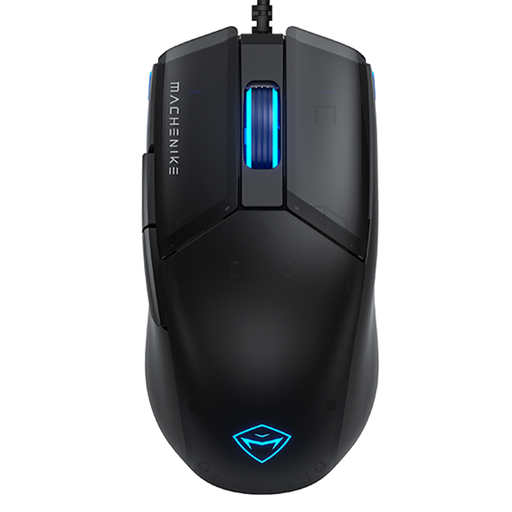
If shortcuts are your priority, check how many controls you can assign and whether their placement suits your grip.
 No image available
Choose a wired setup if the cable can reach your computer without pulling across your mouse area and you do not want a wireless power routine.
Check the number and setup of assignable buttons if mouse shortcuts are important to your game.
Not automatically: the game must accept the inputs you assign, and the mouse’s configuration options must let you set them up. Check a few actions you use often before choosing a mouse for its button count.
It can suit a desk where you want to avoid a mouse cable, provided you are comfortable replacing or recharging batteries. Razer specifies one AA battery for the Basilisk V3 X HyperSpeed; check the power arrangement of any other model separately.
For a covered UK sales contract, regulation 30 of the Consumer Contracts (Information, Cancellation and Additional Charges) Regulations 2013 sets the normal cancellation-period end at 14 days after the day you, or someone you identify, takes physical possession of the goods. Check whether an exception applies and follow the seller’s cancellation instructions; a claim about faulty goods is a different matter.