Dark-room setup customisers
You want to adjust the mouse lighting to suit a dim desk while keeping the controls you need for PC gaming. Razer and Logitech G document configurable lighting on the Basilisk V3 and G502 X PLUS respectively.


Choose a shape and connection you are comfortable using before choosing lighting: RGB can suit a dark-room desk, but it does not establish better results in football games. Then decide whether configurable lighting, useful extra controls or cable-free movement matters most to you, allowing for the setup and battery upkeep each choice may involve.
You want to adjust the mouse lighting to suit a dim desk while keeping the controls you need for PC gaming. Razer and Logitech G document configurable lighting on the Basilisk V3 and G502 X PLUS respectively.
You expect longer sessions and want a shape that suits your usual grip before considering additional buttons or lighting. SCAN UK advises making comfort a priority when choosing a gaming mouse.
You would rather move without a mouse cable and are prepared to check how your chosen wireless model connects and how its battery is managed. A lighter design may also appeal, depending on the feel you prefer.
For football games in a dark room, start with grip fit and your preferred connection, then decide how much lighting and button customisation you would actually use.
| Concern | What to check | Who this matters to |
|---|---|---|
| Configurable lighting | Check the exact model’s lighting settings, including whether you can choose a less distracting effect or turn the lighting down. | I want the mouse lighting to suit my dim desk without drawing attention away from the game; around 44% of consumers put lighting customisation first. |
| Grip and useful controls | Compare the shape and button positions with your usual palm, claw or fingertip grip; consider extra buttons only if you have actions to assign. | If I play for longer stretches, the mouse needs to feel manageable in my usual grip. For around 33% of consumers, comfort and control fit are the main concern. |
| Wireless use and weight | Check connection modes, battery or charging arrangements, and the weight of the exact variant you are considering. | I would rather move the mouse without a cable, but need to be happy with its battery upkeep and feel; roughly 23% of consumers prioritise cable-free, lighter use. |
Razer and Logitech G document lighting features on particular models, not improved results in football games.
Choose lighting for the desk setup you want; assess shape, connection and controls separately.
A specification cannot tell you whether the mouse shape and button positions will suit your hand. SCAN UK places particular emphasis on comfort when choosing a gaming mouse.
Identify your usual grip, then compare the exact model’s dimensions, arch and button placement.
Manufacturer-stated runtimes can depend on connection mode and settings, so a headline figure may not reflect how you plan to use the mouse.
Check whether the exact model charges or uses replaceable batteries, and compare runtime claims for your intended connection mode.
GOV.UK advises that unwanted electrical products should go through an appropriate recycling route rather than household rubbish.
Use a suitable collection point or household waste recycling centre, or check whether a retailer offers take-back.
The Basilisk line may interest buyers looking for a right-handed shape, configurable lighting and additional controls.
The G502 X PLUS is a wireless option for buyers who also want RGB and a configurable control layout.
The Aerox 5 Wireless may appeal if low stated weight and wireless operation take priority.
These wired and wireless gaming mice offer different ways to approach a dark-room football-game setup. Check the lighting, grip and connection of each model rather than assuming they share the same features.
 No image available
Consider this wired model if mouse lighting and assignable controls matter to your desk setup.
The product name describes adjustable levels, programmable buttons and RGB lighting modes. Check the available lighting controls and dimensions if a particular effect or grip fit matters to you.
 No image available
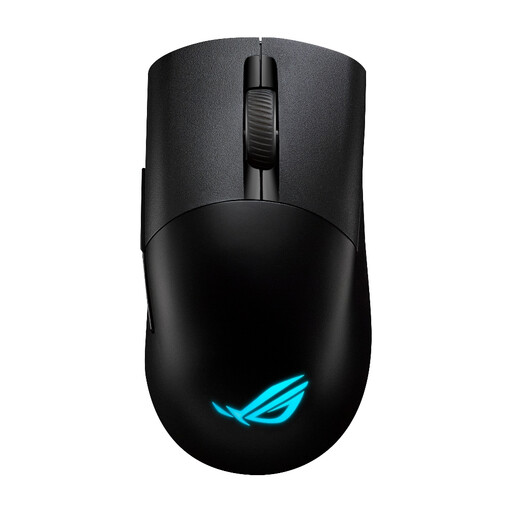
This wireless model is worth considering if you want to avoid a mouse cable while assessing grip and lighting separately.
Check the exact model’s lighting controls and fit. Confirm its weight before using that figure to compare how different mice might handle.
 No image available
Consider this model if wireless movement matters more to you than making mouse lighting the starting point of the choice.
Check whether the exact mouse has the illumination you want, and confirm its battery arrangement before buying.
 No image available
This model may suit you if the stated 56 g weight and a charging base appeal more than mouse-mounted lighting.
The product name also lists a PAW3950 sensor, 30K DPI and an 8KHz polling rate; those figures do not establish how it will feel in a football game. Confirm the connection modes and whether the mouse itself lights up, rather than relying on the charging base’s lighting.
 No image available
Consider this wireless model if you expect to use a fuller set of mouse controls, rather than choosing extra buttons solely for football games.
Check its button layout against the actions you plan to assign, as well as its grip fit and lighting settings.
Only if you have actions you genuinely want to assign to them. Razer lists 10+1 programmable buttons for the Basilisk V3 and SteelSeries lists nine for the Aerox 5 Wireless, but neither figure establishes better football-game performance.
A comfortable shape remains important, while configurable lighting is useful if you want the mouse to suit your dim desk. Check the exact model’s lighting settings and compare its shape with your usual grip; lighting alone does not determine how well it will play.
Choose wireless if moving without a cable matters to you and you are comfortable managing its battery; choose wired if you would rather avoid that upkeep. Neither connection type, by itself, establishes a better result in football games.
Take it to an appropriate electrical-waste collection point rather than putting it in household rubbish. GOV.UK identifies household waste recycling centres and suitable retailer take-back routes as options; check the arrangements available where you live.