Shortcut-heavy empire builders
You want recurring commands, camera actions or menus within thumb reach and are prepared to learn a dense button map.


Choose a many-button mouse if you want frequent camera, map and interface commands within thumb reach and are comfortable learning a dense layout. A less crowded layout makes more sense if you play other genres too or need only selected shortcuts. In a dark room, treat configurable lighting as a preference, not a substitute for reachable buttons, a suitable grip and software that works with your system.
You want recurring commands, camera actions or menus within thumb reach and are prepared to learn a dense button map.
You play grand strategy for extended sessions as well as other genres, so reachable controls and a comfortable grip matter more to you than maximising button count.
You want control over mouse lighting or profiles at a darker desk, while keeping fit and command access at the centre of the decision.
Start with the commands you would actually assign to the mouse, then check whether its shape lets you reach those controls comfortably. Consider lighting and wireless setup after those two decisions.
| Concern | What to check | Who this matters to |
|---|---|---|
| Strategy shortcuts | Count programmable controls and inspect whether the thumb buttons form a grid or a smaller cluster. | If I repeatedly open maps and menus, I want the commands I use most within thumb reach without searching for a key. Around 46% of consumers put shortcut access first. |
| Reach and grip | Check hand-size and grip guidance for the exact model, then assess whether its side buttons are reachable. | During a long session, I need to press side buttons without stretching my thumb or changing my grip. For around 36% of consumers, comfortable reach is the primary concern. |
| Dark-room lighting | Confirm that the exact model supports the lighting controls and software you intend to use. | I would like lighting I can adjust so it does not distract me from the game. Lighting customisation comes first for around 18% of consumers. |
A dense thumb grid offers more places for bindings, but those buttons are less useful if you cannot reach or distinguish them comfortably. Razer positions its Naga range for medium-to-large hands using palm or claw grip; Corsair’s Scimitar design offers a movable Key Slider for adjusting thumb-panel position.
List your recurring commands before choosing a layout, then check thumb reach and grip fit. If you plan to assess fit after delivery, read the relevant retailer’s returns terms before ordering.
Configurable effects can suit a dark-room desk, but lighting does not establish whether a mouse’s buttons are reachable or its shape suits your grip.
Settle the control layout and fit first. If lighting still matters to you, check the exact model’s available settings and software compatibility.
Connection options and initial charging instructions vary by model. Corsair’s quick-start guide for the Scimitar Elite Wireless calls for a full charge before first use; check the instructions for the exact variant you choose.
Decide whether you need a receiver, Bluetooth or wired connection, and confirm the setup steps before your first session.
These product lines illustrate different control layouts; a brand name alone cannot tell you whether a particular mouse will fit your hand.
The Naga line is worth considering if you want many thumb-accessible commands: Razer specifies 19 programmable buttons for the Naga V2 HyperSpeed.
The Scimitar Elite Wireless SE pairs a many-button layout with a panel whose position can be adjusted.
The G502 X LIGHTSPEED offers an intermediate control count for players who want shortcuts without choosing a full thumb grid.
The Aerox 5 Wireless offers a smaller set of programmable controls for selected strategy shortcuts and other genres.
These gaming mice offer different starting points for choosing selected strategy shortcuts, wired or wireless use, and dark-room lighting preferences. Check each model’s button placement and fit before deciding how many commands to move from the keyboard.
 No image available
Consider this wireless model if you want mouse-accessible strategy commands, but check the side-button arrangement against your thumb reach before assigning a large command set.
Confirm that its configuration software works with your intended system.
 No image available
Its stated 10 programmable buttons may suit a selected set of strategy shortcuts; check where those buttons sit before deciding whether the layout works for you.
The product title states 53g and an up-to-750-hour battery figure. The stated battery duration depends on a driver update and low-power mode, so check the required setup.
 No image available
This variant also states 10 programmable buttons for a chosen set of bindings; confirm the side-button layout and hand fit rather than judging reach by the count alone.
Its title states 53g and up to 750 hours of battery life. That battery figure is conditional on a driver update and low-power mode.
 No image available
Consider this wired model if you want to avoid wireless charging and prefer an RGB-equipped mouse for your dark-room desk.
Before planning strategy bindings, check the position of its programmable buttons and how they are configured.
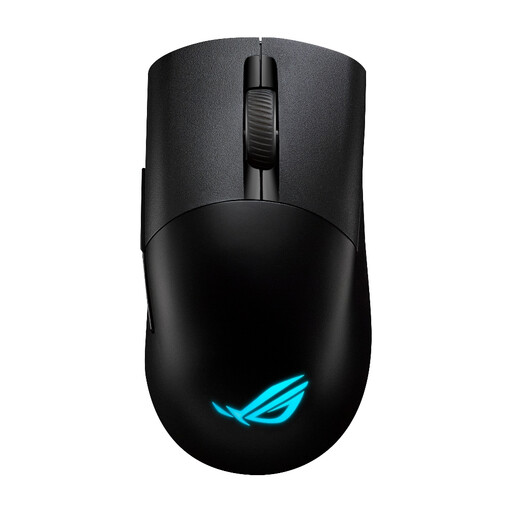 No image available
Consider this wireless model if you need only selected mouse shortcuts rather than assuming a dense thumb grid is necessary.
Check its button placement and fit for your grip. If weight or sensor resolution will affect your choice, confirm the exact figures for this variant before ordering.
Choose enough reachable buttons for the commands you use repeatedly, rather than buying by count alone. SteelSeries specifies nine programmable buttons on the Aerox 5 Wireless, Logitech G specifies 13 customisable controls on the G502 X LIGHTSPEED, and Corsair and Razer specify 16 and 19 respectively for the Scimitar Elite Wireless SE and Naga V2 HyperSpeed. A denser layout is useful only if you can reach and learn it.
No: lighting is a setup preference, not a requirement for accessing strategy-game commands. Logitech G describes customisable LIGHTSYNC effects, while Razer describes Chroma controls for compatible devices; check the exact mouse’s lighting options after settling its button layout and fit.
Check the exact mouse’s configuration method and operating-system compatibility before buying if you plan to remap commands. Razer describes button remapping through Synapse, while Logitech G specifies customisable controls on the G502 X LIGHTSPEED; the setup available to you depends on the model and your system.
Check its connection options and follow the charging instructions for your exact model. Corsair’s Scimitar Elite Wireless quick-start guide calls for a full charge before first use, but instructions for another model or variant may differ.