Shortcut-focused map editors
You repeat tool, placement or camera commands and want to assign some of them to mouse controls. The exact game or editor must permit the bindings you intend to use.


For custom game-map creation at a small desk, prioritise reachable extra controls if you will assign repeated commands, a lower stated weight if frequent mouse movement is your main concern, or wireless connectivity if cable routing restricts your workspace. Check your editor's binding rules, the mouse's shape and its button placement before deciding; no single feature establishes that a mouse will fit your workflow.
You repeat tool, placement or camera commands and want to assign some of them to mouse controls. The exact game or editor must permit the bindings you intend to use.
You have limited space to move the mouse and want to assess whether mouse weight, cable routing or both affect repeated panning and selection.
You need controls you can reach during editing without overlooking grip, movement and your usual gaming use.
Start with the constraint you notice most while making maps: repeated commands, restricted mouse movement or comfort during longer sessions. Then check the exact mouse and editor together, rather than choosing by a headline DPI figure.
| Concern | What to check | Who this matters to |
|---|---|---|
| Reachable shortcuts | Check button locations and whether the mouse software and your editor permit the assignments or macros you want. | If I repeatedly switch tools or place assets, I want controls I can reach without accidental presses; roughly 42% of consumers would put shortcut access first. |
| Movement in limited space | Measure the usable mouse area and decide whether stated weight, cable routing or both address your constraint. | When short swipes and repositioning interrupt panning, I want the mouse to move freely in the space I have; around 33% of consumers would prioritise movement. |
| Comfort over longer sessions | Consider your grip and hand requirements alongside mouse shape and side-button reach; try the fit if possible. | During extended editing, I need a shape I can hold and controls I can reach comfortably; about 25% of consumers would put sustained comfort first. |
A sensitivity figure does not tell you whether repeated map-editor commands are easy to access or whether the mouse fits your available space. SCAN's gaming-mouse guide treats grip, weight, connection, buttons and software as separate considerations.
List the actions you repeat, then compare button reach, shape and connection type on the exact models you are considering.
Extra controls take time to configure and can be awkward to use if their positions encourage accidental presses.
Start with a few frequently used, low-risk actions and check the physical button layout before committing to more assignments.
A stated weight cannot establish how a mouse will feel with your grip. Shape and side-button reach still matter during precise selections and longer sessions.
Compare weight alongside mouse shape and your usual grip, and try the fit where possible.
Connectivity and controls can differ between models or variants with similar names.
Match the complete model and variant name, connection type and required controls before choosing a listing; also read the applicable return terms.
The G502 X LIGHTSPEED is a wireless option to examine if you intend to assign several map-editor commands.
The wired Basilisk V3 is an option to examine if you want extra controls in its stated ergonomic form factor.
The wired Aerox 5 is worth examining if stated weight matters alongside access to extra controls.
These gaming mice offer different ways to address a small-desk map-editing setup: wireless connection, a stated low weight or assignable controls. Check button reach and whether your editor accepts the intended bindings before relying on shortcuts.
 No image available
Consider this model if mouse movement and cable routing are your main small-desk concerns. Its title specifies 56 g, 2.4G wireless or wired use, a PAW3950 sensor and a magnetic charging base. Check the button layout, connection modes and whether your editor permits the assignments you intend to use.
 No image available
Consider this model if you want connection options while arranging a small workspace. Its title specifies BT, 2.4G and USB-C modes, a PAW3311 sensor and a charging dock. Confirm its weight and the number and placement of assignable controls on the exact variant before choosing it for repeated map-editor commands.
 No image available
Consider this model if you want assignable controls as well as a wireless layout. Its title specifies 10 programmable buttons, macro capability and a 53 g weight. Check where the buttons sit and whether your editor permits the bindings or macros you plan to use.
 No image available
Consider this wireless model if cable routing is your main desk constraint. Before choosing it for map-editor shortcuts, confirm the button count, button reach and whether the customisation features you need work with your setup.
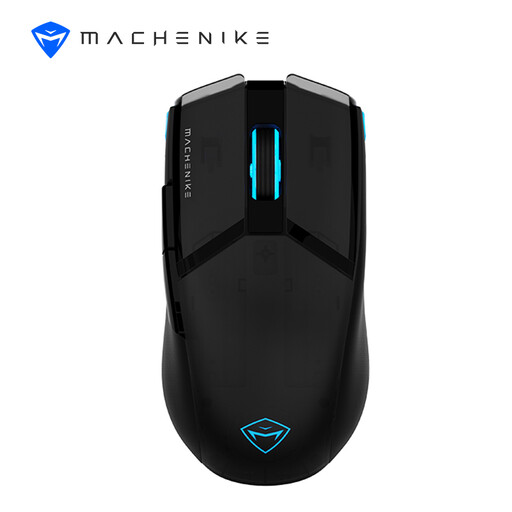 No image available
Consider this model if switching between wireless and wired use matters for your desk setup. Its title specifies a PAW3395 sensor and a 26000 DPI figure. If shortcuts are your priority, check its button layout, assignment options and compatibility with your editor; confirm its exact weight before choosing it for easier movement.
Choose enough reachable buttons for commands you will actually assign, rather than choosing by the highest count. As model-specific examples, SteelSeries specifies nine for the Aerox 5, Razer specifies 10+1 for the Basilisk V3, and Logitech G specifies 13 controls for the G502 X LIGHTSPEED.
Not necessarily: wireless may address cable routing, while charging and receiver placement still need planning. SCAN's gaming-mouse guide says high-end wireless mice can be competitive with wired models for latency; that does not establish the performance of every wireless mouse.
Check both the exact mouse software and the game or map editor's rules for the assignments you want. Programmable controls alone do not establish that a particular editor accepts a macro or that its buttons are convenient for the commands you repeat.
For a typical UK online purchase, the Consumer Contracts Regulations 2013 provide a cancellation period ending 14 days after the day you, or someone you identify, receives the goods, subject to applicable exceptions. Check the retailer's cancellation procedure; rights concerning faulty or misdescribed goods are a separate matter from changing your mind.
Use an appropriate electronics-recycling or retailer take-back route, checking which items it accepts before travelling. GOV.UK describes the UK's waste electrical and electronic equipment rules as intended to support recovery, reuse and recycling.