Comfort-first players
If hand or thumb comfort shapes how long you can practise, check handedness, grip style and button reach before comparing sensor settings. Logitech G and Razer describe distinct right-handed shapes, but fit remains personal.


Start with a mouse shape that suits your hand and grip throughout a long session. If learning the map mainly involves repeated movement and aiming, consider a light, simpler layout; if you regularly use pings, communication and utility commands, look for programmable buttons you can reach without shifting your grip. Extra controls take practice and do not compensate for an uncomfortable shape.
If hand or thumb comfort shapes how long you can practise, check handedness, grip style and button reach before comparing sensor settings. Logitech G and Razer describe distinct right-handed shapes, but fit remains personal.
If pings, voice controls, inventory or abilities are frequent actions, decide which ones you want on the mouse. Logitech G, Corsair and Razer offer models with different control layouts; the useful count is the number you can bind and reach reliably.
If practice centres on repeated turns, tracking and aiming, a low-mass mouse may suit your priorities better than a dense thumb-button grid. Keep shape and the commands you still need in the decision.
Check hand fit first, then decide which actions need mouse buttons and how you will keep the mouse connected throughout a session.
| Concern | What to check | Who this matters to |
|---|---|---|
| Hand fit and grip | Check handedness, grip style, dimensions and whether side buttons sit within comfortable thumb reach. | If my grip becomes awkward during extended practice, another feature will not resolve the fit problem. Around 33% of consumers put sustained comfort first. |
| Map and utility commands | List the actions you would bind, then assess button position and whether you can distinguish controls by feel. | I want pings, communication or utility actions close to hand without pressing the wrong button. For around 27% of consumers, reachable commands are the primary need. |
| Movement and aim | Compare stated weight, shape and connection settings alongside the buttons you would give up. | Repeated turns and aiming matter more to me than a large bank of shortcuts. Around 27% of consumers primarily favour movement and aim control. |
| Wireless continuity | Check battery claims for the connection mode and settings you intend to use, plus receiver and charging arrangements. | I do not want charging or connection setup to interrupt a long practice session. Keeping play uninterrupted is the main concern for around 13% of consumers. |
A technical specification cannot tell you whether the shell suits your hand. Logitech G describes the PRO X SUPERLIGHT 2 DEX as an asymmetrical right-hand design, while Razer positions its DeathAdder line for right-handed palm and claw grips.
Filter by handedness and grip first; compare technical settings among shapes you could comfortably use.
A dense side panel adds controls to learn as well as commands to bind. Corsair lists a repositionable 12-button panel on the SCIMITAR ELITE WIRELESS SE, but its usefulness depends on thumb reach and a planned layout.
Write down your recurring actions before choosing a button layout. If few need mouse bindings, consider a simpler arrangement.
Manufacturer maximums depend on connection mode and other conditions. Corsair gives separate 2.4 GHz and Bluetooth figures for the SCIMITAR ELITE WIRELESS SE, both with RGB off.
Use the figure for the mode and lighting setup you expect to use, rather than treating the largest figure as your gaming runtime.
An old gaming mouse is electrical waste. GOV.UK sets out retailer take-back arrangements for electrical equipment, with duties depending on the retailer and transaction.
Check the retailer’s take-back arrangement when buying a replacement, or find an appropriate local electrical-waste recycling route.
Its cited models span light aim-focused mice and a wireless model with more customisable controls.
Its cited lines include a right-handed grip-focused option and a mouse with a dense command layout.
The cited SCIMITAR ELITE WIRELESS SE is a command-heavy wireless option with an adjustable side-button panel.
The cited Aerox 5 Wireless offers a lighter multi-button arrangement rather than a full thumb grid.
These options cover light wireless movement and mice with programmable controls for recurring map actions. Compare their shapes and button layouts against your own grip and bindings; a product’s stated weight or polling rate alone cannot establish long-session comfort.
 No image available
Consider this model if repeated movement and aiming take priority over a large command layout.
The listing states 56 g, a PAW3950 sensor, an 8 kHz polling rate and 2.4 GHz or wired use, with a magnetic charging base. Confirm the DPI specification before relying on it, and check hand fit and battery runtime for your settings.
 No image available
Consider this model if you want to assign recurring actions to mouse buttons while assessing a lighter design for extended practice.
The listing identifies a PAW3311 sensor and charging dock. Check the exact weight and supported connection modes for this variant, along with hand fit and battery runtime, before choosing it for long sessions.
 No image available
Consider this model if you want both a stated low weight for repeated movement and several controls for planned map bindings.
The listing states 53 g, 8 kHz wireless polling and 10 programmable buttons. Its advertised battery maximum of up to 750 hours applies at 1,000 Hz with the latest driver for low-power mode; check runtime at your intended settings and whether the shape suits your grip.
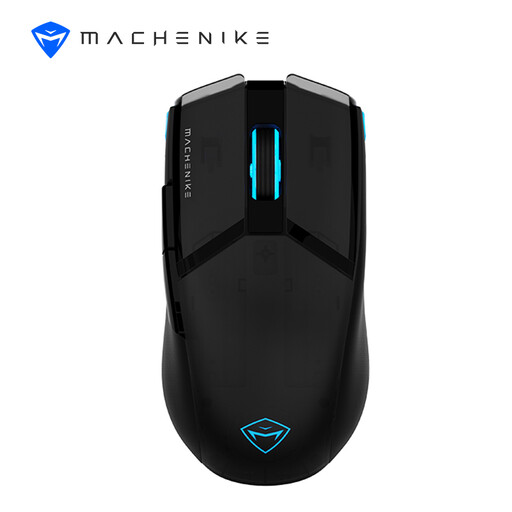 No image available
Consider this model if programmable actions and a choice of wireless or wired use match your practice setup.
The listing identifies a PAW3395 sensor and dual-mode wireless or wired connectivity. Check the number and position of its programmable buttons, its weight, hand fit and battery runtime against your planned session.
No: add mouse bindings when you repeatedly use commands you can reach without disturbing your grip. Logitech G specifies 13 customisable controls on the G502 X LIGHTSPEED, while Corsair and Razer list denser layouts on the SCIMITAR ELITE WIRELESS SE and Naga V2 HyperSpeed. Count the actions you would actually assign before choosing among them.
Use the gaming-oriented 2.4 GHz receiver where your mouse and setup support it. Corsair describes Bluetooth in its SCIMITAR setup guidance as suited to everyday computing and office tasks; check the connection and battery conditions for the particular mouse you choose.
Position it around the commands you expect to use most, so your thumb can reach them without stretching. For the Corsair SCIMITAR Key Slider, Corsair instructs owners to unlock the panel with the included Allen key, move it and lock it again.
Use an electrical-waste recycling route rather than putting it in general rubbish. When buying a replacement, check whether the retailer offers applicable take-back; GOV.UK sets out retailer responsibilities for taking back electrical equipment.