Comfort-first platform players
If you play for long sessions, start with the shape that supports your usual palm, claw or fingertip grip. SCAN UK's gaming-mouse guidance places particular importance on finding a comfortable fit.


Choose a mouse that suits your usual grip and puts the controls you need within reach. A lighter body or remappable buttons may matter if you frequently reposition the mouse or use extra game actions; RGB lighting changes the look of a dark-room setup but does not establish better control. Choose wired or wireless to suit your cable and charging preferences.
If you play for long sessions, start with the shape that supports your usual palm, claw or fingertip grip. SCAN UK's gaming-mouse guidance places particular importance on finding a comfortable fit.
If you want secondary actions, menu controls or accessibility-oriented bindings on the mouse, check that its buttons are reachable and can be mapped as you need. The useful number depends on your game and layout.
If adjustable lighting matters to the look of your desk, consider RGB after checking fit and controls. Lighting is a visual preference, not evidence of better platform-game performance.
Check fit first, then decide which controls and connection suit your play; treat lighting as a separate preference.
| Concern | What to check | Who this matters to |
|---|---|---|
| Grip and comfort | Compare the shape, handedness and button reach with your usual palm, claw or fingertip grip. | If I play for long sessions, I need a shape that supports my usual grip without making buttons awkward to reach; roughly 40% of consumers put fit and comfort first. |
| Controls and movement freedom | Check which buttons you can remap and whether a cable or charging routine suits your desk. | When I move secondary actions onto my mouse, I need reachable controls and a connection that works for my setup; around 30% of consumers prioritise controls and cable freedom. |
| Dark-room lighting | Confirm that the exact model has adjustable lighting and that its configuration software supports your system. | In a dark room, I want to adjust how my mouse looks without mistaking lighting for better control; about 30% of consumers put lighting customisation first. |
A mouse can look distinctive in a dark room yet feel awkward with your usual hand position. SCAN UK emphasises comfort when choosing a gaming mouse.
Check the shape, hand support and button reach first; make RGB a separate choice.
Extra controls help only when you can reach them and have actions to assign to them.
List the secondary actions you want on the mouse, then check the exact model's layout and remapping options.
A wireless mouse removes the cable from your desk but needs battery management.
Choose wireless if cable freedom matters to you, or wired if you would rather avoid a charging routine.
With a wireless model, allow time to charge it as part of your regular setup.
A computer mouse is electrical equipment. Coventry City Council advises residents not to put electrical items in household bins.
Check your local council's electrical recycling options or an available collection route.
The G502 range is relevant if you want configurable controls and lighting, with wired and wireless models to consider.
The Basilisk line is relevant if you want a right-handed shape, configurable controls and RGB lighting.
The Aerox 5 Wireless is relevant if low mass, several remappable buttons and lighting are priorities in one model.
These gaming mice offer different combinations of wired or wireless use, configurable controls and dark-room styling. Compare each model's shape and stated features with the needs that matter most to you.
 No image available
Consider this model if you want a stated 56 g mouse and a magnetic charging base with RGB lighting for your desk.
The title specifies a PAW3950 sensor, 30K DPI and an 8KHz polling rate. Check whether the mouse itself lights up, and whether its shape and button layout suit your grip and intended bindings.
 No image available
Consider this wired model if you prefer to avoid charging and want the Minecraft Edition design.
Check its shape against your grip and confirm that its button layout covers the actions you want to assign. Also confirm compatibility with your gaming device.
 No image available
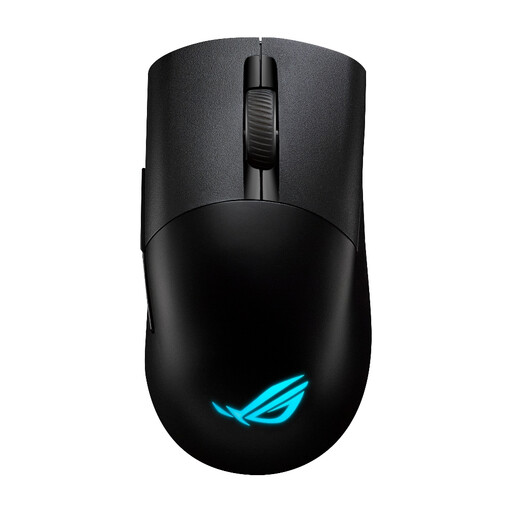
Consider this wireless mouse if you use a claw or fingertip grip and want configurable controls and lighting.
Check its dimensions and button positions against your hand. If mouse mass is decisive for you, confirm the weight of this exact variant before choosing.
 No image available
Consider this wireless model if you want to assess a symmetrical shape against your usual grip.
Battery choice affects its in-use weight, so compare weights on the same basis if mass matters to you. Check whether this exact model has the lighting options you want.
 No image available
Consider this model if you want the stated 53 g mass and ten programmable buttons in a wireless mouse.
Check the shape and button positions against your grip and bindings. Confirm its lighting options if RGB matters to your dark-room setup; the stated battery-life figure depends on a driver update for low-power mode.
No. RGB changes how the mouse or desk setup looks; it does not establish better tracking or control. Check fit and reachable buttons first, then choose adjustable lighting if you want it.
Choose wired if you prefer to avoid charging and do not mind a cable; choose wireless if cable freedom matters and you are willing to manage the battery. Check the connection options of the exact mouse you plan to buy.
Use configuration software that supports your exact mouse and system, then assign actions you will use. For compatible Logitech G devices, Logitech G says G HUB supports button remapping and LIGHTSYNC RGB settings.
For UK distance purchases, GOV.UK says customers generally have 14 days after receiving an item to tell the trader they want to cancel. That is distinct from remedies for faulty or misdescribed goods; check the applicable terms and contact the seller about the particular issue.
Use an appropriate electrical recycling or collection route rather than putting the mouse in household rubbish. Coventry City Council identifies computer mice as electrical equipment and advises residents to keep electrical items out of household bins; check the options available where you live.