Shortcut-heavy grand-strategy players
If you repeatedly open panels or issue commands, reachable mouse buttons may save trips to the keyboard. Check that your game and mouse software let you assign the actions you want.


For political simulations, choose a mouse that fits your hand through a long session and has reachable controls for the commands you actually repeat. An adjustable scroll wheel may help with dense maps and menus, but button placement matters more than a large button count on paper. Choose wired or wireless according to whether a cable or charging is the greater inconvenience in your setup.
If you repeatedly open panels or issue commands, reachable mouse buttons may save trips to the keyboard. Check that your game and mouse software let you assign the actions you want.
Extended campaigns make grip fit worth assessing before sensor headline figures. Compare the shape with the palm, claw or fingertip grip you normally use.
A wired mouse avoids charging, provided a cable and a free USB port suit your desk. Programmable controls are still worth checking if you use repeated in-game commands.
For political simulations, start with the actions and scrolling you repeat, then assess grip fit and the connection you would rather live with.
| Concern | What to check | Who this matters to |
|---|---|---|
| Shortcuts and navigation | Check which buttons you can reach with your normal grip, whether the intended game accepts your bindings, and whether the wheel offers the scrolling behaviour you want. | If I repeatedly open panels and move around dense maps, I want useful controls within reach without accidental presses. Around 50% of consumers might make reachable shortcuts their primary concern. |
| Grip fit | Compare the exact mouse shape, dimensions and weight with your usual palm, claw or fingertip grip. | During a long campaign, I need a shape that still feels comfortable after extended use. Grip fit might come first for around 30% of consumers. |
| Connection and upkeep | Decide whether you would rather manage a cable or charging; for wireless models, check the connection method and battery arrangements. | If the mouse stays at my desk, I may prefer a wired connection so I do not have to think about charging. Around 20% of consumers might put a straightforward setup first. |
Extra buttons do little for repeated commands if you cannot reach them comfortably or press them by accident. A mouse with fewer well-placed controls may cover the actions you use.
List your most repeated commands, then compare thumb-button placement with your normal grip before choosing a layout.
A maximum sensitivity figure does not tell you whether a mouse fits your hand or makes maps and menus easier to navigate.
Check adjustable sensitivity alongside grip fit, wheel behaviour and the controls you intend to assign.
Wireless mice use radio equipment, and Great Britain and Northern Ireland have different regulatory arrangements. A product's appearance or brand name cannot establish which market its listing covers.
For delivery to Great Britain, check the listing and product documentation for the intended market, manufacturer or importer details, and conformity information.
Razer's Basilisk models are relevant if you want a right-handed shape and assignable controls for repeated commands.
The wired G502 HERO is a multi-button option for players who want to adjust how the mouse feels in hand.
The Rival 5 offers shortcut controls in a model SteelSeries lists at 85 g.
These wired and wireless gaming mice offer different starting points for political-simulation play. Compare their controls with your recurring commands, then check grip fit and wheel behaviour for the exact model.
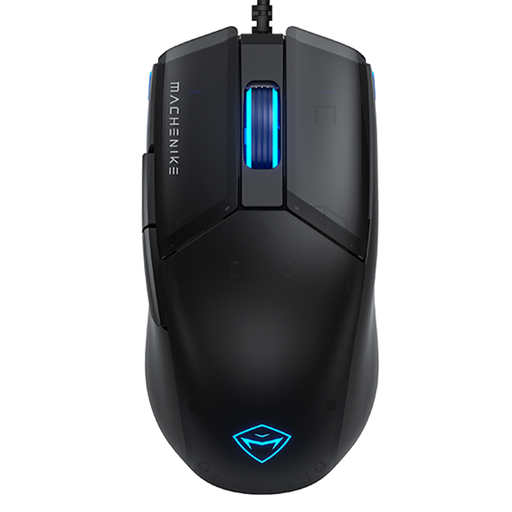 No image available
Consider this wired mouse if a cable suits your desk and you want to assess mouse-based shortcuts for repeated commands.
Check the button positions and available bindings against your grip and game. If scrolling behaviour is important to you, check the wheel features for this model.
 No image available
Its advertised programmable buttons make it worth considering if you want to assign recurring actions and prefer a wired connection.
Check the exact button layout against your grip, along with the wheel behaviour you need for maps and menus.
 No image available
Its ten programmable buttons may suit players with several recurring commands who prefer a wireless desk setup.
The White variant is listed at 53 g. Check its dimensions and button placement for your grip, and confirm the wheel and charging arrangements you want. Its advertised battery duration depends on operation at 1000 Hz and a driver update.
 No image available
This wired model is an option if you want to assess button customisation without managing a wireless connection.
Check which buttons you can assign and reach with your grip. For frequent map or menu scrolling, confirm that its wheel behaviour suits your game.
Choose enough reachable buttons for the commands you genuinely repeat, rather than aiming for the highest count. SteelSeries lists nine programmable buttons on the Rival 5, while Logitech G lists 11 on the G502 HERO; placement and the game's binding options still determine how useful they are to you.
It can be useful if you often scroll through long interfaces, but deliberate wheel inputs may feel easier with tactile steps. Razer lists both behaviours, plus automatic switching, for the Basilisk V3 35K; check how your particular game uses the wheel before making this a deciding feature.
Choose wired if avoiding charging matters more than keeping a cable off your desk; consider wireless if the cable is the greater nuisance. For a wireless model, check its connection method, charging arrangements and the controls you need rather than assuming the connection alone determines its suitability for political simulations.
Check that the listing is intended for the Great Britain market and review its manufacturer or importer and conformity information. According to the Office for Product Safety and Standards, the Radio Equipment Regulations 2017 cover radio equipment placed on that market, including requirements concerning safety, electromagnetic compatibility and radio-spectrum use. Northern Ireland has different arrangements, so check the destination-specific information rather than treating a GB listing as sufficient for both.