Players who use extra shortcuts
If you assign menu, camera, push-to-talk or other secondary actions to mouse controls, check that your racing game accepts the particular bindings you want.


Choose extra mouse buttons for racing only if your game accepts the digital commands you want to remap; button count does not establish support for analogue steering, throttle or braking. A wired mouse avoids charging at a fixed desk, while wireless use removes the cable but adds power management. Check grip, button reach and the game’s control settings before buying.
If you assign menu, camera, push-to-talk or other secondary actions to mouse controls, check that your racing game accepts the particular bindings you want.
A mouse used throughout the working day needs to fit your hand and desk position as well as your gaming controls. The Health and Safety Executive advises keeping it within easy reach so you can use it with a straight wrist.
Wireless use removes the mouse cable from your desk, but you will need to account for charging or battery changes and, where applicable, a receiver.
Check the game’s supported mouse bindings before comparing button layouts. Then choose a shape you can place comfortably at your desk and a connection method whose upkeep suits you.
| Concern | What to check | Who this matters to |
|---|---|---|
| Digital control mapping | Check the game’s binding menu and which buttons or wheel directions you can assign. Extra buttons do not establish analogue driving controls. | If I want camera or other secondary commands close to hand, those inputs must work in my game and be reachable without accidental presses. Around 37% of consumers put digital control mapping first. |
| Desk comfort and fit | Compare handedness, shape and dimensions; place the mouse within easy reach. The Health and Safety Executive advises using it with a straight wrist. | When the same mouse stays on my work desk all day, I need its shape and position to suit both tasks. For around 36% of consumers, desk comfort and fit take priority. |
| Cable-free use and upkeep | Choose among the model’s stated wired, 2.4 GHz or Bluetooth modes, and check its charging and receiver requirements. | I would rather clear the mouse cable from my desk, provided I can manage the power and connection it requires. Cable-free use or lower mouse weight comes first for around 27% of consumers. |
Programmable buttons can provide digital shortcuts only where the game accepts those inputs. Their number says nothing about analogue steering, throttle or braking.
List the commands you intend to use, then check the game’s control settings and the mouse’s assignable inputs before buying.
A right-handed shape will not fit every hand or desk position. For longer computer sessions, reach and wrist position matter alongside the mouse’s shape.
Check handedness and dimensions, and see whether you can keep the mouse within easy reach with a straight wrist, as the Health and Safety Executive advises. Review return terms if you cannot try the shape beforehand.
Manufacturer battery figures depend on their stated settings and test conditions; your settings and use can differ.
Check how the figure was measured, how the mouse charges and whether its connection requires a receiver. If it will remain at one desk, consider whether a wired model is simpler to maintain.
The G502 X models are relevant if you want several controls at a desktop setup, with wired and LIGHTSPEED wireless variants to consider.
The Basilisk line is relevant to people considering a right-handed mouse with configurable controls. Razer recommends its shape for palm or claw grip.
The Aerox 5 Wireless is relevant if you want a wireless mouse with several programmable controls and a low listed weight.
These wired and wireless gaming mice offer different ways to manage desk cables and digital shortcuts. For any of them, check your racing game’s bindings and the mouse’s button layout before relying on extra controls.
 No image available
Consider its stated Bluetooth, 2.4 GHz and USB-C modes if you move between gaming and office use. The title also specifies a charging dock; check the assignable buttons and confirm the mouse’s weight if either affects your choice.
 No image available
If you want wireless movement alongside configurable digital shortcuts, the product title lists 10 programmable buttons and a 53 g weight. Check the shape against your hand and the conditions behind its advertised battery runtime.
 No image available
Wired operation suits a fixed desk if you would rather avoid charging. Check which of its stated programmable controls can be reassigned and whether your game accepts them.
 No image available
This is an option to examine if you want wireless use with a wired connection available; the title lists 2.4 GHz and wired modes and a 56 g weight. Confirm the available connection modes and remappable-button layout before choosing it for your game.
 No image available
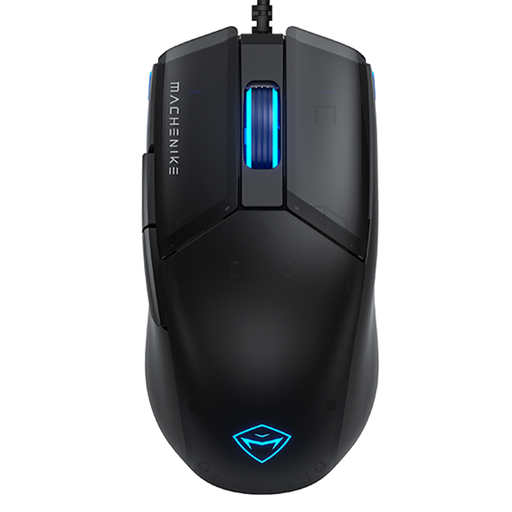
Its wired connection suits a mouse that will stay at one desk without charging. If shortcut mapping is important, confirm how many buttons you can assign, as well as the mouse’s dimensions and fit.
Do not assume that it can: programmable mouse buttons provide digital inputs, not established support for analogue steering, throttle or braking. Check the specific game’s supported controllers and remapping options before deciding whether a mouse covers the controls you need.
Keep it within easy reach so you can use it with a straight wrist, as the Health and Safety Executive advises. Its workstation guidance also recommends supporting your forearm and avoiding an overly tight grip.
Choose wired if the mouse stays at one desk and you want to avoid charging; consider a wireless mode if removing the cable matters more. Confirm the modes on the exact model: Razer lists wired, 2.4 GHz wireless and Bluetooth for the Basilisk V3 Pro, whereas the Basilisk V3 is wired.