PC racers who make broad mouse movements
If you use the mouse for repeated steering corrections or move the cursor quickly across a large display, mouse mass and your wired or dedicated 2.4 GHz setup may shape your choice.


A large screen does not determine the right mouse shape or sensitivity: choose a grip that suits your hand, a connection that suits your PC setup and sensitivity you can adjust in-game. A lighter mouse may suit broad, repeated movements; a right-handed shape may matter more for comfort; and extra buttons are worth considering only if you have commands to assign. For response-focused play, check the connection mode rather than assuming Bluetooth and a dedicated 2.4 GHz receiver behave alike.
If you use the mouse for repeated steering corrections or move the cursor quickly across a large display, mouse mass and your wired or dedicated 2.4 GHz setup may shape your choice.
If you play for long sessions with a palm or claw grip, check the shell shape and handedness before treating a high polling-rate setting or lighting as a deciding feature.
If you want mouse inputs for camera views, menus or other secondary actions, check both the game’s input options and the mouse’s configuration software before choosing a button-heavy design.
Start with hand fit and how you move the mouse, then decide which connection and extra controls you will actually use.
| Concern | What to check | Who this matters to |
|---|---|---|
| Grip and handedness | Check the shell’s handedness, grip shape and dimensions against how you hold a mouse. | If a shaped mouse strains my grip during a long session, its headline specifications will not resolve the fit problem. Roughly 31% of consumers would put hand fit first. |
| Movement and connection | Compare stated mouse weight and the connection mode you will use; check whether a wireless receiver is included. | For repeated, broad movements, I want a mass I am comfortable moving and a suitable connection for play. Around 31% of consumers would prioritise movement and connection response. |
| Remappable controls | Identify useful commands, then check the button layout, software and your game’s input options. | I want camera or menu commands within reach, but extra buttons only matter if I can assign them. About 23% of consumers would make usable remapping their primary concern. |
| Simple setup | Choose the connection type you need and confirm the required cable, receiver or software arrangements. | If I do not need elaborate controls, I would rather avoid a setup that complicates ordinary play. Roughly 15% of consumers would put simplicity first. |
Maximum dots per inch (DPI) is an available sensitivity setting, not a screen-size requirement. Choosing on that figure alone can distract from grip, connection and usable controls.
Look for sensitivity you can adjust, then tune the mouse and in-game settings to a level you can control consistently.
For the Aerox 5 Wireless, SteelSeries states that Bluetooth defaults to 125 Hz / 8 ms, while its 2.4 GHz mode can reach 1,000 Hz / 1 ms. Those figures describe that model’s connection modes, not every wireless mouse.
If response is your priority, check the chosen model’s wired or 2.4 GHz options and whether your PC has the required port.
A dense button layout adds little to a racing setup if the game and your control scheme have no useful commands for it.
List the camera, menu or other secondary commands you intend to map, then check the game’s input settings and the mouse’s software.
A return option does not tell you whether the mouse suits your hand or whether its connection and software fit your setup.
Check handedness, grip shape, available USB ports and what comes with the mouse before ordering; read the seller’s change-of-mind terms separately from your rights if goods are faulty or misdescribed.
Its PRO X SUPERLIGHT 2 and G502 X lines illustrate a choice between lower mass and a design centred on more controls.
The DeathAdder line is presented for right-handed palm and claw grips; Basilisk models offer a different emphasis on configurable controls.
The Aerox 5 Wireless combines programmable controls with a choice of 2.4 GHz and Bluetooth connections.
These mice offer choices for low-mass movement, planned button assignments and wired play. Match the mouse to the connection you will use and the inputs your racing game accepts.
 No image available
Consider this model if you want a low stated mass alongside buttons for planned secondary commands.
The product title specifies 53 g, 10 programmable buttons and 8K wireless polling. Check that your game supports the assignments you want; if battery runtime at 8K matters, confirm the conditions for that setting.
 No image available
This is a choice to examine if low mouse mass and a choice of connections matter for broad movements.
The product title specifies 49 g, wired, 2.4 GHz and Bluetooth modes, and dual 8K. Confirm which receiver and cable are included before planning your setup.
 No image available
Consider it if you want a stated 56 g mouse and plan to use a wired or 2.4 GHz connection.
The product title also names 8KHz polling, a PAW3950 sensor and a colour screen. Check this variant’s available connection modes and included receiver: its title names wired and 2.4 GHz operation, while other listing text also mentions Bluetooth. Confirm the sensitivity range if it affects your choice, as the stated maximum differs between the title and description.
 No image available
Consider this mouse if you intend to use several secondary commands rather than selecting a control-heavy layout for its own sake.
Check that its shape and button positions suit your hand and that your racing game accepts the assignments you plan. If mouse mass matters for broad movement, compare a mouse-only weight rather than a figure that includes accessories.
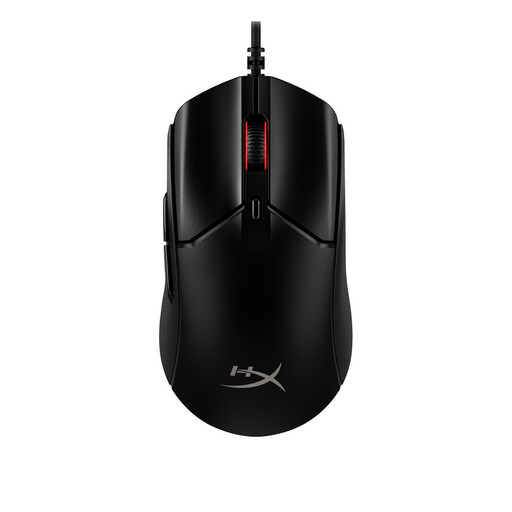 No image available
This wired model suits a setup where you would rather use a cable than manage a wireless connection.
Check the mouse’s weight, polling options and available sensitivity settings if any of those figures will decide whether it fits your movement style.
No particular maximum DPI follows from screen size alone. Choose adjustable sensitivity and set your operating-system and in-game controls so you can move the cursor or make supported game inputs consistently; check how your particular racing title uses mouse input.
A dedicated 2.4 GHz connection is the more relevant option to check when gaming response is your priority, provided the mouse supports it and you have the required receiver and port. SteelSeries states that the Aerox 5 Wireless can reach 1,000 Hz / 1 ms in 2.4 GHz mode, while Bluetooth defaults to 125 Hz / 8 ms on that model; Bluetooth remains an option when compatible-device convenience matters more.
Extra buttons help only if you have useful commands to assign and your game or desktop setup accepts them. Check input settings before choosing a dense layout: SteelSeries lists nine programmable buttons for the Aerox 5 Wireless, while Razer lists 13 controls for the Basilisk V3 Pro 35K.
Treat a fault and a change of mind as separate issues. GOV.UK says sellers must offer a refund for goods that are faulty, misdescribed or do not do what they are supposed to do; for a grip preference on an otherwise sound mouse, check whether the purchase qualifies for distance-selling cancellation rights and read any additional retailer return policy and its exceptions.